

Answered
After 2019 update, Photoshop icons blank and no longer associated with the program
The headline gets to the point. Here's a screen shot of the issue. The Photoshop icon is now blank. In properties, where you can associate the program with the file type, changing it to Photoshop refuses to take. The "Pick an app" icon remains.
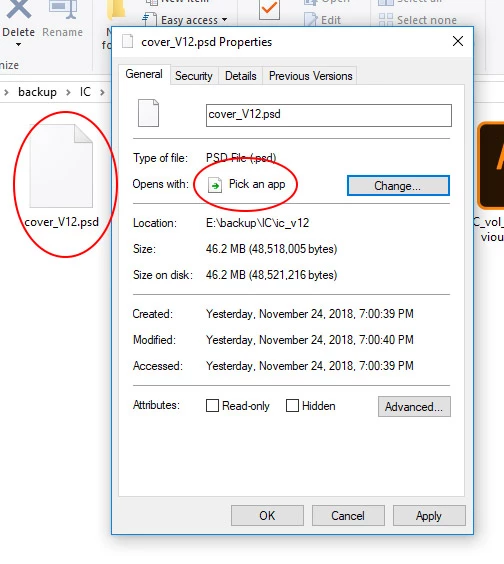
So now, every time I try to open a .psd file, I have to take the extra step of choosing what software I want to use to open the file.
I searched, and found this solution, but unfortunately there was no .psd option in that software (regardless of the instruction), so that was a no-go.


 AdChoices