Known Participant
March 23, 2023
Question

AI/Plug-in's/Advanced Methods for Dust Cleanup on Products?

  • March 23, 2023
  • 4 replies
  • 15690 views

Hello everyone,

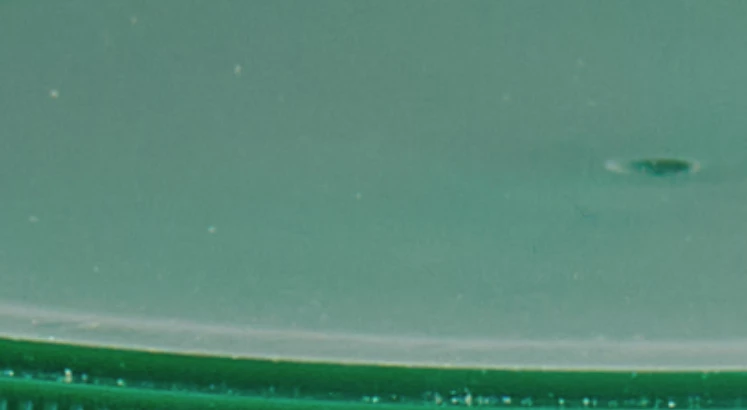
I'm looking for recommendations on Photoshop Plug-Ins, Neural Filters, or AI software that can automatically remove dust from product images. I don't need to clean sensor dust, just the dust on the products like the one shown in the attached image.

I was considering trying Retouch4me, but it seems their website is currently down, and their tool is more portrait/skin based than product-based. As I work on hundreds of images per week, this is a time-consuming task, and I'm hoping to find a more efficient solution.

I've experimented with various combinations of D&S filters, High Pass Filters, Median Stack Mode, Darken Blend Mode, and Find Edges filters. While I've come close to success, I haven't found anything that works perfectly. 


Any suggestions would be greatly appreciated. Thank you!


4 replies

NetPixel
Inspiring
November 11, 2023

The same here, I am desperatley looking for a dust remover plug-in.

Thank you!

Participant
July 4, 2023

use the dust and spec filter under noise really helps

Participant
March 24, 2023

Have you tried LaserSoft Imaging's SRDx plug-in? 


J.C.C.1Author
Known Participant
March 31, 2023

I have not tried this one yet! I will give it a shot. It looks promising. For now I have just been using a layer with median noise filter, and then adding back in the noise so it matches the original image. Then brushing it in. 

In terms of selecting the dust/scratches, does anyone have a good reccomendation for this? I have done some testing with Color Range, Find Edges, and using a High Pass filter.

Method used below

Duplicate Layer

Rename Duplicate "DUST" 
Run a Maximum filter

Run a high Pass


Apply a Threshhold Adjustmen


Copy Canvas
Select Original Layer
Duplicate Layer


Create a blank layer mask
Apply Clipboard to Dust Layer Mask

Select the layer and Run a median filter


Here is a before and after or where I am at now.


Inspiring
January 18, 2024

Thank you so much for listing this out!  I recreated it and am testing it on a bunch of images.  I liked the Retouch4me dust filter, but it honestly took a little too long and this seems to have done the trick.  I really appreciate your taking the time to write it out with screenshots!  also had to look up how to copy> apply that directly to a layer mask, so def learned some stuff today.https://www.google.com/url?sa=t&rct=j&q=&esrc=s&source=web&cd=&cad=rja&uact=8&ved=2ahUKEwj78rDcueeDAxVamIkEHR8wAtkQwqsBegQIDRAG&url=https%3A%2F%2Fwww.youtube.com%2Fwatch%3Fv%3DVzvv0DfvJm8&usg=AOvVaw2jW2NDOn2VRhjfhcuUE8vc&opi=89978449


Kevin Stohlmeyer
Community Expert
Community Expert
March 23, 2023

Hi @J.C.C.1 you could try using the Neural Filter JPEG Artifacts Removal - its kind of a hack, but I've had good success cleaning up minute specs in my images using it.

J.C.C.1Author
Known Participant
March 23, 2023

Hey! I ended up testing this on the Low, Med, and High Setting. 

Here it is on High,


This could probably work on other images, but no luck here. Thanks for the reccomendation, I will test it on some other images. 


Kevin Stohlmeyer
Community Expert
Community Expert
March 23, 2023

A bit of effort but it could be a recorded action - I took your image and replicated the layer.

I then ran the Median filter to get this:

and then set the layer to darken - any white specs get filled in with the overlying color.