

Answered
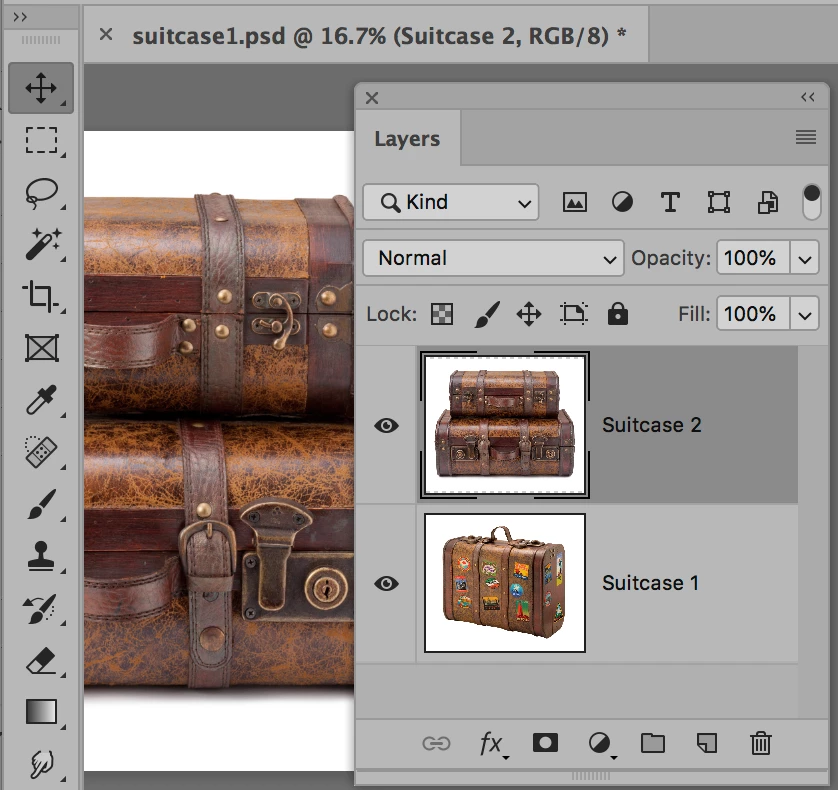
All my layers are stacked on top of each other.
When I bring in photos to PS, the layers are all on top of each other and I don't know how to display them individually. It must be a setting but I can't find it.

When I bring in photos to PS, the layers are all on top of each other and I don't know how to display them individually. It must be a setting but I can't find it.
I don't find file-place embedded on my FB
Sorry. I'm really a newbee at this.
michaelbennett wrote
I don't find file-place embedded on my FB
Hi Michael
What is "FB"?
File > Place Embedded is in Photoshop in the File menu. If you have an older version, it just says File > Place. This is an alternative method to the one I gave earlier. They both work, so use either one.

What you need to do is to get both images into the same document. Then rename your layers.
Already have an account? Login
Enter your E-mail address. We'll send you an e-mail with instructions to reset your password.
 AdChoices