

解決済み
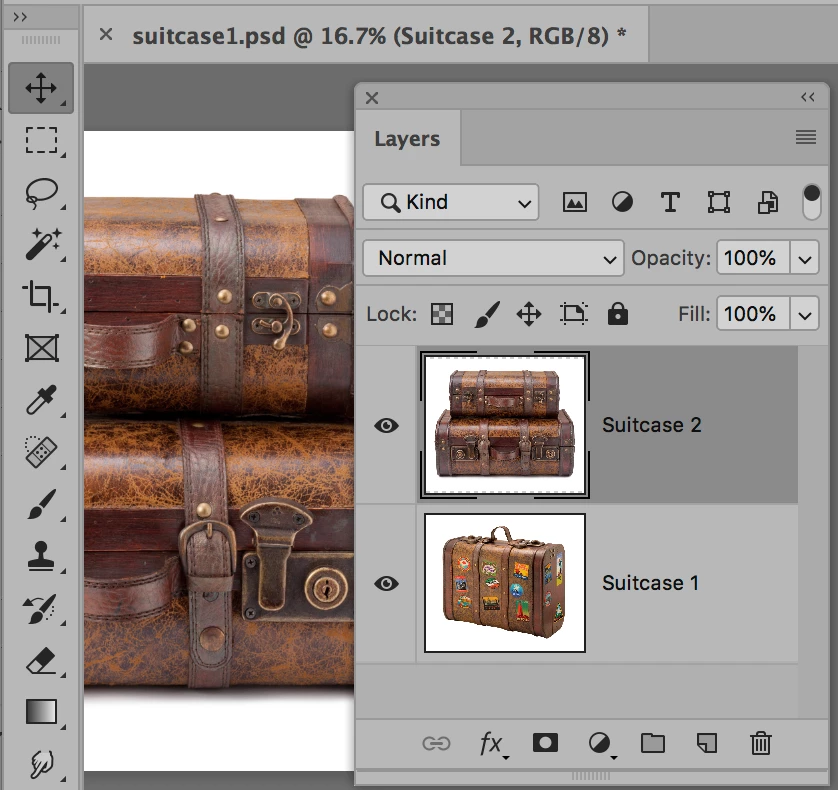
All my layers are stacked on top of each other.
When I bring in photos to PS, the layers are all on top of each other and I don't know how to display them individually. It must be a setting but I can't find it.

When I bring in photos to PS, the layers are all on top of each other and I don't know how to display them individually. It must be a setting but I can't find it.
I don't find file-place embedded on my FB
Sorry. I'm really a newbee at this.
michaelbennett wrote
I don't find file-place embedded on my FB
Hi Michael
What is "FB"?
File > Place Embedded is in Photoshop in the File menu. If you have an older version, it just says File > Place. This is an alternative method to the one I gave earlier. They both work, so use either one.

What you need to do is to get both images into the same document. Then rename your layers.
Enter your E-mail address. We'll send you an e-mail with instructions to reset your password.
 AdChoices