


Anyone Else Seeing Ghosting When Using AI Denoise XMPs in Camera Raw?
Hello,
Has anyone encountered the following problem?
I open a raw file with Photoshop, the photo appears in the Camera Raw Filter, and if I load an xmp file of a photo similar to the given photo, which was denoised with AI Denoise, the photo becomes ghosted like this in Camera Raw. Moreover, the ghost is the given photo, so it was opened in Camera Raw, and the XMP belongs to the powerful photo.
And it has been doing this since the last update (26.8.0)
I may have missed a few updates. I don't know when AI Denoise changed in Camera Raw, but when the AI Denoise menu wasn't like it is now (I put it in the lower right corner of the attached photo), I didn't have this problem. (For me, the old AI Denoise looks like the one in the lower left corner)
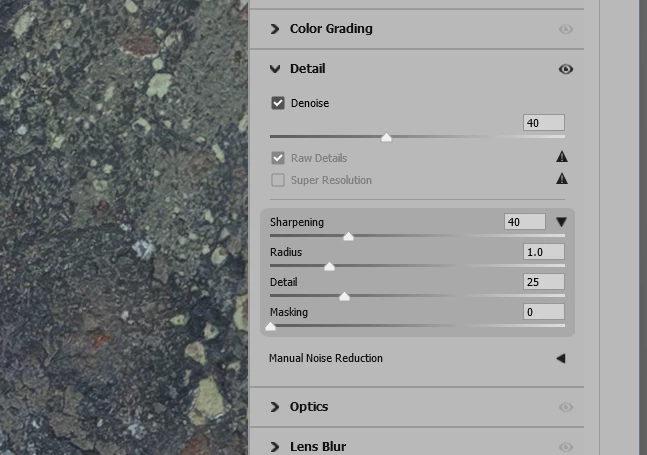
What is new to me and very strange is that when loading the XMP file, it now automatically brings the AI Denoise setting with it, which it didn't do before the update. The older version didn't do this.
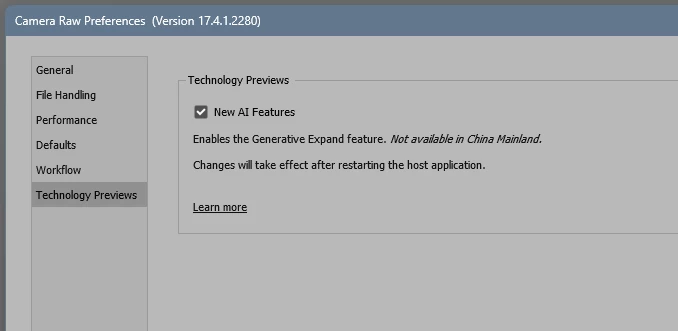
I have put the previous 26.x.x versions back in order, but the problem occurs with all of them and the AI Denoise menu hasn't "changed back".
What is the remedy for this? Or how can I restore the previous version, in which the AI Denoise is still the old one?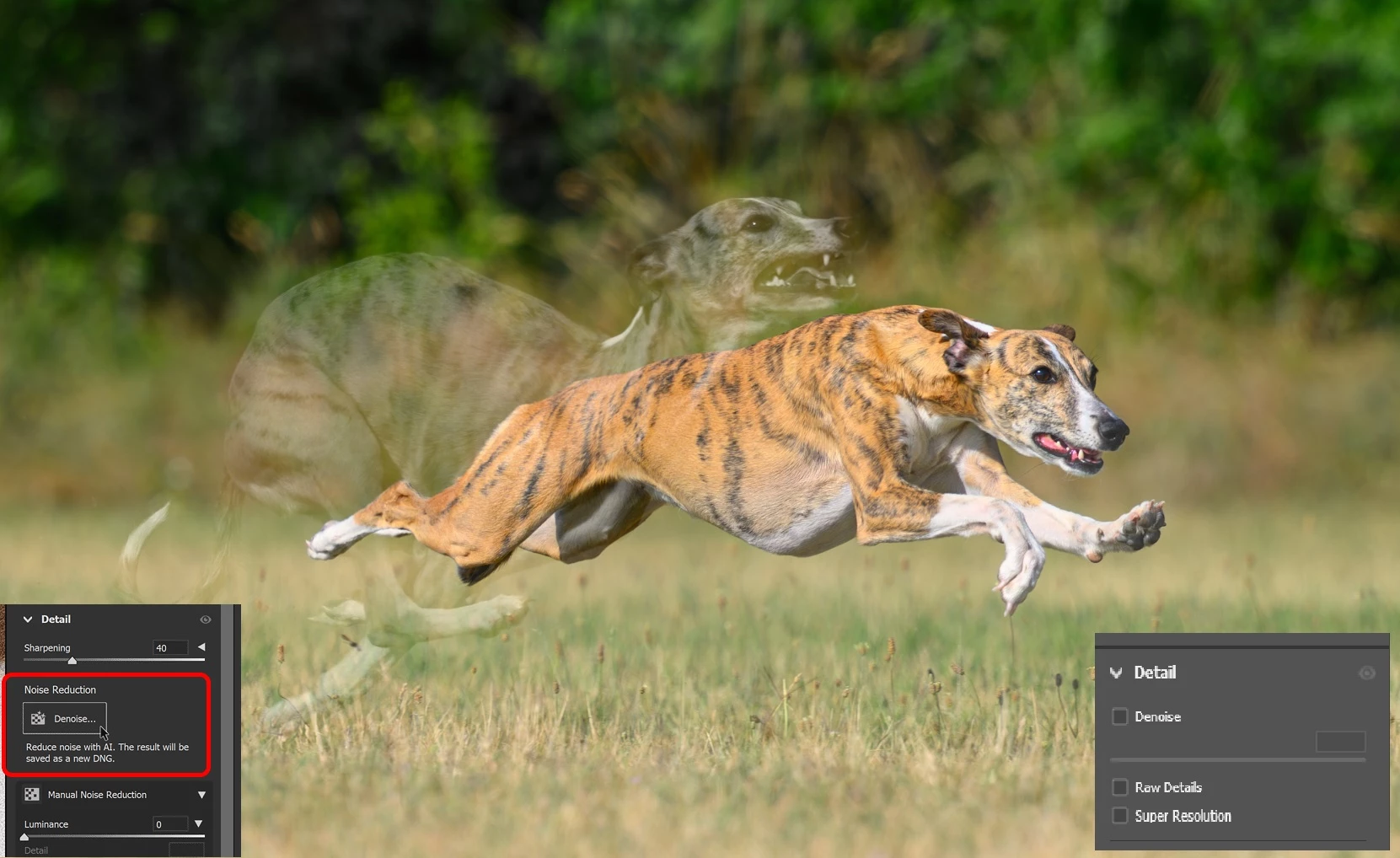
 AdChoices