



Batch Automate & Rename not working
I have many files that I would like to batch resize and just to make sure that I know which ones are actually the correct new files, I'd like to add an extension to the new file name.
For example, right now the files in one folder are already called: 2-a, 2-b, 2-c, and I would like them to be called Converted-2-a, Converted-2-b, Converted-2c., so keep original 'document name' and add 'Converted-' in front of it.
I was able to set up the automation task, and am now stuck on the renaming, no matter what I select, the new files I get always have the identical name to the original images (without saying 'Converted-' at the beginning). I am using Photoshop 2020 and here is the batch window I am looking at:
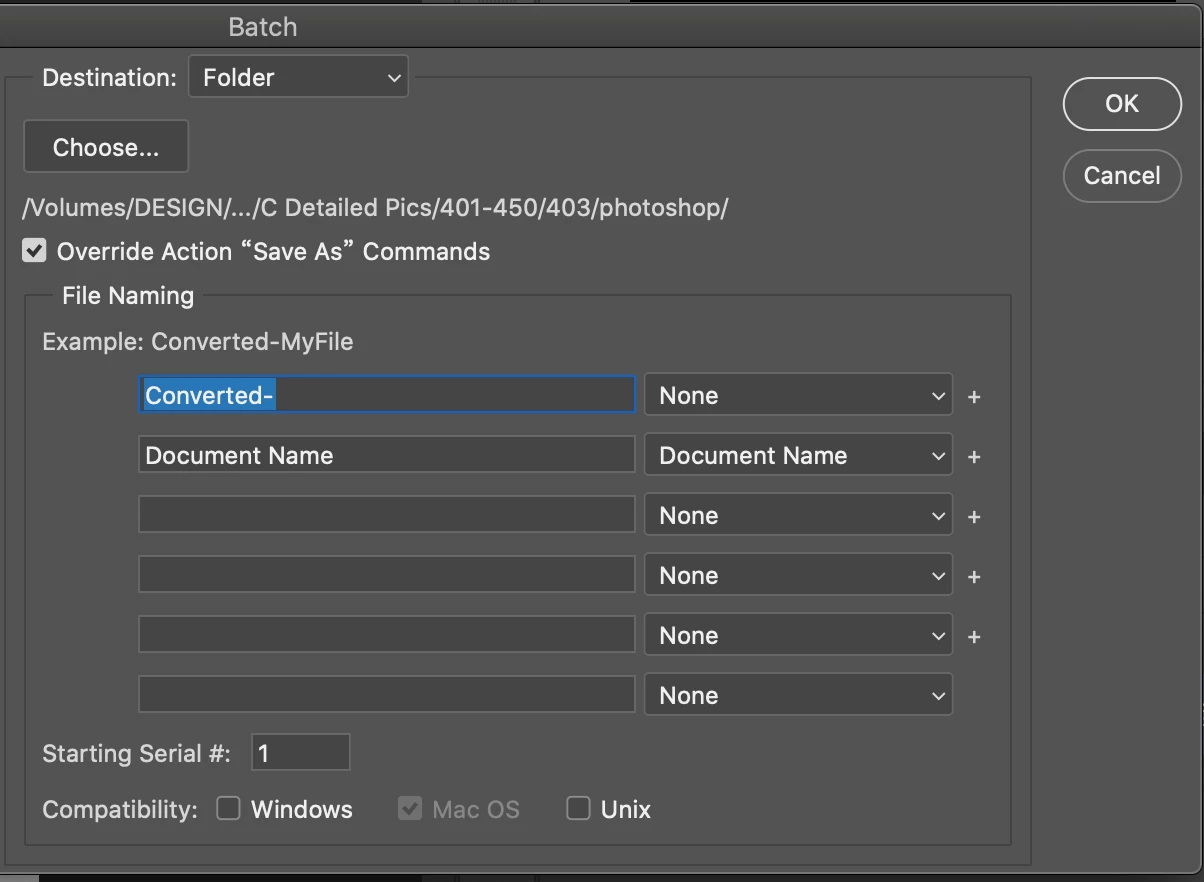
To me, the above looked like what I want to accomplish, when I hit on save, I get the automation job done, files are created, but they have the same name as the original file name. Just to make sure I didn't make a thinking mistake I tried running a very simple rename like the following:
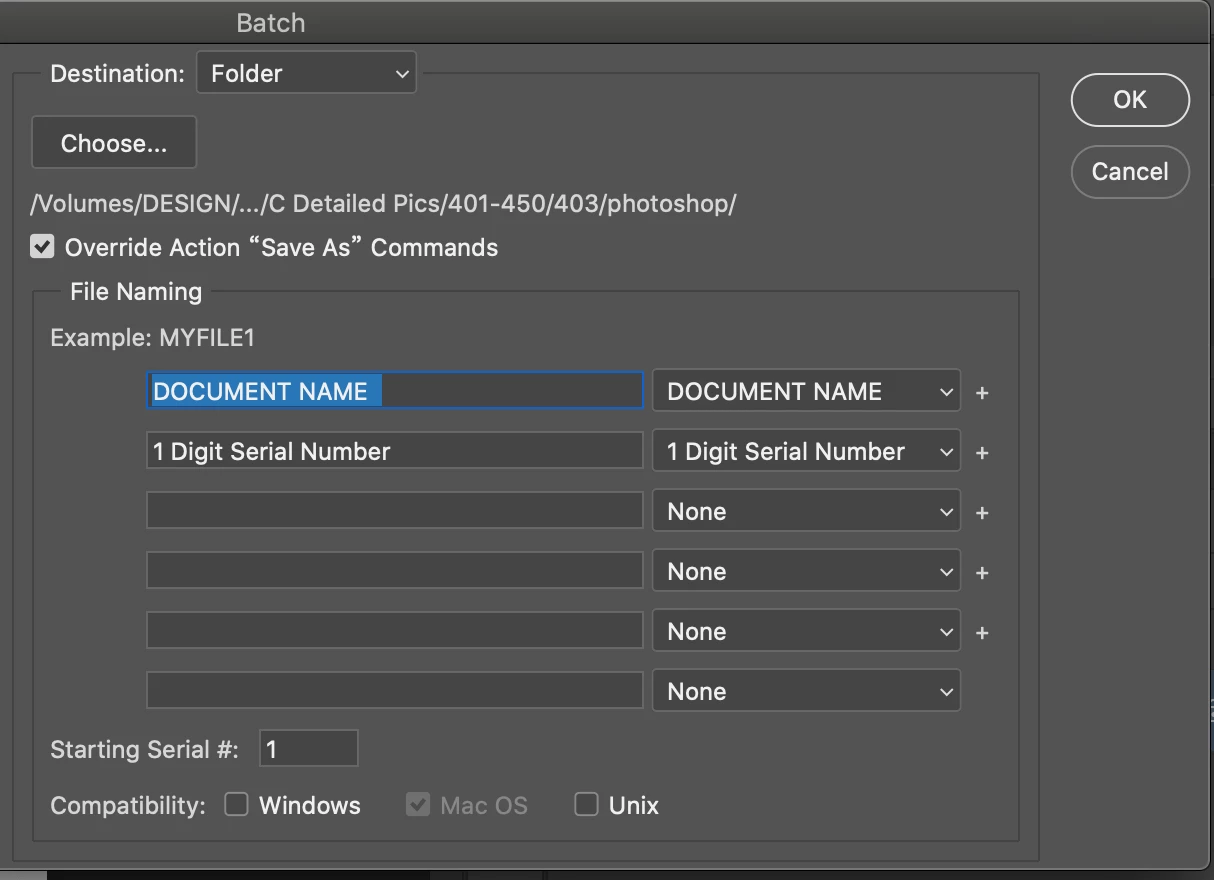
And same thing, the new files get created, no error message whatsoever, but the file name remains the original file name no matter what I try.
I'm a bit tired after trying out several options for hours to make this work and feel like I must be making a very basic mistake, could anyone help me out please? Thanks in advance!
 AdChoices