


nhungcamn
Known Participant
January 11, 2024
Answered

Batch export multiple layers in a smart object

  • January 11, 2024
  • 3 replies
  • 982 views

I have a PSD mockup file with smart objects like this: 
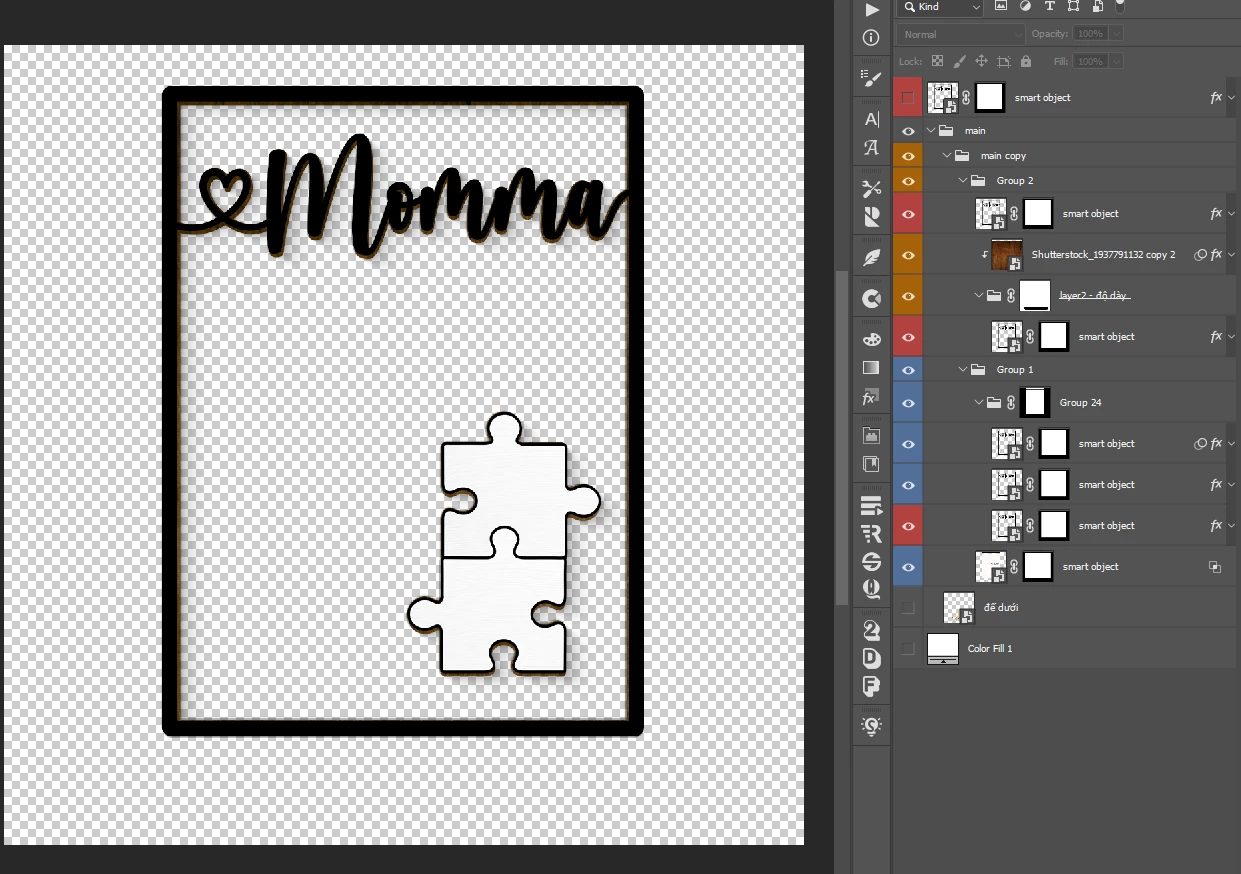
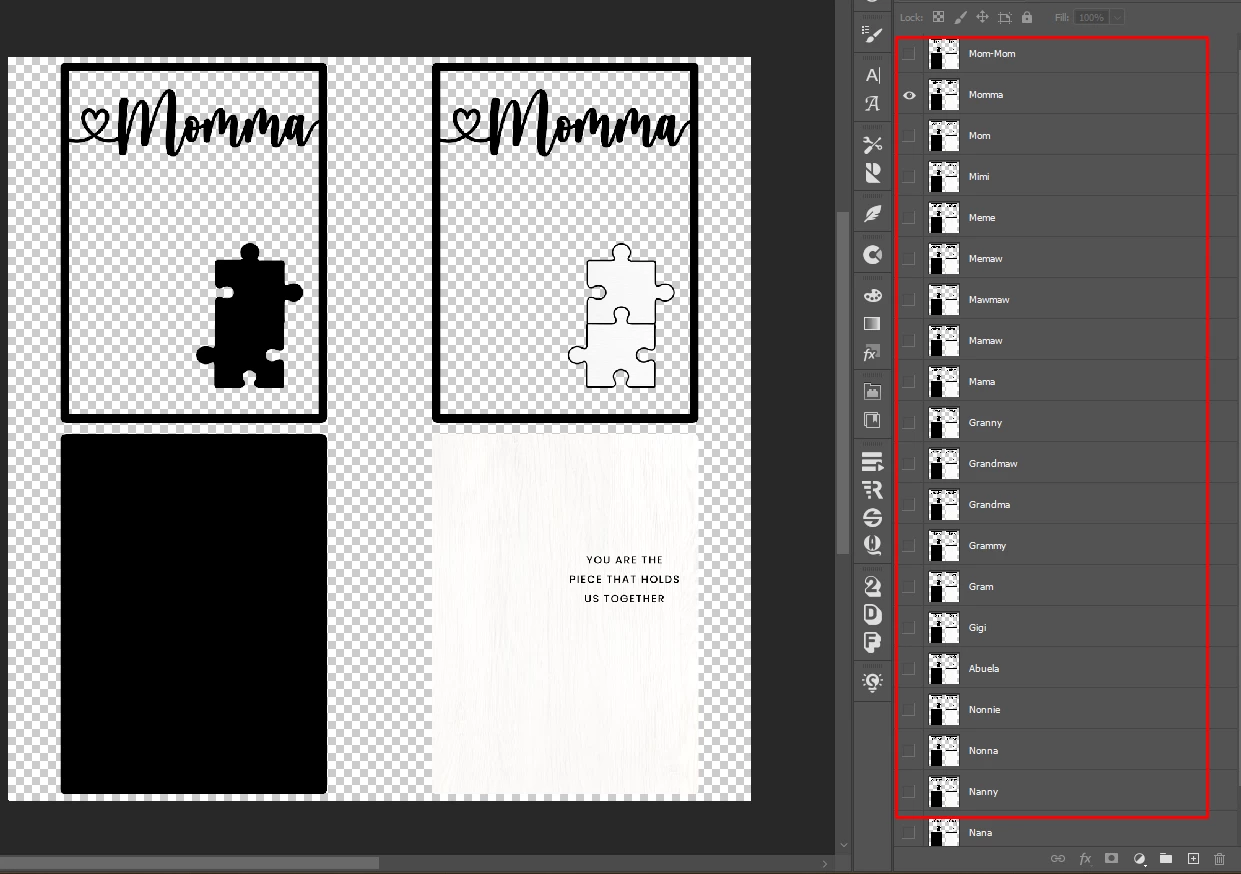
In the smart object, there are many layers that I need to update to the mockup file: 
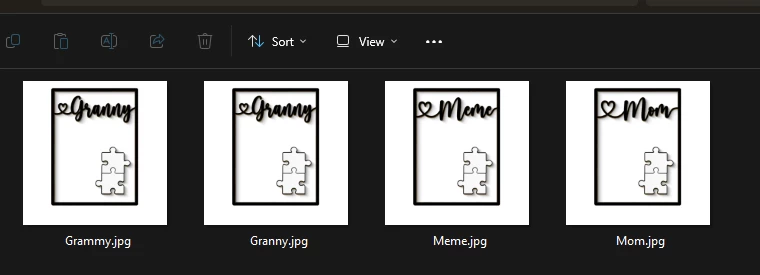
Then I need to export into individual PNG images of each asset like this:
This process takes too much time. I want to know if there is a more optimal way instead of saving the smart object of each layer and exporting each image from the mockup file?


Thanks,


This topic has been closed for replies.
Correct answer c.pfaffenbichler

Please watch the video here: https://www.loom.com/share/ff4b6bc677a941b3a3ae271a8b1e01e8?sid=677c0b36-2ad2-4ed6-a5f7-744ccc6a2a88

The Script works but I need a manual save operation. I wish it was completely automatic, no manual save operations required


After the line 

myDocument = myDocument.duplicate("copy", true);

insert the line

myDocument.flatten();

3 replies

c.pfaffenbichler
Community Expert
January 14, 2024

The Script needs an instance of the Smart Object to be selected. 

nhungcamn
nhungcamnAuthor
Known Participant
January 14, 2024

Thank you. I'll try and give feedback 😍

c.pfaffenbichler
Community Expert
January 13, 2024

// save jpg for every layer in active smart object;
// 2024, use it at your own risk;
if (app.documents.length > 0) {
    activeDocument.suspendHistory("do stuff", "main()");
    };
////// function //////
function main () {
// get properties, thanks to xbytor;
var myDocument = app.activeDocument;
var docName = myDocument.name;
try {
    var basename = docName.match(/(.*)\.[^\.]+$/)[1];
    var docPath = myDocument.path
}
catch (e) {var docPath = "~/Desktop"};
var theLayer = myDocument.activeLayer;
if (theLayer.kind != LayerKind.SMARTOBJECT) {
alert ("not smart object");
return};
var theSO = openSmartObject (theLayer);
var theLayers = collectLayersNamesIndexAndIdentifier ();
for (var m = 0; m < theLayers.length; m++) {
    showOrHideLayerById (theLayers[m][2], false)
};
for (var n = 0; n < theLayers.length; n++) {
    showOrHideLayerById (theLayers[n][2], true);
    theSO.save();
    activeDocument = myDocument;
    saveJPG (myDocument, docPath, basename, theLayers[n][0]);
    activeDocument = theSO;
    showOrHideLayerById (theLayers[n][2], false)
};
theSO.close(SaveOptions.DONOTSAVECHANGES)
};
////// open smart object //////
function openSmartObject (theLayer) {
try {
activeDocument.activeLayer = theLayer;
// =======================================================
var idplacedLayerEditContents = stringIDToTypeID( "placedLayerEditContents" );
    var desc2 = new ActionDescriptor();
executeAction( idplacedLayerEditContents, desc2, DialogModes.NO );
return app.activeDocument
} catch (e) {return false}
};
////// collect layers //////
function collectLayersNamesIndexAndIdentifier () {
// get number of layers;
var ref = new ActionReference();
ref.putProperty(stringIDToTypeID('property'), stringIDToTypeID('numberOfLayers'));
ref.putEnumerated( charIDToTypeID("Dcmn"), charIDToTypeID("Ordn"), charIDToTypeID("Trgt") ); 
var applicationDesc = executeActionGet(ref);
var theNumber = applicationDesc.getInteger(stringIDToTypeID("numberOfLayers"));
// process the layers;
var theLayers = new Array;
for (var m = 0; m <= theNumber; m++) {
try {
var ref = new ActionReference();
ref.putIndex( charIDToTypeID( "Lyr " ), m);
var layerDesc = executeActionGet(ref);
var layerSet = typeIDToStringID(layerDesc.getEnumerationValue(stringIDToTypeID("layerSection")));
var isBackground = layerDesc.getBoolean(stringIDToTypeID("background"));
// if group collect values;
if (layerSet != "layerSectionEnd" && layerSet != "layerSectionStart" /*&& isBackground != true*/) {
var theName = layerDesc.getString(stringIDToTypeID('name'));
var theID = layerDesc.getInteger(stringIDToTypeID('layerID'));
var theIndex = layerDesc.getInteger(stringIDToTypeID('itemIndex'));
var theVisibility = layerDesc.getBoolean(stringIDToTypeID('visible'));
theLayers.push([theName, theIndex, theID, theVisibility])
};
}
catch (e) {};
};
return theLayers
};
// based on code by mike hale, via paul riggott;
function selectLayerByID(id,add){ 
add = undefined ? add = false:add 
var ref = new ActionReference();
    ref.putIdentifier(charIDToTypeID("Lyr "), id);
    var desc = new ActionDescriptor();
    desc.putReference(charIDToTypeID("null"), ref );
        if(add) desc.putEnumerated( stringIDToTypeID( "selectionModifier" ), stringIDToTypeID( "selectionModifierType" ), stringIDToTypeID( "addToSelection" ) ); 
        desc.putBoolean( charIDToTypeID( "MkVs" ), false ); 
    try{
    executeAction(charIDToTypeID("slct"), desc, DialogModes.NO );
}catch(e){
alert(e.message); 
}
};
////// show or hide layer //////
function showOrHideLayerById (theID, theVisibility) {
    if (theVisibility == false) {var idhide = stringIDToTypeID( "hide" )}
    else {var idhide = stringIDToTypeID( "show" )};
    var desc22 = new ActionDescriptor();
    var list2 = new ActionList();
    var ref8 = new ActionReference();
    ref8.putIdentifier( stringIDToTypeID( "layer" ), theID );
    list2.putReference( ref8 );
    desc22.putList( stringIDToTypeID( "null" ), list2 );
    executeAction( idhide, desc22, DialogModes.NO );
};
////// function to jpg //////
function saveJPG (myDocument, docPath, basename, theSuffix) {
myDocument = myDocument.duplicate("copy", true)
var jpgopts = new JPEGSaveOptions();
jpgopts.embedProfile = true;
jpgopts.formatOptions = FormatOptions.STANDARDBASELINE;
jpgopts.matte = MatteType.NONE;
jpgopts.quality = 12;
myDocument.saveAs((new File(docPath+"/"+basename+"_"+theSuffix+".jpg")),jpgopts,false);
myDocument.close()
};
nhungcamn
nhungcamnAuthor
Known Participant
January 15, 2024

I tried. It works!!! However, I will need to save each layer. Is there any solution? 

Video: https://www.loom.com/share/ff4b6bc677a941b3a3ae271a8b1e01e8?sid=677c0b36-2ad2-4ed6-a5f7-744ccc6a2a88


Thanks!

c.pfaffenbichler
Community Expert
January 15, 2024

Please watch the video here: https://www.loom.com/share/ff4b6bc677a941b3a3ae271a8b1e01e8?sid=677c0b36-2ad2-4ed6-a5f7-744ccc6a2a88

The Script works but I need a manual save operation. I wish it was completely automatic, no manual save operations required


Again: Please provide the file. 

c.pfaffenbichler
Community Expert
January 13, 2024
quote

I want to know if there is a more optimal way instead of saving the smart object of each layer and exporting each image from the mockup file?

Yes. 

Scripting can automate that. 


Please provide the file for testing.