


Participating Frequently
September 26, 2019
Answered

Batch images in multiple folders (Save for Web)

  • September 26, 2019
  • 2 replies
  • 4198 views

I'm still looking to do this simple action: Create a script to process batch images, which are contained in multiple folders. I want them to be recorded in their respective folders, in web format, with a "Save for Web".
Apparently this is still not possible ? It's indispensable when you are working with a lot of images to integrate in a Website.

The only trick I know is to create a temporary folder and do your batch, folder by folder, and move the created images everytime to the right folder.
This topic has been closed for replies.
Correct answer Jeff Arola

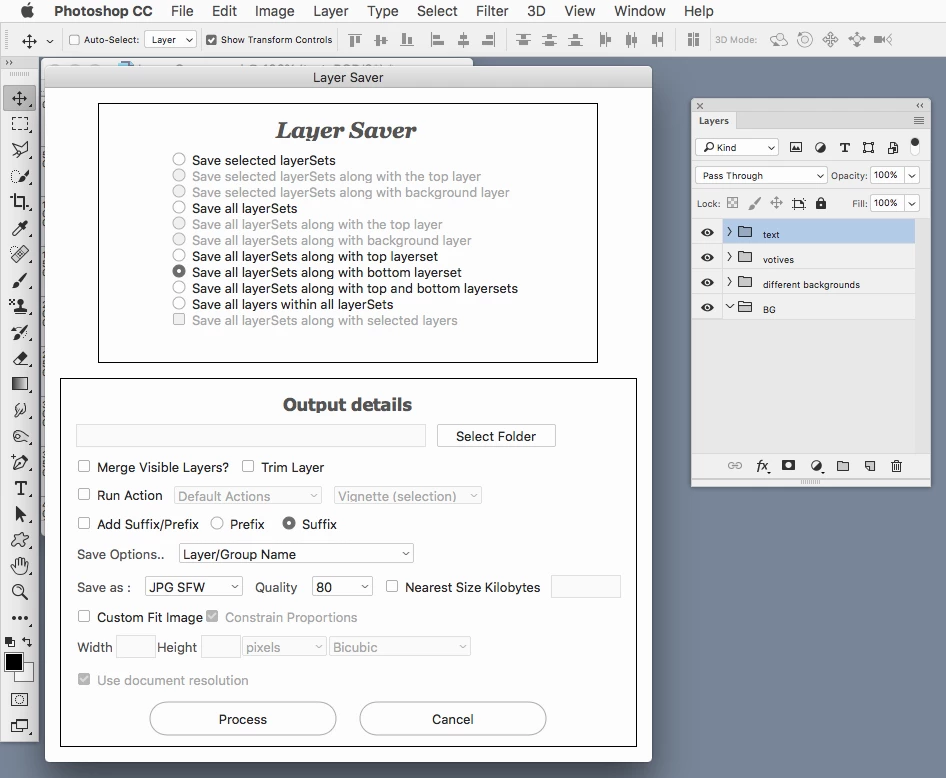
Check on the Layer Saver script over here:


PS-Scripts


2 replies

Participating Frequently
August 19, 2021

Hi, I am looking at doing something similar. I want to save for web each folder along with the bottom layer (BG) set automatically. Anybody knows how to do that or write a script for it?

melissapiccone
Community Expert
Community Expert
August 19, 2021

Are you wanting to save the folder as a file or the layers in the folder? You can use generate - name your folders/ layers with an extension - .png, .jpg, etc and turn on generate under the file menu. 

Generate image assets from layers

Melissa Piccone | Adobe Trainer | Online Courses Author | Fine Artist
Participating Frequently
August 20, 2021

Perhaps this script will help:


photoshopCompositionComposer


Thanks but it's not working

Jeff Arola
Community Expert
Community Expert
September 26, 2019

You could use the Image Processor Pro script which has a Save For Web setting.

Image Processor Pro / v3_2 betas

FbcAuthor
Participating Frequently
September 26, 2019

Thank you, it's exactly what I'm searching for. It's a mix between all the functionalities I need. Adobe should include that in Photoshop.