


New Participant
December 9, 2020
Question

Batch replace linked images, change text layer according to CSV source and saving with specific name

  • December 9, 2020
  • 2 replies
  • 2624 views

Hi everybody, 


my problem is changing text on a lot of existing files.


I have 100+ of files that look similar to this one:
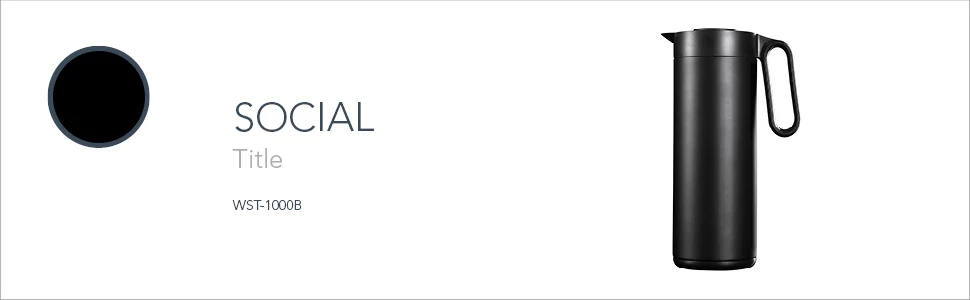
 

My project layer composition will look like this:
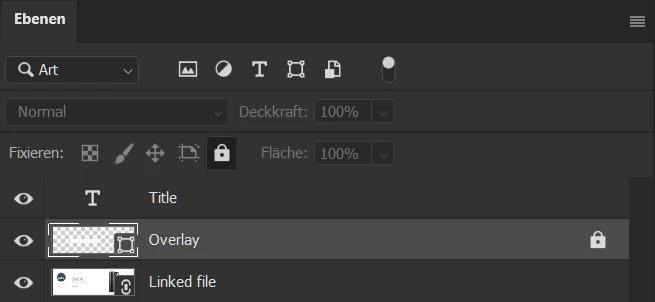
 

My goal is:

  1. Replace linked file with files from specific folder
  2. Replace "Title" text layer content with data from specific CSV file
  3. Save as JPG with the same name as the linked file to an output folder


Is it possible to do every step at once?


Thank you,

Nam

This topic has been closed for replies.

2 replies

Kukurykus
Brainiac
December 10, 2020

Make a loop over CSV rows or files to be loaded into smart object, so during each iteration the text layer will be edited to get another CSV row content, and then Smart Object is going to be relinked to another file of specific folder. Of course before loop will be continued the current state of your PSD document will be saved as JPG in chosen earlier location with name of taken file. It is very simple task for someone with 10 minutes of time 😉

JJMack
Community Expert
December 10, 2020

It is very simple task for someone with 10 minutes of time when that someone  knows javascript, Photoshop, and Photoshop scripting as well as your do and they can type. For other it will require more time.


I would have a very hard time dealing with language character sets and vertical and horizontal text.

JJMack
JJMack
Community Expert
December 9, 2020

Look for tutorials on Photoshop Data Driven Graphics  using templates with variables.

JJMack
New Participant
December 9, 2020

Thanks JJ,


As far as I understand, there is a need for scripting if I want to use and replace linked layers? I understand you can manipulate text contents through variables, but image layers can only be modified as pixels, or am I mistaken?

New Participant
December 10, 2020

Link layer or linked smart objects.  Smart Object layer can not be  variable layers that get replacement they would not be used in data driven graphics only their visibility could be changed with data driven graphics.  I would think text layer and and image layer that are linked can be variables layers.  I have not used Photoshop data driven graphics and I have never come across a script that repopulate templates that have smart object layer that have linked link objects in the template that need replacement content.  That does not make sense for you want to repopulate the layers with different content and save jpeg for the web. Jpeg do not have layers. What value would replacing linked smart object file content add to the mix.


Linked smart objects. And yes, I am aware that linked smart objects can not be modified via variables. That is why I was hoping to get some help setting up an appropiate script.


I am not only replacing the image layers, but also the "Title" text layer. As I described in my initial post, the goal is to do three different things with one script:


  1. Change the "Title" text layer with data from one specific csv file
  2. Change the "Linked file" smart object layer with other images from a specific folder
  3. Save the result as new jpg at a different location but with the same file name as the source jpg of the smart object layer.


CSV file:

text1

text2

text3


images folder

image1

image2

image3


output images:

image1 with text1 title

image2 with text2 title

image3 with text3 title