Stephan, thanks , oddly that did not work, I selected the one BW images, option click reset, stays BW... But then I just click BW tab and back to color
By @larry45
It sounds like you used the Edit feature's B&W button, not a B&W preset which is what I was referring to. If you get the monotone conversion you like and can easily return to the original colour versions, then all is good.
FYI: The (BW) button is a 'toggle' button- it can switch the image (Profile) both ways [Color <> B&W].
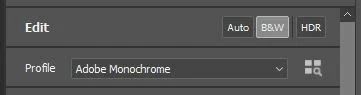
The (BW) button applies a standard 'Adobe Monochrome' profile that is not always the 'best'.
Instead you could use the Profile Browser (button- four squares & mag glass) to apply one of the many B&W profiles that may suit your image better-
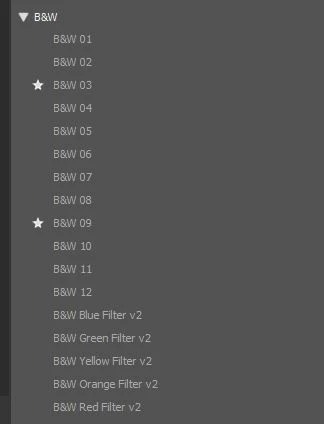
Profiles are the base 'foundation' in the editing process and do not alter any of the editing sliders.
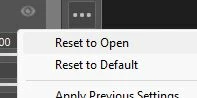
Alternatively, as suggested by @Stephen Marsh , there are many Develop Presets that will change develop sliders, adjustments, etc. The image can be reverted/reset to original from the '3 dot' icon-




 AdChoices