


New Participant
June 22, 2023
Answered

Beta tab is not showing in creative cloud

  • June 22, 2023
  • 1 reply
  • 3562 views

I wanted to update to the latest Photoshop beta version. But the tab is not available in my creative cloud manager. Does anybody kniw the reason or a solution to download this version?
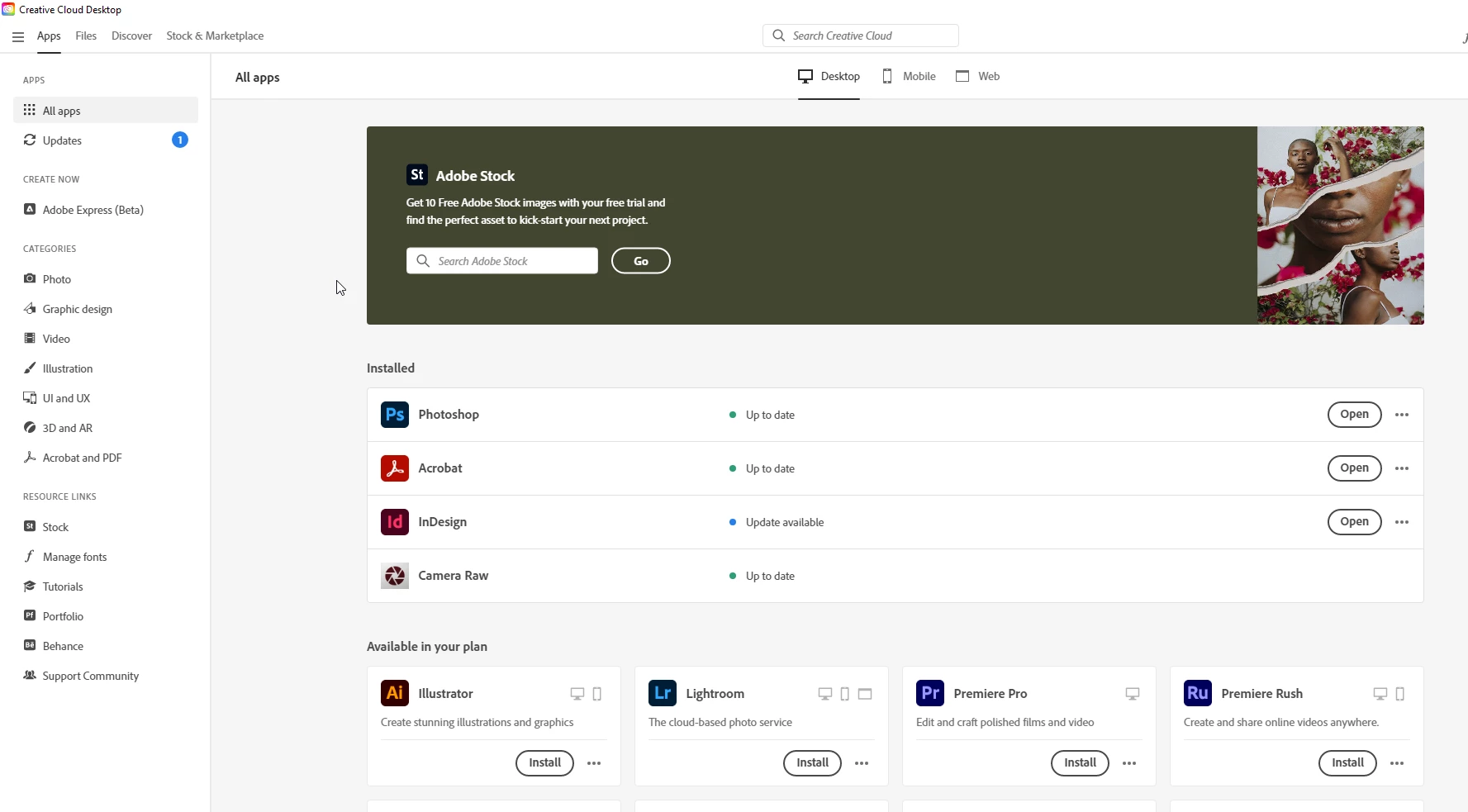
Thanks in advance

Correct answer Ged_Traynor

You'll need to contact your Tech department and ask them to enable the Beta options

1 reply

Ged_Traynor
Community Expert
June 22, 2023

@Jorg306577401zgf do you have a student or enterprise account by any chance

New Participant
June 22, 2023

Yess I have a enterprise account from the office

New Participant
March 1, 2024

Kevin,

Thanks for the quick reply.  I am using Win 11 Pro.

I edited per instructions (see image below).  Rebooted.  Still no option to download Photoshop beta.

Are there additional steps?  I'm not aware of having Adobe Admin Console.

Thanks very much for your feedback!

Mark


Solution Found

Maximize Adobe Creative Cloud Desktop window

At the top you will now see a Beta button:  push it and you will see all the beta apps including PS beta

It you leave the Adobe Adobe Creative Cloud Desktop window minimized you will not see the Beta button to access the beta apps unless you scroll to see the additional options. 

See screen shots appended.