



Answered
Black is grayed out in certain areas after exporting.
Hello.
Recently I have exported an AI file from Illustrator as a PSD and PDF. The problem with the PSD file however, is that certain areas in the illustration are greyed out. When their actual color is supposed to be black.
If you look closely at the shadows of the tires, you'll see what I mean.
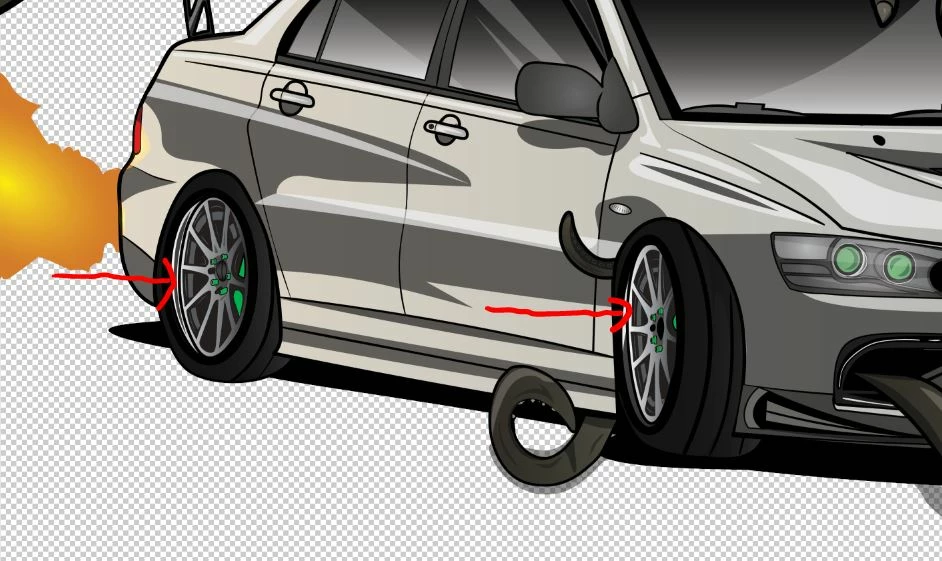
To give you more detail, I have exported the PSD file to 300DPI with the CYMK color profile of "U.S Web Coated (SWOP) V2".
As an AI and PDF file it came out just fine, but it's only on Photoshop is where the issue occurs.
 AdChoices