


Participant
August 14, 2024
Question

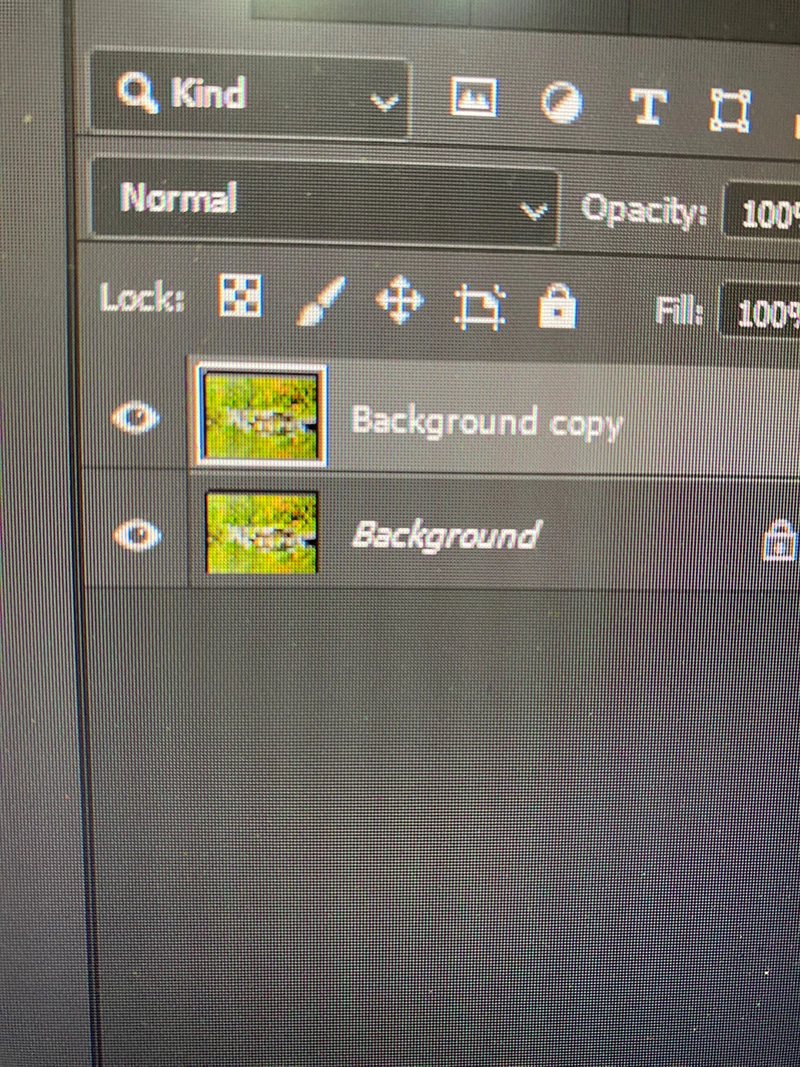
box around active layer thumbnail is solid

  • August 14, 2024
  • 1 reply
  • 164 views

Can anyone explain why the bounding box around the active layer is solid instead of the dashed line I used to see?  Has Adobe changed how it displays the thumbnail?  Is there any difference in how the layer is edited?  Just wondering...Thanks for any explanation!
This topic has been closed for replies.

1 reply

gener7
Community Expert
Community Expert
August 15, 2024

I checked on my copy of Ps 2024 Mac and seems normal. It just indicates the active thumbnail on the selected layer.

In my example I added a Layer Mask. If I wanted to edit the mask, I click on its thumbnail and the white border shows me I did indeed select it. Very helpful. Just edit your selected thumbnail the way you did  before.


They must have made the adjustment from dash to solid line around the thumbnail somewhere in the 2024 version. No worries, serves the same function.