


Question
Brush line goes away from cursor
Hi everyone,
The photoshop is having a quite weird behaviour when I try using the brush tool/ lasso tool, even the marquee tool - the cursor is located at one point, but the actual line stars somewhere else and it works as expected but at different location on the canvas. Here is the screenshot of the behaviour (my cursor is drawing here).
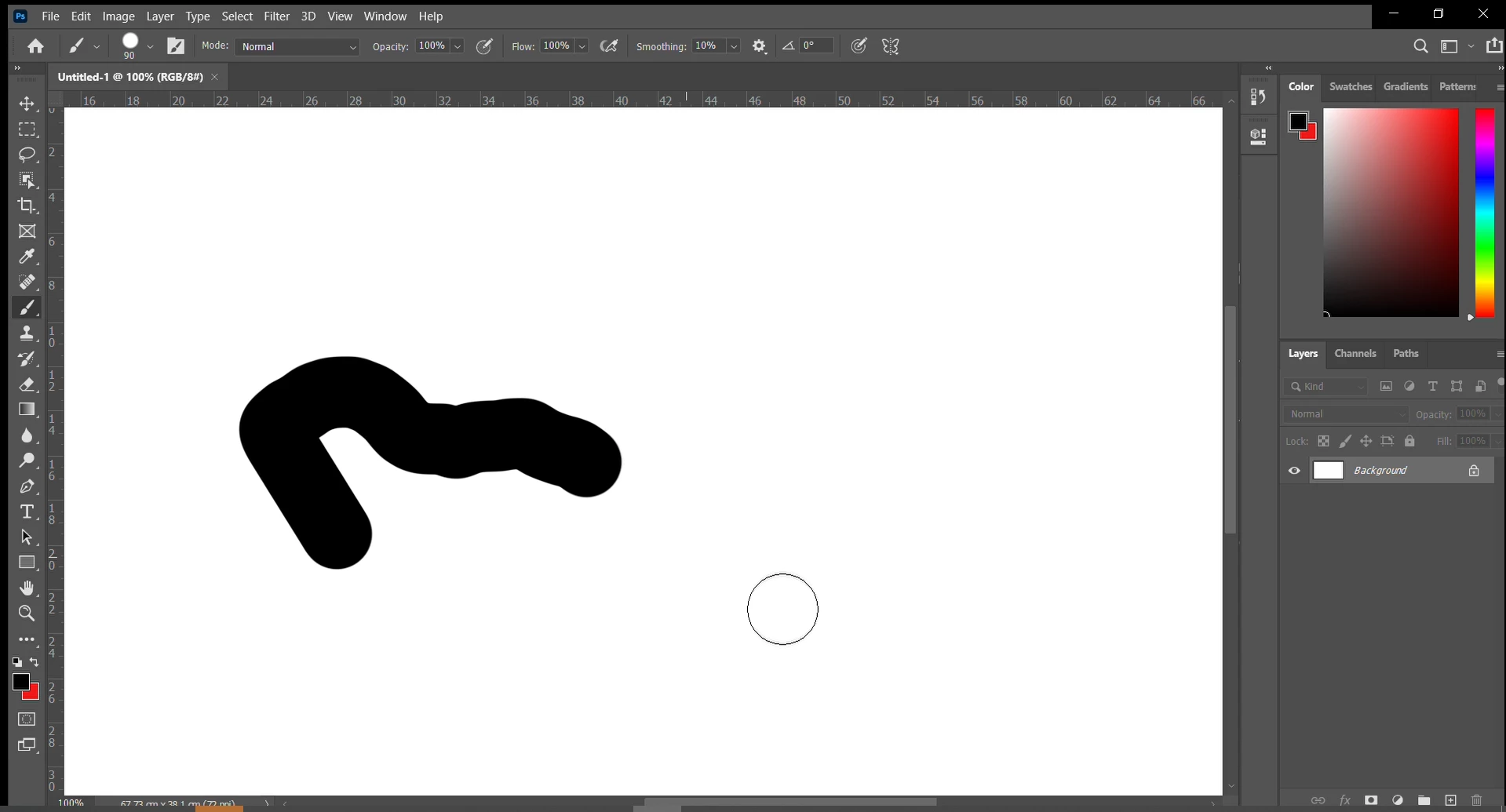
I use the latest version of Photoshop and this starts happening with one of the updates in June.
Does anyone know what can cause this? I've tried to reset all the preferences but with no result.
I am using Windows 10.
Thanks in advance!
 AdChoices