



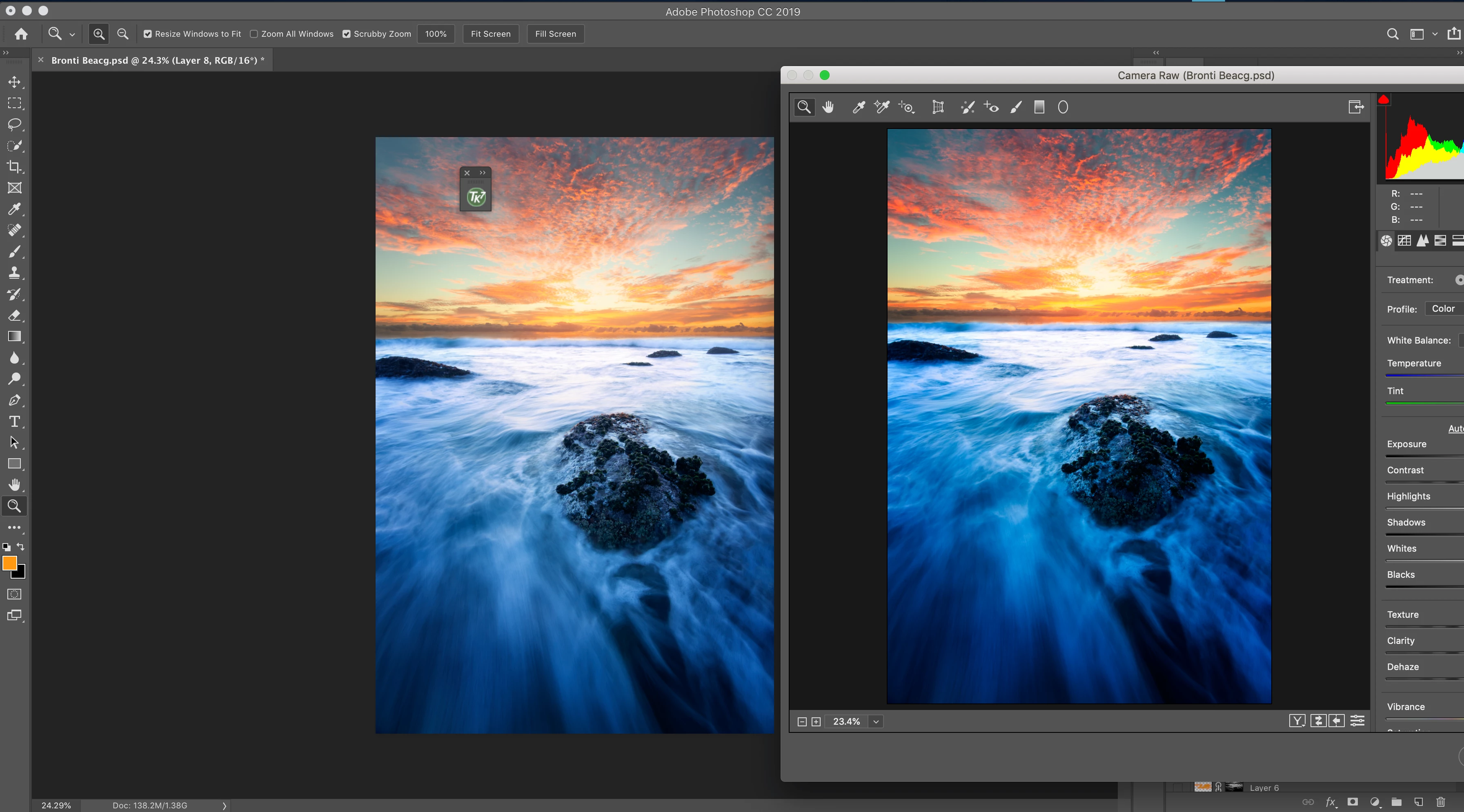
Camera Raw showing images over saturated & inaccurate to the working profile
Hi,
I’ve been having issues with how Camera Raw shows my image on a wide-gamut monitor (oversaturated and inaccurate - see attached image)
Setup: I’ve got a BenQ sw271 calibrated for Adobe RGB via BenQ’s Palette Master Element program with an i1 Display Calibrator.
This is connected to my mid-2014 MacBook Pro
The issue I’m having is that when I edit an image with my calibrated monitor (with the BenQ calibrated colour profile) in either the generic Adobe 1998 rgb profile or if I select my Benq calibrated colour profile in Camera Raw the colours are oversaturated
Any suggestions on why this could be the case would be much appreciated
note: the colour displays accurately when I've selected Adobe 1998 in the monitor display profile & work with adobe 1998 as my photoshop doc however I'd think (and hope) that it would also work with a calibrated profile
Cheers,
Dale
 AdChoices