Participant
April 10, 2024
Answered

Can I create this infographic circle in Photoshop?

  • April 10, 2024
  • 1 reply
  • 466 views

Hey, 


Is it possible to make this infographic cirkle (found in the image below) in Photoshop? Can´t come up with a effectiv solution. 

I found it in a resume in Canva but need premium to download it, which I don't want to pay for, now that the trial period is over.

 

Grateful for help

/Daniel
 

This topic has been closed for replies.
Correct answer Ged_Traynor

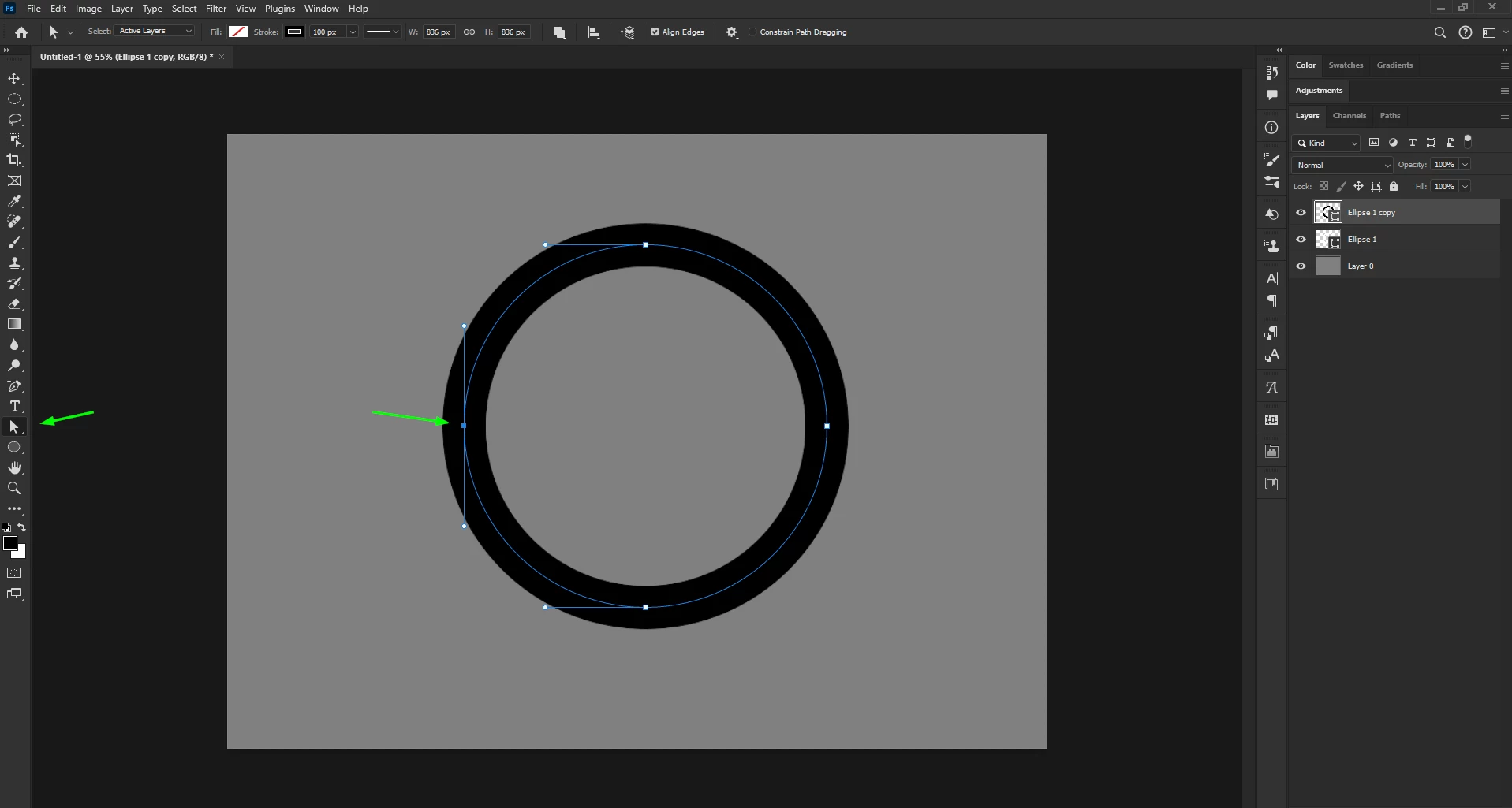
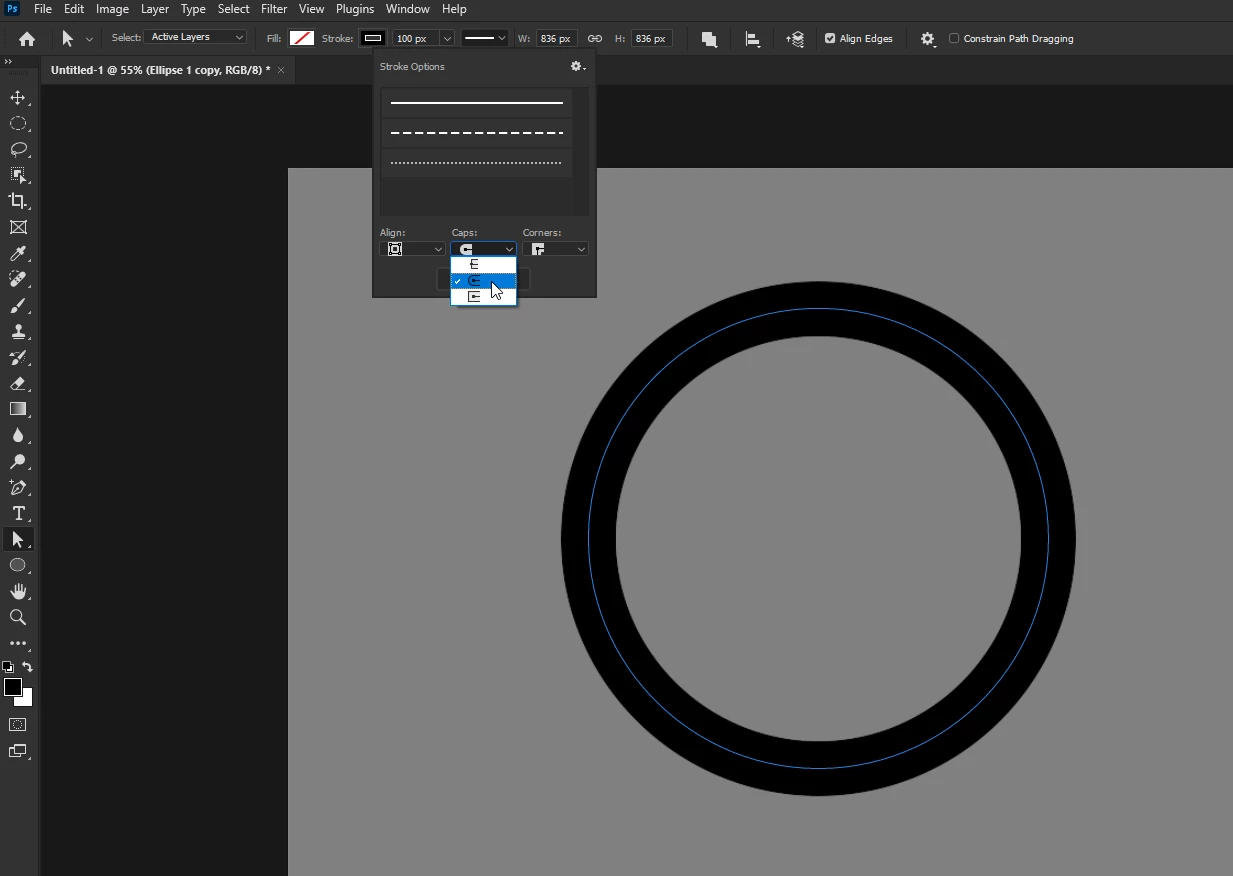
@D´Art create a new shape with the ellipse tool, with no fill and a white stroke of desired size, then copy the shape layer to a new layer, in the options bar set the stroke caps to rounded and set the stroke colour to black for the copied shape layer

With the direct selection tool, select the left anchor point and hit delete

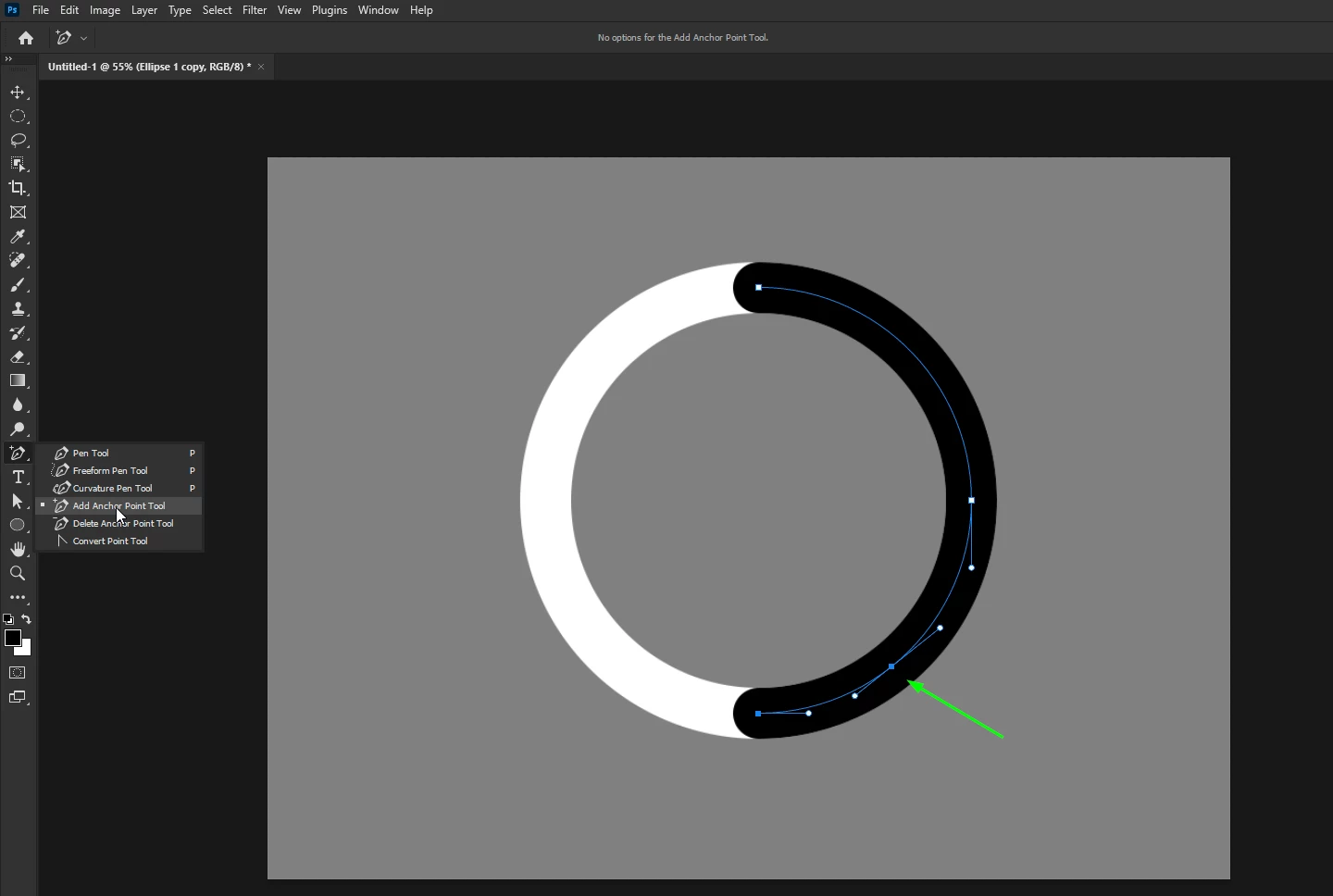
With the add anchor point tool, add a new anchor point to the desired location

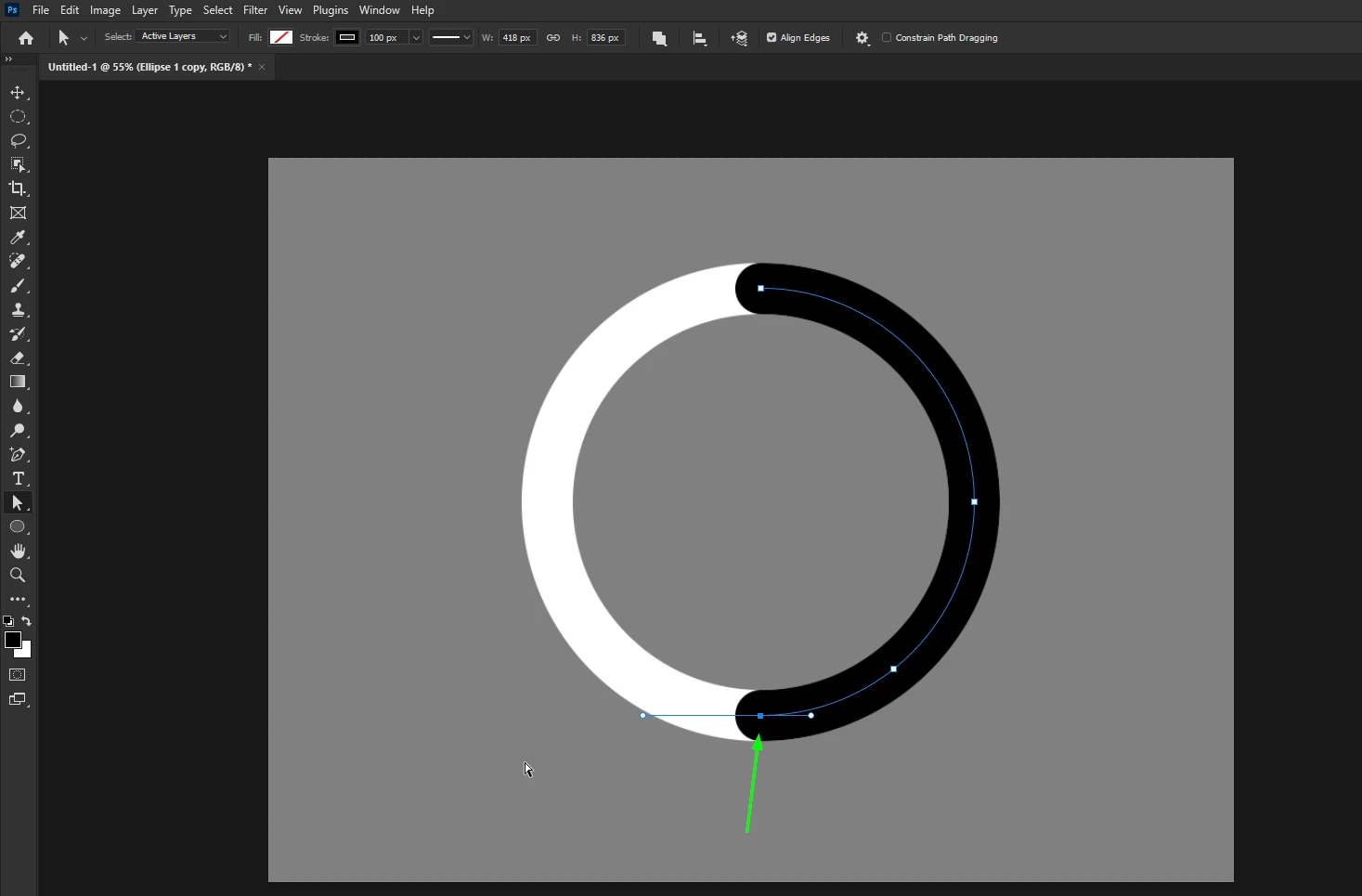
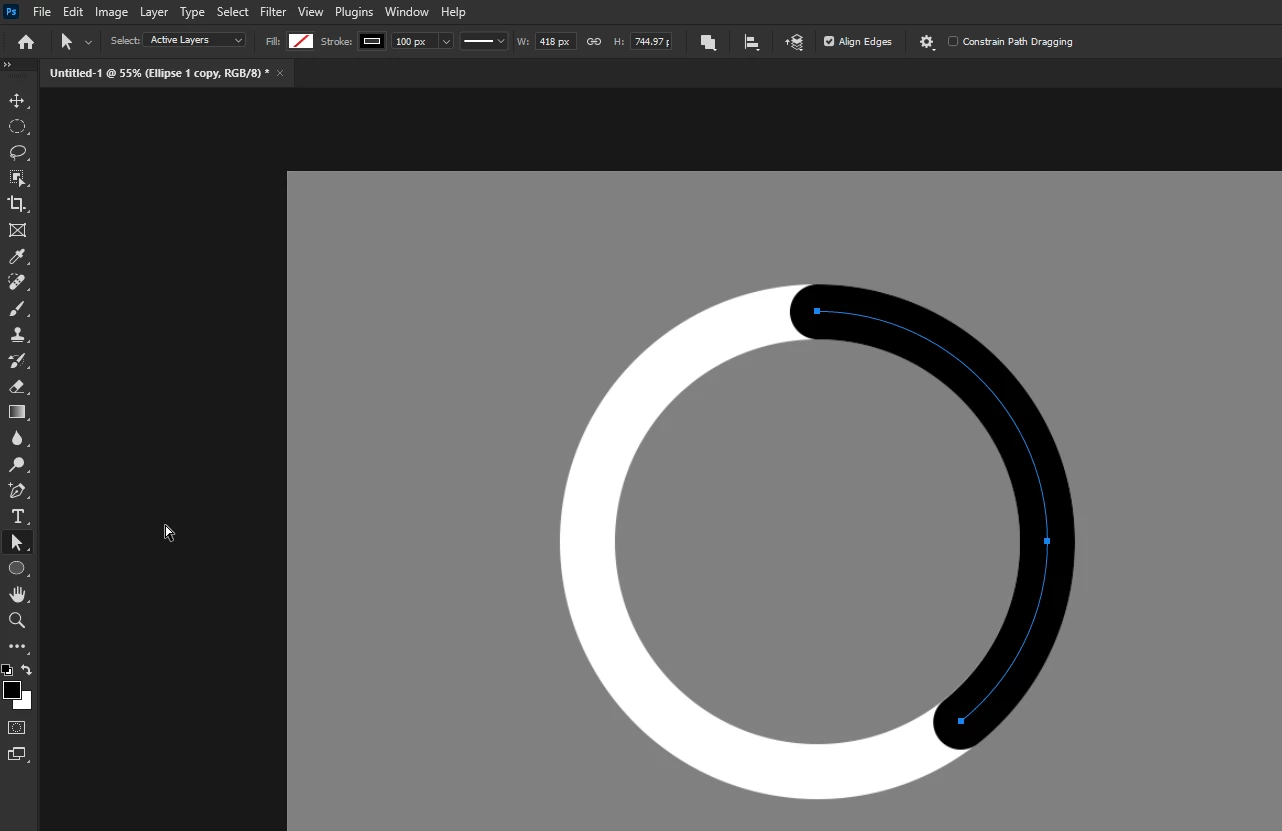
Then select the last anchor point and hit delete

1 reply

Ged_Traynor
Community Expert
Ged_TraynorCommunity ExpertCorrect answer
Community Expert
April 10, 2024

@D´Art create a new shape with the ellipse tool, with no fill and a white stroke of desired size, then copy the shape layer to a new layer, in the options bar set the stroke caps to rounded and set the stroke colour to black for the copied shape layer

With the direct selection tool, select the left anchor point and hit delete

With the add anchor point tool, add a new anchor point to the desired location

Then select the last anchor point and hit delete

D´ArtAuthor
Participant
April 10, 2024

@Ged_Traynor Thanks alot! 🙂

Ged_Traynor
Community Expert
Community Expert
April 11, 2024

@D´Art you're welcome