



AnScathMarcach
Inspiring
February 9, 2017
Answered

Can I Refine My Pressure Sensitivity?

  • February 9, 2017
  • 1 reply
  • 1447 views

I just got a new tablet today after my old one broke. The old one was a Huion H58L and it worked great. Now I have a Huion 680S. The drivers are installed, but in Photoshop, the pressure sensitivity is really funky.
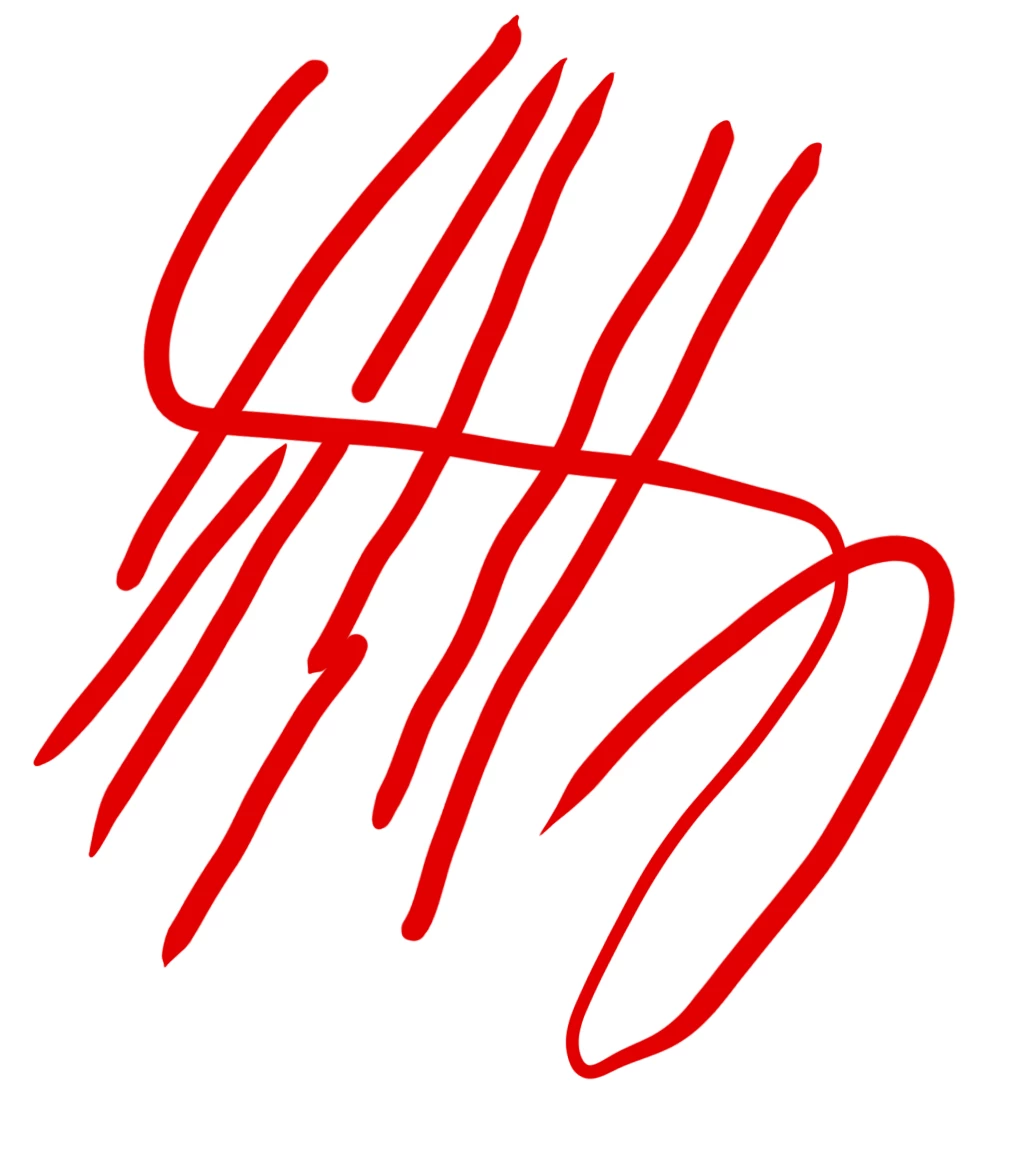
Notice how it only tapers at the very ends and immediately expands to the main size. It only becomes smoother if I make very quick movements.

The driver settings don't offer much to work with. There is a sensitivity slider to change how sensitive it is, but making it more sensitive only makes the issue worse, and making it less sensitive just makes my lines flatter as if there's no sensitivity at all.

However, I tried the tablet in Flash (Animate) and the results are more of what I wanted and more like what I had before:
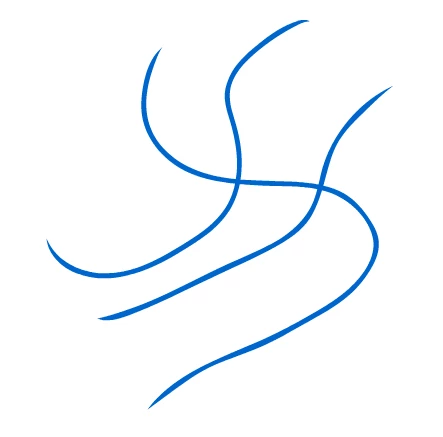
Are there any ways within Photoshop that I can refine how my pressure sensitivity works? Or if anyone knows any tricks within the driver software that can help me fix this, that would be great too.

This topic has been closed for replies.
Correct answer Akash Sharma

Hi AnScathMarcach,

What is your operating system?

Please look at this article if you have a Windows OS Tablet support for Photoshop on Windows 8 and let us know if that helps.

This article might be helpful as well Drawpocalypse » Blog Archive » How to Set Up Photoshop for Pressure Sensitive Tablet Artwork

Regards,

Akash

1 reply

Akash Sharma
Akash SharmaCorrect answer
Legend
February 24, 2017

Hi AnScathMarcach,

What is your operating system?

Please look at this article if you have a Windows OS Tablet support for Photoshop on Windows 8 and let us know if that helps.

This article might be helpful as well Drawpocalypse » Blog Archive » How to Set Up Photoshop for Pressure Sensitive Tablet Artwork

Regards,

Akash

AnScathMarcach
Inspiring
February 25, 2017

Thank you. Adding the PSUserConfig.txt file seems to have solved the problem.

In addition, I had been using the Huion tablet driver I downloaded directly from the internet, which is the absolute bare-bones in regards to changing the pressure settings and everything. I instead installed the driver that was on the disk that came with the tablet, which had many more options. However, suddenly the pressure sensitivity wasn't working at all.

That was when I added the text file modification, and now everything is working wonderfully.

Trevor.Dennis
Community Expert
Community Expert
February 25, 2017

AnScathMarcach  wrote

Thank you. Adding the PSUserConfig.txt file seems to have solved the problem.

In addition, I had been using the Huion tablet driver I downloaded directly from the internet, which is the absolute bare-bones in regards to changing the pressure settings and everything. I instead installed the driver that was on the disk that came with the tablet, which had many more options. However, suddenly the pressure sensitivity wasn't working at all.

That was when I added the text file modification, and now everything is working wonderfully.

Glad you got it working.  WinTab seems to work better than the Windows Ink API with 8.1 and 10.  You might also like to try Lazy Nezumi Pro.  If you do any line work, it will make you feel like you have suddenly become a skilled artist.  It is very satisfying, and it does lots more than just help you make smoother lines and curves. It is continually updated with a huge array of genuinely presets.