SausalitoDog
Inspiring
April 11, 2018
Answered

Can I store and run actions from a Dropbox folder?

  • April 11, 2018
  • 1 reply
  • 1238 views

I'm trying to get my iMac and MBP to match in every aspect I can in terms of setup/shortcuts etc.

Can I store actions in a dropbox folder and then point to it to run from each mac?

(I can't even find all the actions now...where are they stored by default? )

I'm running OS 10.13.4 and Photoshop CC 2018

TIA

tom
This topic has been closed for replies.
Correct answer gener7

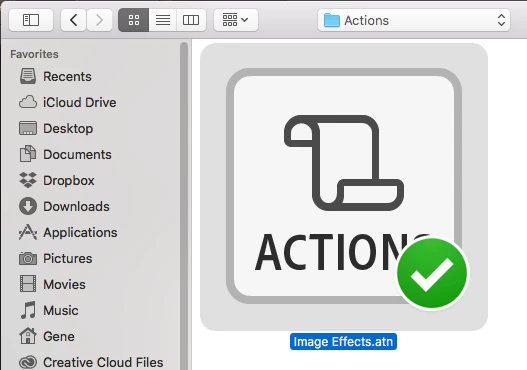
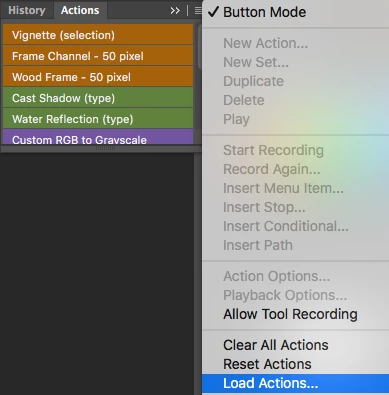
Load Actions from the Panel Menu should bring up the standard Finder Open dialog.

Here I have Dropbox added as a Favorite to the Side Panel. So I click on Dropbox and go to my Actions folder.

Same MacOS and Photoshop as you.

1 reply

gener7
Community Expert
Community Expert
April 11, 2018

Sure. Just like your Documents folder you can place Actions in a Dropbox folder.

You have your default actions that come with every install of Photoshop, so they don't need to be stored anywhere, but custom actions would.

Your Custom Presets are usually stored in your Home directory, under ~/Library/Application Support/Photoshop CC 2018/Presets/Actions folder. That way they are for your own use unlike the the stock actions.

You can keep a Presets Folder in Dropbox, but like the Application Support folder, you want them version specific because some actions may not function in a future or past version of Photoshop.

Gene

SausalitoDog
Inspiring
April 11, 2018

Thanks, Gene.

Exactly what i wanted...I know I read that somewhere but could not find it after several searches.

cheers,

tom

gener7
Community Expert
Community Expert
April 11, 2018

Glad that got it.

Gene