


dfwdesigner84
Participating Frequently
May 18, 2021
Answered

Can only save as limited file formats on completely random files

  • May 18, 2021
  • 1 reply
  • 1598 views

I ran into this issue today on both of my machines with a variety of files. For some reason, totally at random, I can only save files as psb, PNG, or TIFF. Sometimes there are a few more options but never beyond 6 file formats or so. None of the files in question are anywhere near large format and are mostly web size. I've tried files from the past and the same issue occurs. Images pulled from the web tend to be okay. Also, creating a new file seems to allow me to save in all formats. This is occuring on both of my machines under the same Adobe account (desktop and laptop). 


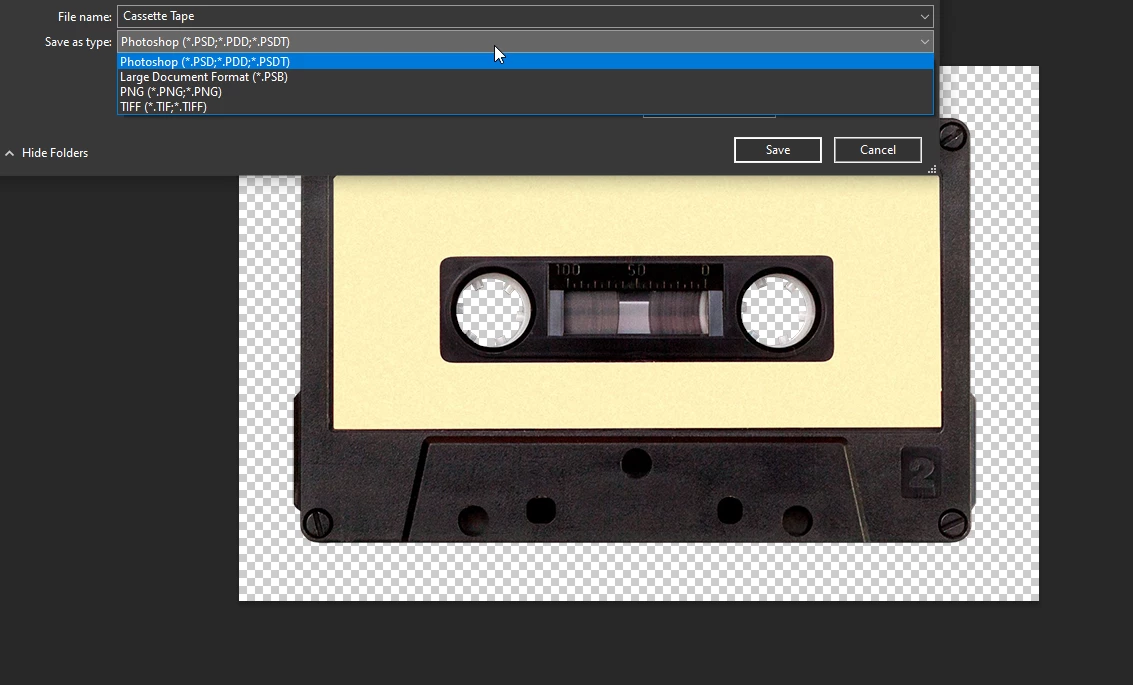
Photoshop is currently up to date. I've rebooted, uninstalled and re-installed Photoshop, and reset preferences to no avail. I'm at a complete loss. As an example below, here is an 800px wide image that only gives me a few options. Any insights into this issue?  
 

This topic has been closed for replies.
Correct answer davescm

It's not random at all. If your file contains items that are not supported in your required format (e.g. layers or 16 bits/channel or hidden pixels) then the file format is moved to the Save a Copy command. This was driven by changes in the Mac Operating System, although the changes are applied to both Mac and Windows versions to keep them aligned.


https://helpx.adobe.com/photoshop/using/whats-new.html


Dave

1 reply

davescm
Community Expert
davescmCommunity ExpertCorrect answer
Community Expert
May 18, 2021

It's not random at all. If your file contains items that are not supported in your required format (e.g. layers or 16 bits/channel or hidden pixels) then the file format is moved to the Save a Copy command. This was driven by changes in the Mac Operating System, although the changes are applied to both Mac and Windows versions to keep them aligned.


https://helpx.adobe.com/photoshop/using/whats-new.html


Dave

dfwdesigner84
Participating Frequently
May 18, 2021

Hi, Dave. Interesting. Was this something that was rolled out in the most recent update? I just began noticing this issue today. I don't really understand the nuances of these changes through Mac OS, but is it normal that some of my files previous to the update will just need to be saved as a copy from now on as opposed to simply using "Save as"?


Thanks!