


Inspiring
December 30, 2023
Question

Can you automatically set the distance between objects?

  • December 30, 2023
  • 7 replies
  • 4011 views

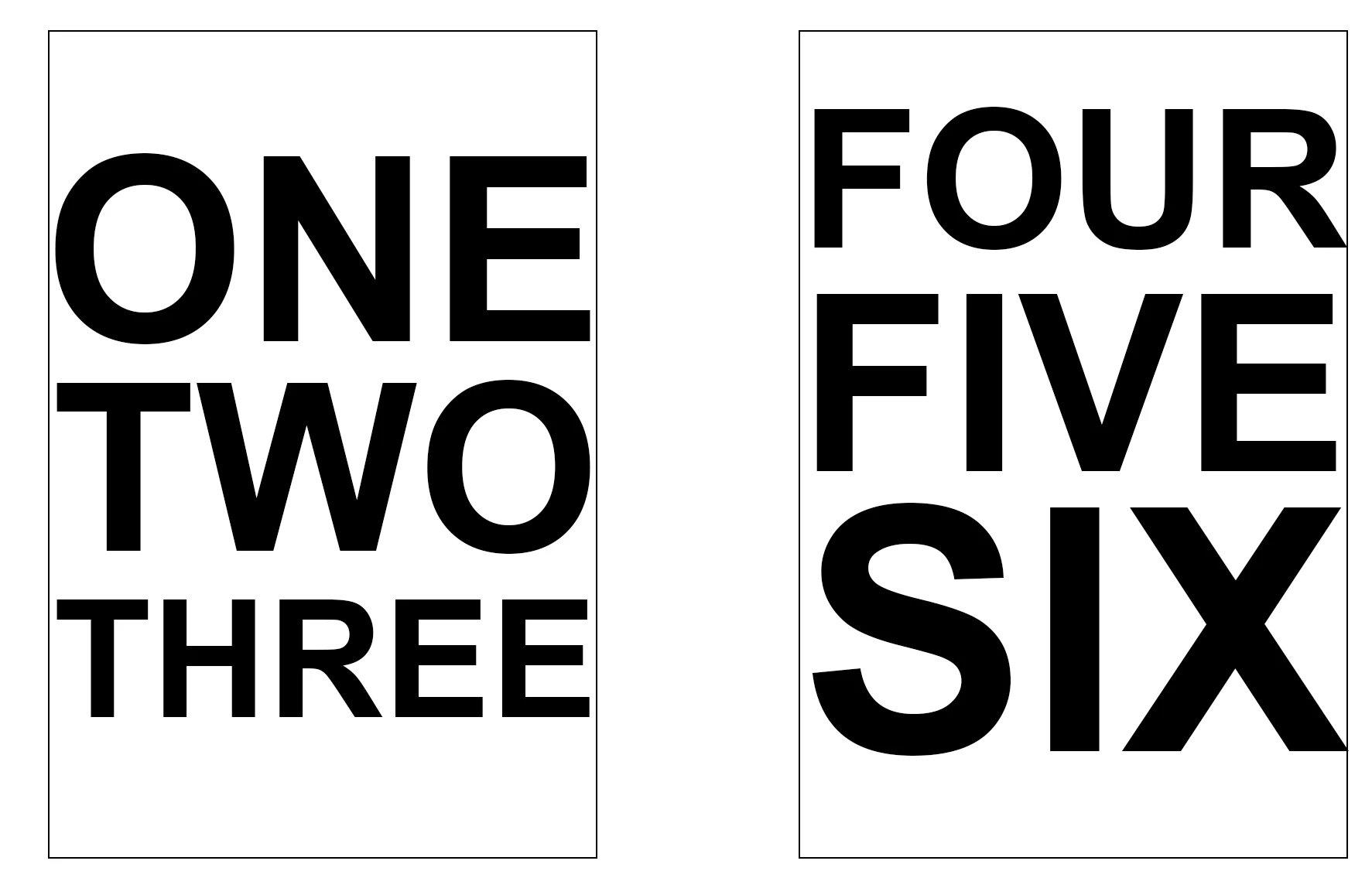
If I have 3 objects stacked one above the other and I want a  1" gap between them is there a way I can do this automatically? Say by selecting all 3 objects and then setting the verticle distance between them to 1" somewhere?


This topic has been closed for replies.

7 replies

Chuck Uebele
Community Expert
January 2, 2024

@Stephen Marsh I think the reason you got reversed order is that I had taken out the sort order for the layer for the horizontal. Here's a script that will do both vertical and horizontal. I also added your suggestions.


#target photoshop
app.displayDialogs = DialogModes.NO; 

if (app.documents.length>0){
      var dlg = new Window('dialog','Space Objects');
      var docRef = activeDocument
      var shapeSizeTotal = 0
      var selLay = getSelectedLayersIdx()
      var docLayers = new Array()
      var isHor = true;
      var amt;

      if (selLay.length>2){runProg()}
      else{alert('There needs to be 3 or more layers selected')}
}
else{alert('There are no open Documents')};

function runProg(){
      var run = true;
      dlg.hor = dlg.add('radiobutton',undefined,'Space Horizontal');
            dlg.hor.value = true;
      dlg.vert = dlg.add('radiobutton',undefined,'Space Vertical');
      
      dlg.infoGp = dlg.add('group');
      dlg.sTxt = dlg.infoGp.add('statictext',undefined,'Enter the distance between the objects (' + app.preferences.rulerUnits.toString().replace(/Units\./, '') + '):');
      dlg.eTxt = dlg.infoGp.add('editnumber',undefined, '');
      dlg.eTxt.size = [100,20]      
      
      dlg.buttonGp = dlg.add('group');
            dlg.buttonGp.okay = dlg.buttonGp.add('button',undefined,'Okay');
                  dlg.buttonGp.okay.onClick = function(){
                         dlg.close();
                         if(dlg.hor.value){isHor = true}
                         else {isHor = false};    
                         amt = dlg.eTxt.value
                        }
            
            dlg.buttonGp.cancel = dlg.buttonGp.add('button',undefined,'cancel');
                  dlg.buttonGp.cancel.onClick = function(){
                        dlg.close();
                        run = false;
                        }
                    
      dlg.eTxt.active = true;
      dlg.show()

      if(run){
            makeActiveByIndex(selLay, true)
            docLayers.sort(compare)

            for (var i=0;i<docLayers.length-1;i++){
                  if(isHor){
                         var deltaM = amt-(docLayers[i+1][1].bounds[0].value-docLayers[i][1].bounds[2].value)               
                         docLayers[i+1][1].translate (deltaM, 0) 
                         $.writeln(deltaM)
                        }
                  else{
                         var deltaM = amt-(docLayers[i+1][1].bounds[1].value-docLayers[i][1].bounds[3].value)               
                         docLayers[i+1][1].translate (0, deltaM) 
                        }
                  };


            makeSingleActiveByIndex(selLay[0], true);//select only one layer to make the translations
            //docRef.activeLayer = docRef.layers[docRef.layers.length-1]

            makeActiveByIndex(selLay, true);//reset selection to all layers
      }//end if to run
};//end function runProg

function compare(a,b){return a-b}

function getSelectedLayersIdx() {
    var selectedLayers = new Array;
    var ref = new ActionReference();
    ref.putEnumerated(charIDToTypeID("Dcmn"), charIDToTypeID("Ordn"), charIDToTypeID("Trgt"));
    var desc = executeActionGet(ref);
    if (desc.hasKey(stringIDToTypeID("targetLayers"))) {
        desc = desc.getList(stringIDToTypeID("targetLayers"));
        var c = desc.count
        var selectedLayers = new Array();
        for (var i = 0; i < c; i++) {
            try {
                docRef.backgroundLayer;
                selectedLayers.push(desc.getReference(i).getIndex());
            } catch (e) {
                selectedLayers.push(desc.getReference(i).getIndex() + 1);
            }
        }
    } else {
        var ref = new ActionReference();
        ref.putProperty(charIDToTypeID("Prpr"), charIDToTypeID("ItmI"));
        ref.putEnumerated(charIDToTypeID("Lyr "), charIDToTypeID("Ordn"), charIDToTypeID("Trgt"));
        try {
            docRef.backgroundLayer;
            selectedLayers.push(executeActionGet(ref).getInteger(charIDToTypeID("ItmI")) - 1);
        } catch (e) {
            selectedLayers.push(executeActionGet(ref).getInteger(charIDToTypeID("ItmI")));
        }
    }
    return selectedLayers;
}

function makeActiveByIndex(idx, visible) {    

      for (var i = 0; i < idx.length; i++) {
            var desc = new ActionDescriptor();
            var ref = new ActionReference();
            ref.putIndex(charIDToTypeID("Lyr "), idx[i])
            desc.putReference(charIDToTypeID("null"), ref);
            if (i > 0) {
                  var idselectionModifier = stringIDToTypeID("selectionModifier");
                  var idselectionModifierType = stringIDToTypeID("selectionModifierType");
                  var idaddToSelection = stringIDToTypeID("addToSelection");
                  desc.putEnumerated(idselectionModifier, idselectionModifierType, idaddToSelection);
            }
            desc.putBoolean(charIDToTypeID("MkVs"), visible);
            executeAction(charIDToTypeID("slct"), desc, DialogModes.NO);
            
            if(checkLayerKind(docRef.activeLayer)){  
                  if(isHor){var layerLeft = new Array(docRef.activeLayer.bounds[0],docRef.activeLayer)}
                  else{var layerLeft = new Array(docRef.activeLayer.bounds[1],docRef.activeLayer)}
                  docLayers.push(layerLeft)
                  }
      }

};// end makeActiveByIndex

function makeSingleActiveByIndex(idx, visible) {
      
            var desc = new ActionDescriptor();
            var ref = new ActionReference();
            ref.putIndex(charIDToTypeID("Lyr "), idx)
            desc.putReference(charIDToTypeID("null"), ref);
            /*if (i > 0) {
                  var idselectionModifier = stringIDToTypeID("selectionModifier");
                  var idselectionModifierType = stringIDToTypeID("selectionModifierType");
                  var idaddToSelection = stringIDToTypeID("addToSelection");
                  desc.putEnumerated(idselectionModifier, idselectionModifierType, idaddToSelection);
            }*/
            desc.putBoolean(charIDToTypeID("MkVs"), visible);
            executeAction(charIDToTypeID("slct"), desc, DialogModes.NO);

      
};//end makeSingleActiveByIndex

function checkLayerKind(lay){
      if(lay.kind == LayerKind.NORMAL || lay.kind == LayerKind.TEXT || lay.kind == LayerKind.SOLIDFILL){return true}
      else{return false}
      
      };//end checkLayerKind
Stephen Marsh
Community Expert
January 2, 2024

@Chuck Uebele – great work, thank you for sharing!


@Brian32453879u67v – looks like this latest script from Chuck is the correct answer.

Chuck Uebele
Community Expert
January 2, 2024

I modified my equal space scripts. Here it is that will set the space between the objects. It doesn't seem to be too accurate with text, but it's close. you need to set the distance in the text box in the UI in the units in which your ruler is set. So if you want to work in inches, set your ruler to inches. This will only work on vertical spacing.


#target photoshop
app.displayDialogs = DialogModes.NO; 

if (app.documents.length>0){
      var dlg = new Window('dialog','Space Objects');
      var docRef = activeDocument
      var shapeSizeTotal = 0
      var selLay = getSelectedLayersIdx()
      var docLayers = new Array()
      var amt

      if (selLay.length>2){runProg()}
      else{alert('There needs to be 3 or more layers selected')}
}
else{alert('There are no open Documents')};

function runProg(){
      var run = true;
      dlg.infoGp = dlg.add('group');
      dlg.sTxt = dlg.infoGp.add('statictext',undefined,'Enter distance between object. distance will be in current ruler units.');
      dlg.eTxt = dlg.infoGp.add('edittext',undefined, '');
      dlg.eTxt.size = [100,20]
      
      dlg.buttonGp = dlg.add('group');
            dlg.buttonGp.okay = dlg.buttonGp.add('button',undefined,'Okay');
                  dlg.buttonGp.okay.onClick = function(){
                         dlg.close();
                         amt = Number (dlg.eTxt.text)                           
                        }
            
            dlg.buttonGp.cancel = dlg.buttonGp.add('button',undefined,'cancel');
                  dlg.buttonGp.cancel.onClick = function(){
                        dlg.close();
                        run = false;
                        }
   
      dlg.show()

      if(run){
            makeActiveByIndex(selLay, true)
            docLayers.sort(compare)

            makeSingleActiveByIndex(selLay[0], true);//select only one layer to make the translations
            //docRef.activeLayer = docRef.layers[docRef.layers.length-1]

            for (var i=0;i<docLayers.length-1;i++){
                var deltaM = amt-(docLayers[i+1][1].bounds[1].value-docLayers[i][1].bounds[3].value)               
                   docLayers[i+1][1].translate (0, deltaM)    
                  };

            makeActiveByIndex(selLay, true);//reset selection to all layers
      }//end if to run
};//end function runProg

function compare(a,b){return a-b}

function getSelectedLayersIdx() {
    var selectedLayers = new Array;
    var ref = new ActionReference();
    ref.putEnumerated(charIDToTypeID("Dcmn"), charIDToTypeID("Ordn"), charIDToTypeID("Trgt"));
    var desc = executeActionGet(ref);
    if (desc.hasKey(stringIDToTypeID("targetLayers"))) {
        desc = desc.getList(stringIDToTypeID("targetLayers"));
        var c = desc.count
        var selectedLayers = new Array();
        for (var i = 0; i < c; i++) {
            try {
                docRef.backgroundLayer;
                selectedLayers.push(desc.getReference(i).getIndex());
            } catch (e) {
                selectedLayers.push(desc.getReference(i).getIndex() + 1);
            }
        }
    } else {
        var ref = new ActionReference();
        ref.putProperty(charIDToTypeID("Prpr"), charIDToTypeID("ItmI"));
        ref.putEnumerated(charIDToTypeID("Lyr "), charIDToTypeID("Ordn"), charIDToTypeID("Trgt"));
        try {
            docRef.backgroundLayer;
            selectedLayers.push(executeActionGet(ref).getInteger(charIDToTypeID("ItmI")) - 1);
        } catch (e) {
            selectedLayers.push(executeActionGet(ref).getInteger(charIDToTypeID("ItmI")));
        }
    }
    return selectedLayers;
}

function makeActiveByIndex(idx, visible) {    

      for (var i = 0; i < idx.length; i++) {
            var desc = new ActionDescriptor();
            var ref = new ActionReference();
            ref.putIndex(charIDToTypeID("Lyr "), idx[i])
            desc.putReference(charIDToTypeID("null"), ref);
            if (i > 0) {
                  var idselectionModifier = stringIDToTypeID("selectionModifier");
                  var idselectionModifierType = stringIDToTypeID("selectionModifierType");
                  var idaddToSelection = stringIDToTypeID("addToSelection");
                  desc.putEnumerated(idselectionModifier, idselectionModifierType, idaddToSelection);
            }
            desc.putBoolean(charIDToTypeID("MkVs"), visible);
            executeAction(charIDToTypeID("slct"), desc, DialogModes.NO);
            
            if(checkLayerKind(docRef.activeLayer)){  
                  var layerLeft = new Array(docRef.activeLayer.bounds[1],docRef.activeLayer)
                  docLayers.push(layerLeft)
                  }
      }
};// end makeActiveByIndex

function makeSingleActiveByIndex(idx, visible) {
      
            var desc = new ActionDescriptor();
            var ref = new ActionReference();
            ref.putIndex(charIDToTypeID("Lyr "), idx)
            desc.putReference(charIDToTypeID("null"), ref);

            desc.putBoolean(charIDToTypeID("MkVs"), visible);
            executeAction(charIDToTypeID("slct"), desc, DialogModes.NO);

      
};//end makeSingleActiveByIndex

function checkLayerKind(lay){
      if(lay.kind == LayerKind.NORMAL || lay.kind == LayerKind.TEXT || lay.kind == LayerKind.SOLIDFILL){return true}
      else{return false}
      
      };//end checkLayerKind
Stephen Marsh
Community Expert
January 2, 2024

@Chuck Uebele – Thanks for sharing! What is simple for you is much harder for me!


Do you have the horizontal version? If not, I'll look at changing this one.


A few of cosmetic alterations:


One can change the following line 21 from:


dlg.eTxt = dlg.infoGp.add('edittext',undefined, '');


To:


dlg.eTxt = dlg.infoGp.add('editnumber',undefined, '');


To enforce the entry of digits/numbers only, that way the script will not fail if somebody enters letters such as 50px into the prompt. This simple change from edittext to editnumber is much simpler than using the more complicated keydown event to enforce the entry of digits.


One can also add a new line after line 23:


dlg.eTxt.size = [100,20]


Adding the following new line of code:


dlg.eTxt.active = true;


To default the entry field to be active, so that one doesn't need to press the tab key or click in the field to give it focus.


EDIT:


One could also change line 20 from:


dlg.sTxt = dlg.infoGp.add('statictext',undefined,'Enter distance between object. distance will be in current ruler units.');


To:


dlg.sTxt = dlg.infoGp.add('statictext',undefined,'Enter the distance between the objects (' + app.preferences.rulerUnits.toString().replace(/Units\./, '') + '):');


To indicate what the current unit of measure is for the rulers. 


Chuck Uebele
Community Expert
January 2, 2024

Thanks for the tips! I didn't realize that there was an editnumber. That's nice!

I don't have a horizontal version,  but it would be easy to modify it, by just changing the bounds references. 

jane-e
Community Expert
December 31, 2023


@Brian32453879u67v 

Are you trying to get equal spacing between the one-two-three that have different type sizes or are you trying to get equal spacing between the two (or more)  text frames?


Are you using point text or paragraph text?

Did you press Return or Shift+Return after each word?


Jane 

Trevor.Dennis
Community Expert
January 2, 2024

Jane, I wonder if Chuck would have any thoughts about it.  I used his Space Equal Extension before Photoshop added its similar feature.


https://exchange.adobe.com/apps/cc/2578/space-equal


@Chuck Uebele 


jane-e
Community Expert
January 2, 2024

@Trevor.Dennis 


Does Chuck's script use objects or text?


I was waiting to hear back from Brian, but have been wondering if leading or paragraph spacing settings might work.


Jane 

Stephen Marsh
Community Expert
December 31, 2023

As the others have responded, it's all manual without a script.


1. Original spacing


2. Remove all existing spacing


3. Move the right-hand layer 2 inches over:


4. Distribute the space equally horizontally using the move tool options bar:


5. The final result – 2 x 1 inch spaces between the 3 distributed objects:


So yes, it would be easier if it "just worked like Illustrator"!  :]

Trevor.Dennis
Community Expert
December 31, 2023

If Michelle's scripts don't work, then could you use a New Guide layout?  You'd have to know the width of the objects of course.

Inspiring
December 31, 2023

I've been using guides, but I am resizing text to fit in a box, like in the preview image,  and each time the height of the text changes, it throws them all off.

jane-e
Community Expert
December 31, 2023

@Brian32453879u67v 


You can distribute vertically, but you cannot distribute a fixed amount in Photoshop, at least not out of the box.


Illustrator lets you choose an amount for the distribution when you have a key object and lets you choose 1 inch. Photoshop does not.

A script might work. Try the ones from mglush. I've also edited your post to include the Scripting topic.


Jane

mglush
Community Expert
December 31, 2023

Hi!

In searching out the answer to your question, I came across the following website (link directly below) and it gave the link to a website with scripts that seem to do what you are looking for. (second link below!) I havent tried either of these, but I am sending the information as one option. I am sure others will chime in with scripts that will accomplish it too.

https://graphicdesign.stackexchange.com/questions/16152/how-to-distribute-an-equal-amount-of-space-between-each-object-in-photoshop#:~:text=THere%20is%20a%20photoshop%20extension,automatically%20between%20the%20outer%20items

Scripts website:

https://morris-photographics.com/photoshop/scripts/index.html

Let us know if that helps!

Michelle

Inspiring
December 31, 2023

Thanks. I'll have to look into scripts. It seems like Distribute Vertically/Horizontally should just have an input option.

jane-e
Community Expert
December 31, 2023

@Brian32453879u67v 

Theoretically I agree. In Illustrator, the input option is only available if you make a Key Object first. Photoshop does not have Key objects. 

Jane