


new utrecht high school
New Participant
December 20, 2017
Answered

Cannot open CR2 file [in CS6]

  • December 20, 2017
  • 4 replies
  • 18350 views

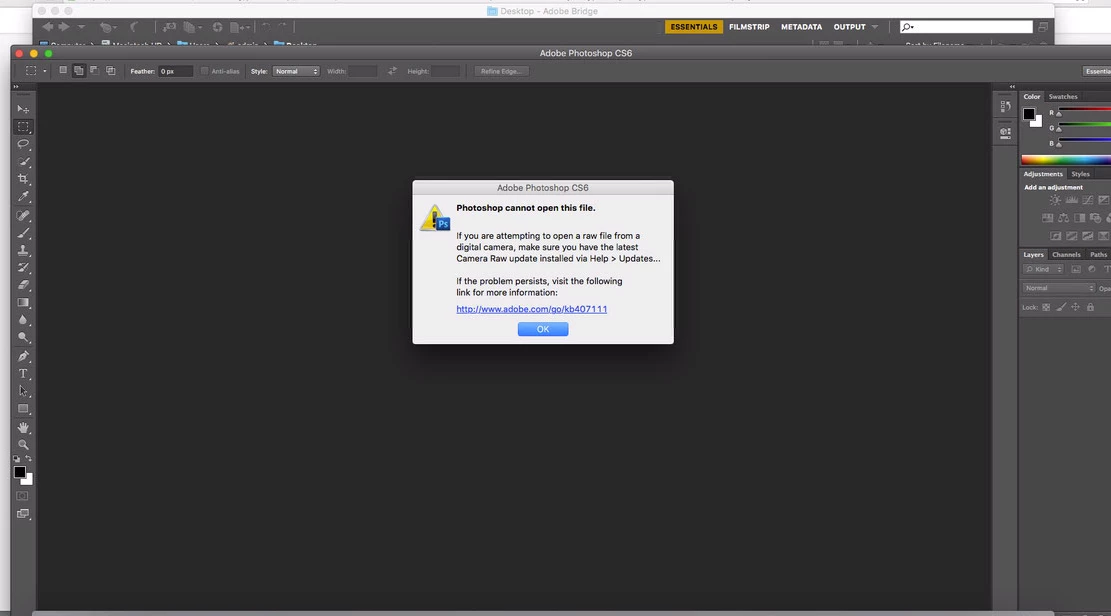
When trying to open CR2 file in Photoshop using bridge I get this message

I updated the whole suite including the camera raw

I updated the whole computer which is iMac

and still giving me the same error message.

Which says "Photoshop cannot open this file. If you are attempting to open a raw file from a digital camera, make sure you have the latest Camera Raw update installed via help> updates"

any ideas?
    This topic has been closed for replies.
    Correct answer gener7

    First go to the Photoshop menu > About Plugins > Camera Raw  The splash screen should be 9.1.1, the latest for CS6.

    Next see if 9.1.1 supports your camera: Cameras supported by Camera Raw

    If not, you will need the DNG Converter. Go here for the latest version: Adobe Digital Negative Converter with detailed instructions on how to set it up and use it.

    4 replies

    gener7
    gener7Correct answer
    Community Expert
    December 20, 2017

    First go to the Photoshop menu > About Plugins > Camera Raw  The splash screen should be 9.1.1, the latest for CS6.

    Next see if 9.1.1 supports your camera: Cameras supported by Camera Raw

    If not, you will need the DNG Converter. Go here for the latest version: Adobe Digital Negative Converter with detailed instructions on how to set it up and use it.

    New Participant
    February 21, 2018

    Hello - I have the same problem as the one above (original post). I have upgraded to 9.1.1, and my camera is Canon EOS 700D, which is supported by 9.1.1.

    Can you please help ? I am stuck and have nowhere to find a proper answer. Tell me if there is any further detail needed to get it sorted.

    Cheers.

    gener7
    Community Expert
    February 22, 2018
    Norman Sanders
    Brainiac
    December 20, 2017

    Try using the DNG Converter to see whether it might be read and converted for RAW use.

    Brainiac
    December 20, 2017

    Very old software, perhaps it's too new a camera.

    John Waller
    Community Expert
    December 20, 2017

    Which Canon camera is the CR2 file from?

    New Participant
    March 13, 2020

    I have used Canon GX1 Mark III, today March 3, 2020 I cannot open it. But 2 years ago I can open my CR2 in my CS6. Thank you.