

Inspiring
December 13, 2020
Question

Cannot Open Photoshop

  • December 13, 2020
  • 3 replies
  • 319 views

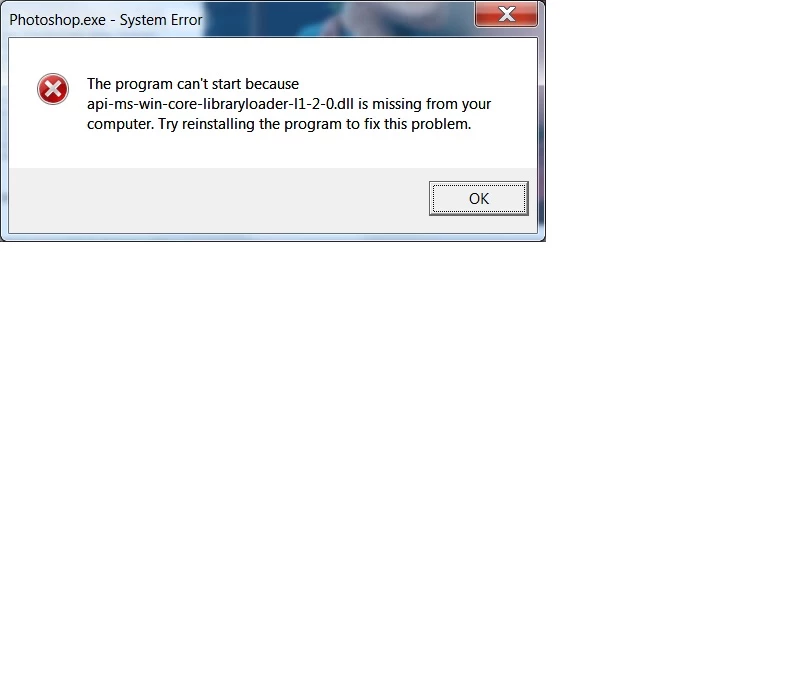
I used PS the other day and today when I went to open it I got an error message that says a .dll file is missing. [see attachement]. Why would this have happened? How do I fix it so I use PS.

Thank You
 

This topic has been closed for replies.

3 replies

Jeff Arola
Community Expert
December 13, 2020

No all you need to do is go here and download the Camera Raw 12.4 installer and run it.

Then turn off Auto Update in the Creative Desktop Application.


https://helpx.adobe.com/camera-raw/kb/camera-raw-plug-in-installer.html


Look in the Start Menu>All Programs for Adobe Creative Cloud, which launches the Adobe Creative Cloud Desktop Application where you can turn off Auto Update.


JonnyD14Author
Inspiring
December 14, 2020

Sorry for being obtuse but I do not see where to turn off the Auto Update iside the desktop application. [see screenshot]

Alos, once the Auto Update IS turned off, how will I know when to do updates and which ones to do?

JonnyD14Author
Inspiring
December 18, 2020

Worked like a charm, thanks!

Still not clear how to turn off Auto Update. When I follow your directions above, do I click on the green settings gear icon [see screenshot] to bring up a pop-up which includes the toggle for: "Always keep Creative Cloud up to date" 

Does toggling this turn off auto update - or am I totally off base here?

Jeff Arola
Community Expert
December 13, 2020

I believe that is due to the incompatible camera raw 13 being installed on your windows 7.


The solution seems to be installing camera raw 12.4 as described in this thread:


https://community.adobe.com/t5/photoshop/can-t-start-photoshop/td-p/11667211?page=1

JonnyD14Author
Inspiring
December 13, 2020

I took a look at the post you linked to. I cannot find the Adobe Updater 5 application [see screenshot]. I explored all those folders in the screenshot and did not find the Adbobe Updater 5 application. I did not show up under search either. Where  do find it?I  

lambiloon
Community Expert
December 13, 2020

Hi try to update direct x of your windows may be it helps you....regards

Ali Sajjad / Graphic Design Trainer / Freelancer / Adobe Certified Professional
