DeconstructionArt
New Participant
March 13, 2020
Answered

Change 'layer via cut' behavior to keep original layer selected

  • March 13, 2020
  • 3 replies
  • 2999 views

After using 'layer via cut', PS automatically selects the new layer. I would like PS to keep the original layer selected, as I often need to cut tens (for my present project often over a hundred) of layers from it. Is it possible to change this behavior?
(It's very annoying, having to select the original layer after each cut, especially after about 20 layers, when it drops below the screen in the layers window.)

    This topic has been closed for replies.
    Correct answer Stephen Marsh

    Back to the original topic, the two-step action that can be recorded to automate the Layer > New > Layer via Cut and then selecting the relative backwards/previous layer:
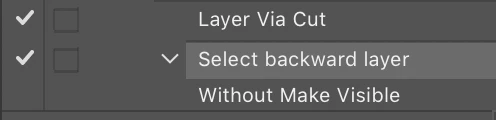


    OPT/ALT [


    Is the relative keyboard shortcut to select the previous/background layer (left square bracket), as one does not wish to record an absolute or explicit layer name into the action.


    This action can have a function keyboard shortcut applied in the action panel. Or you can reference the action in a script, which gives one more flexibility in selecting a keyboard shortcut.


    https://prepression.blogspot.com/2016/11/photoshop-scripting-actions.html


    While purely scripted solution could be written as follows:


    cutToLayer();
    
    function cutToLayer() {
    	var s2t = function (s) {
    		return app.stringIDToTypeID(s);
    	};
    
    
    	executeAction(s2t("cutToLayer"), undefined, DialogModes.NO);
    }
    
    select(false);
    
    function select(makeVisible) {
    	var c2t = function (s) {
    		return app.charIDToTypeID(s);
    	};
    
    	var s2t = function (s) {
    		return app.stringIDToTypeID(s);
    	};
    
    	var descriptor = new ActionDescriptor();
    	var list = new ActionList();
    	var reference = new ActionReference();
    
    	reference.putEnumerated(s2t("layer"), s2t("ordinal"), s2t("backwardEnum"));
    	descriptor.putReference(c2t("null"), reference);
    	descriptor.putBoolean(s2t("makeVisible"), makeVisible);
    	list.putInteger(8);
    	descriptor.putList(s2t("layerID"), list);
    	executeAction(s2t("select"), descriptor, DialogModes.NO);
    }



    3 replies

    Stephen Marsh
    Stephen MarshCorrect answer
    Community Expert
    March 14, 2020

    Back to the original topic, the two-step action that can be recorded to automate the Layer > New > Layer via Cut and then selecting the relative backwards/previous layer:


    OPT/ALT [


    Is the relative keyboard shortcut to select the previous/background layer (left square bracket), as one does not wish to record an absolute or explicit layer name into the action.


    This action can have a function keyboard shortcut applied in the action panel. Or you can reference the action in a script, which gives one more flexibility in selecting a keyboard shortcut.


    https://prepression.blogspot.com/2016/11/photoshop-scripting-actions.html


    While purely scripted solution could be written as follows:


    cutToLayer();
    
    function cutToLayer() {
    	var s2t = function (s) {
    		return app.stringIDToTypeID(s);
    	};
    
    
    	executeAction(s2t("cutToLayer"), undefined, DialogModes.NO);
    }
    
    select(false);
    
    function select(makeVisible) {
    	var c2t = function (s) {
    		return app.charIDToTypeID(s);
    	};
    
    	var s2t = function (s) {
    		return app.stringIDToTypeID(s);
    	};
    
    	var descriptor = new ActionDescriptor();
    	var list = new ActionList();
    	var reference = new ActionReference();
    
    	reference.putEnumerated(s2t("layer"), s2t("ordinal"), s2t("backwardEnum"));
    	descriptor.putReference(c2t("null"), reference);
    	descriptor.putBoolean(s2t("makeVisible"), makeVisible);
    	list.putInteger(8);
    	descriptor.putList(s2t("layerID"), list);
    	executeAction(s2t("select"), descriptor, DialogModes.NO);
    }


    DeconstructionArt
    New Participant
    March 14, 2020

    Stephen, thank you for this added solution and your explanation. But the script you referred to earlier already does exactly what I want. Which was far more than I asked for, but somehow you seem to have read my mind and provided a much better solution than I asked for. Once again, thanks you ever so much!


    Stephen Marsh
    Community Expert
    March 14, 2020

    My pleasure, although I thought that the split script may be what you were looking for, I added the action and script for completeness, just in case somebody else wanted to do what you originally requested. It is not so much reading your mind, but reading in-between the words.


    Now it may even be possible to apply the script that I posted previously to loop/iterate over all visible layers... But that is beyond my current beginner scripting level.

    Stephen Marsh
    Community Expert
    March 14, 2020

    I agree with r-bin that custom automation is the key as it is not possible to change the behaviour.


    Can you show or describe your layer content? There is a script to split isolated objects on a transparent background for example.

    DeconstructionArt
    New Participant
    March 14, 2020

    Thank you, r-bin and Stephen! 
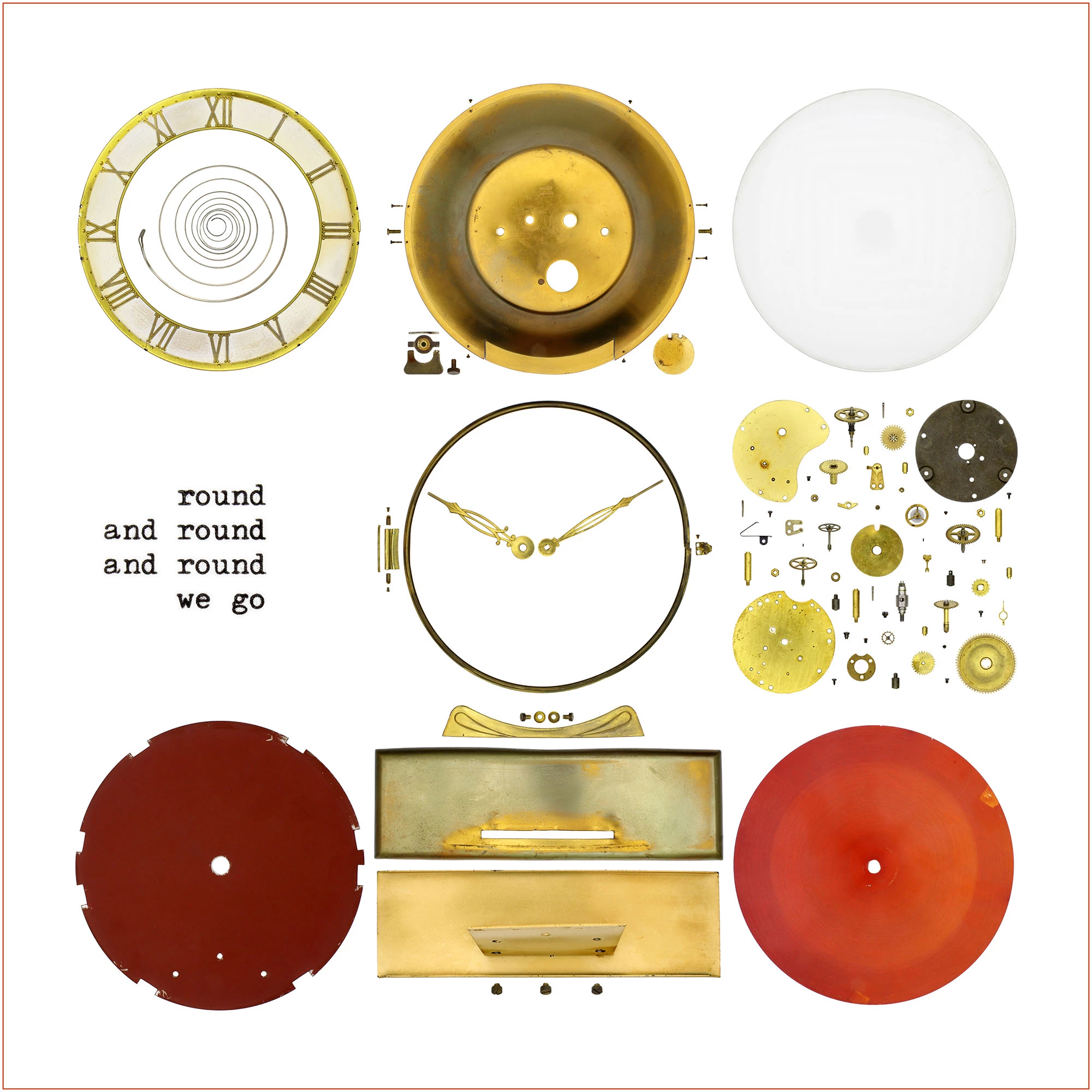
    My situation: I photograph, say, 20 screws on a white background. In PS I strip the white backgrond, so then I'm left with 20 'islands of screws' and each island must become a separate layer.
    Stephen, it sounds like the script you mention does exactly what I need. Frankly, I didn't dare think such a thing was possible! Can you point me to that script? It sounds like it will save me lots of work in the future. 

    Brainiac
    March 13, 2020

    script or action?