


Changing .psd file association on windows - bug??
This has been happening recently, I'm going to take a guess ever since the most recent windows update?
Every time I open a .psd file, I get a dialogue that says "how do you want to open this file?" and then I open it with photoshop.
So, I tried to go into settings and change the default program for .psd files to Photoshop...which didn't work.
So I went into control panel and tried changing the association there, didn't work either.
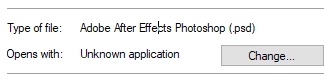
Went into explorer, went to a psd file, went into properties. Said "unknown application" for the default program. Tried changing it to Photoshop. Even used the path to the Photoshop 2019 .exe file. Still didn't work.
Opened the command line (as administrator), tried to do this. Got an error.
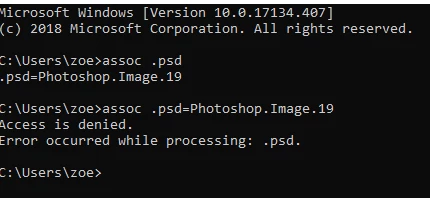
and then:
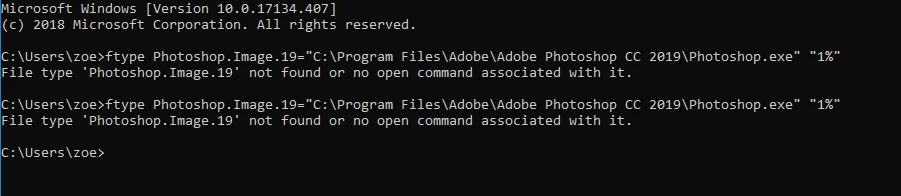
Also, something odd I noticed - in properties, the file type is labeled as this? Aftereffects Photoshop File??? Sounds weird.
I know this is going to absurd lengths just to get rid of an annoying dialogue every time I open a psd file, but I just want to solve this underlying problem in case any more issues arise in the future.
 AdChoices