


Participating Frequently
May 7, 2021
Question

Chinese input method and shortcut key conflict feedback

  • May 7, 2021
  • 9 replies
  • 1367 views

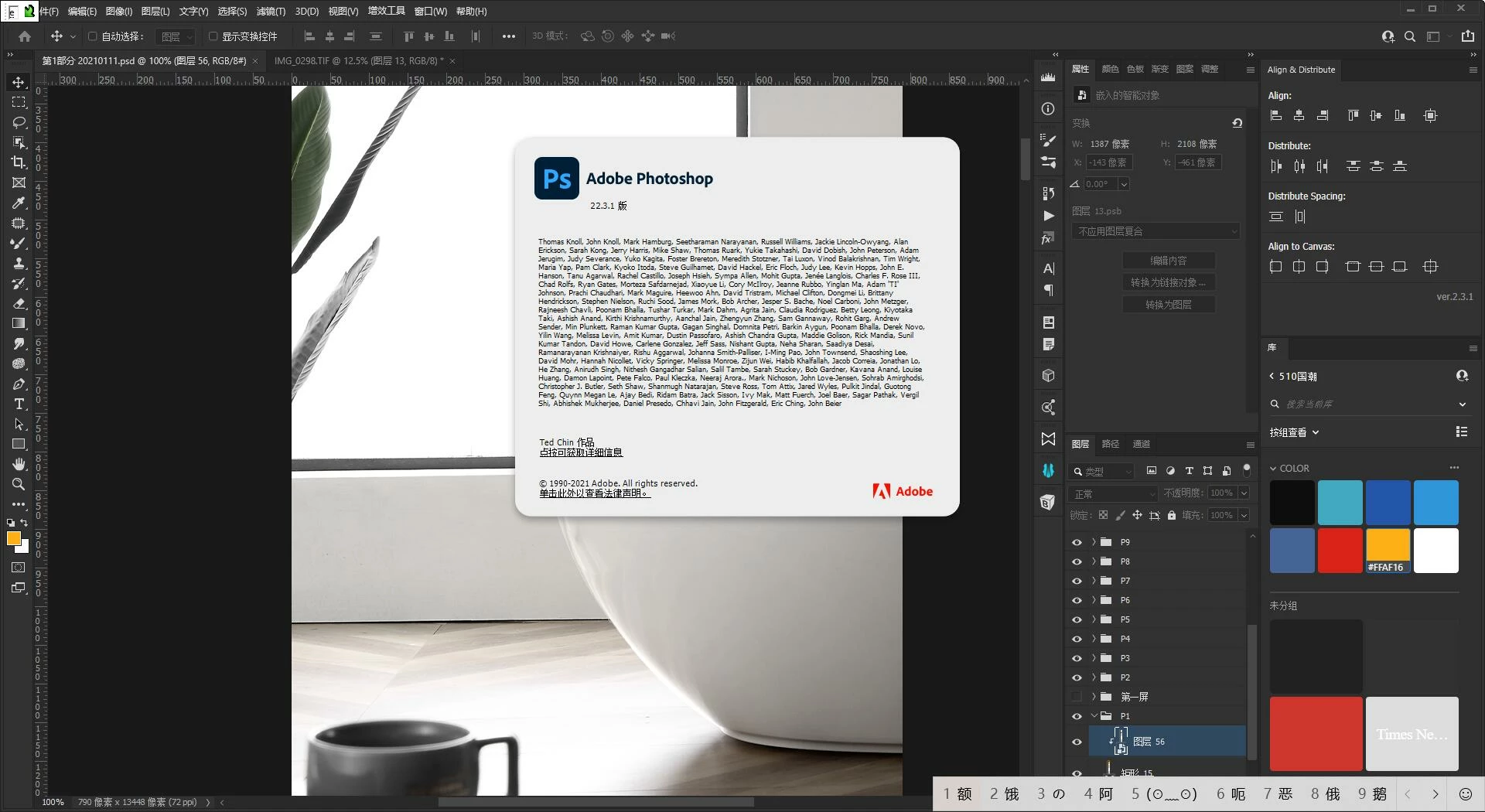
When I set the input method to Chinese, Pressing any letter key will bring up an input window. I had to switch back and forth between input methods. Very affect the work efficiency. The problem has a long history, It's just that very few people ask questions. Hopefully this will be resolved in a future release update. Thanks!


Below is the version I used and And the state after you press E(Upper left and lower right).
9 replies

Participating Frequently
June 19, 2025

非常抱歉打扰到大家!

我知道在这里直接宣传软件可能不太合适,但看到这个话题,我忍不住想分享一个可能正是大家所需要的工具——魔法开关

如果您也曾被PS里中文输入法和快捷键冲突的问题折磨,导致操作卡顿、效率低下,那么这款小软件或许能帮到您。它能一键修复这些冲突,让您在PS(及其他设计软件如AI、AE等)中的快捷键瞬间丝滑响应,彻底告别恼人的卡顿和中断,让您的创作流程真正行云流水。

真心希望它能解决大家的痛点,提升设计效率!如果感兴趣,可以尝试下载,否则忽略。

再次为我的冒昧表示歉意,也希望这个小工具能给大家带来帮助!

Participating Frequently
June 19, 2025

[Good news for designers] Say goodbye to conflicts between Chinese input methods and shortcut keys! This "magic switch" will make your work smooth as silk!
Hello everyone, as a designer, do you often encounter such crazy moments:
You want to use shortcut keys in Photoshop, but the Chinese input method pops up accidentally, or the shortcut keys fail directly?
The feeling of interrupting creative ideas and disrupting work rhythm is simply too much of an impact on efficiency!
Don't worry, I developed a small tool called "Magic Switch" to specifically solve this annoying problem!
What can the "Magic Switch" do?
It can repair the conflict of Chinese input method shortcut keys in design software such as PS (as well as AI, AE, AN, PR, C4D, CSP, 3DMAX, etc.) with one click.
After using the "Magic Switch", your experience will be:
Shortcut keys respond in seconds: F key, Ctrl+Z, space translation... All the shortcut keys you are familiar with will take effect immediately, text tools automatically allow Chinese input, and all operations will no longer be "hijacked" by the input method.
Smooth operation: Whether you are selecting, changing, or switching tools, you can feel unprecedented smoothness and silkiness. Your creativity and hand speed are completely synchronized, without any lag.
Focus on efficient creation: Say goodbye to the trouble of frequent switching of input methods, allowing you to devote yourself to design and enjoy the pure fun of creation.
We all know how important efficiency is to designers. A seemingly small conflict will consume a lot of time and patience over time.
"Magic Switch" is to help you save these unnecessary internal consumptions and make your design work smoother and more enjoyable.
Experience silky design now: https://www.cloudpigapp.com/
View the demonstration video: https://www.bilibili.com/video/BV1SDgpeYEX8/?share_source=copy_web&vd_source=e09c4784dcea80c0e8c6c26...

Participating Frequently
June 19, 2025

【设计师福音】告别中文输入法与快捷键冲突!这个“魔法开关”将让你的作如丝般顺滑!
大家好,作为设计师,你是不是也不是经常遇到这种抓狂的时刻:

在Photoshop里想用快捷键,结果一不小心就跳出了中文输入法,或者快捷键直接失灵?
那种中断创作思路、打乱工作节奏的感觉,简直太影响效率了!
别担心,我开发了一款叫“魔法开关”的小工具,就是来专门解决这个恼人的问题!
“魔法开关”能做什么?
它能一键修复PS(以及AI、AE、AN、PR、C4D、CSP、3DMAX等)等设计软件中的中文输入法快捷键冲突。
用上“魔法开关”后,你的体验将是:
快捷键秒响应: F键、Ctrl+Z、空格平移...所有你熟悉的快捷键都将立即生效,文本工具自动允许中文输入,所有操作不再被输入法“劫持”。
操作行云流水: 无论你是选择、变换、还是切换工具,都能感受到前所未有的流畅与丝滑。你的创意和手速完全同步,没有任何卡顿。
专注高效创作: 彻底告别频繁切换输入法的烦恼,让你全心投入到设计中,享受纯粹的创作乐趣。
我们都知道,效率对设计师有多重要。一个看似微小的冲突,日积月累也会消耗大量时间和耐心。
“魔法开关”就是帮你省下这些不必要的内耗,让你的设计工作更顺畅、更愉快。
立即体验丝滑设计:https://www.cloudpigapp.com/
查看作演示视频:https://www.bilibili.com/video/BV1SDgpeYEX8/?share_source=copy_web&vd_source=e09c4784dcea80c0e8c6c269c3f88ab3

Participant
November 29, 2022

+1

It bothers me very much.

Participating Frequently
June 24, 2022

For a year, there was no response. Additional Remarks, Adobe XD doesn't have this problem, Developers are advised to follow the code

Participant
March 30, 2022

Have the same situation with a long time.

Participant
March 30, 2022

很长一段时间都有同样的情况。

Participating Frequently
August 9, 2021

supplemental instruction | This is not the case in ADOBE XD, When you don't have text boxes, Shortcut keys will not produce Chinese input box. so~ Developers are advised to use ADOBE XD code.

吖先吖93116558
Participant
August 9, 2021

Have the same situation