


Color Calibration Base On Existing Profile
Hello!
May I ask a question about color calibration on MacBook Air here, I know this is an Adobe forums, but as long as here are so many professional designers and photographers, seems I could get your help other than other forums.
Background:
In my Macbook Air, the screen color is yellow tint, so I tried to calibrate the white point.
However, I found that compare to external monitor, the color on Macbook is not that vivid as well.
From following photo you can see: Upper one is external display, the bottom one is Macbook Air, you can see the "Orange" color is so different. So does happen on other "amber, yellow" colors sets as well.
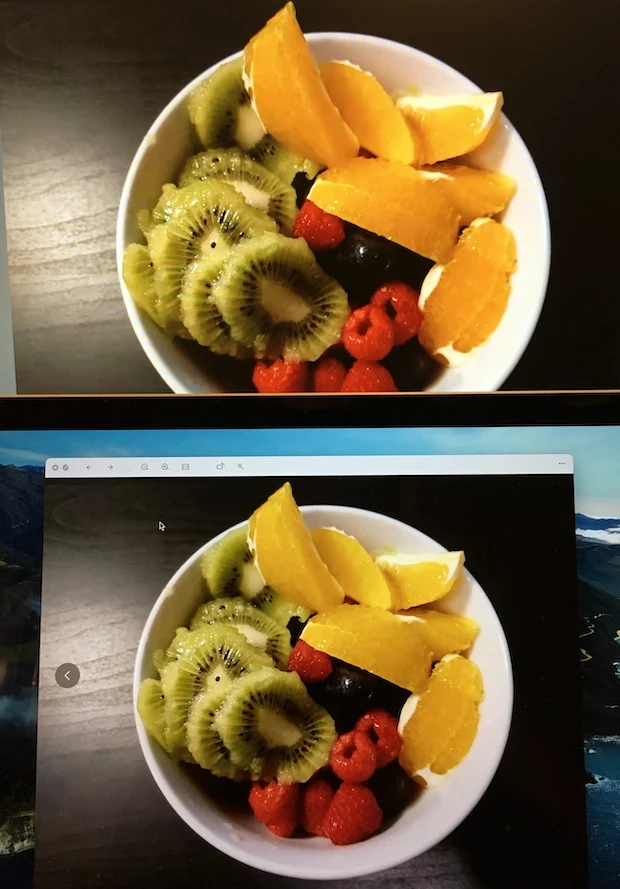
So, on the Macbook screen, I tried to apply a color profile: sRGB IEC61966-2.1, which is using on the external display, it makes the color more vivid - However, the problem is, the whole screen change back to yellow tint again.
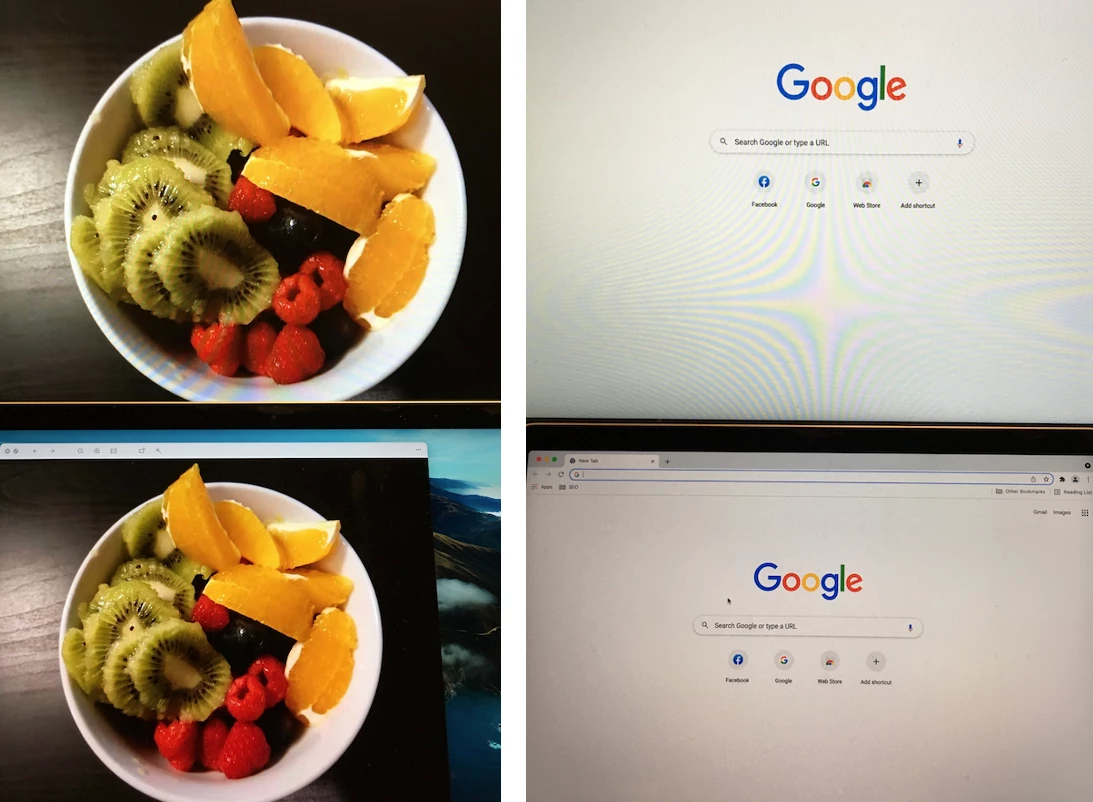
From following photos you can see:
Left: After applying the color profile, the color is vivid on the bottom (Macbook) screen.
Right: After applying the color profile, the yellow tint come back on the bottom (Macbook) screen.
Steps:
As a result, I wanted to do the color calibration on the basis of sRGB IEC61966-2.1, which failed at the final step, what I've done:
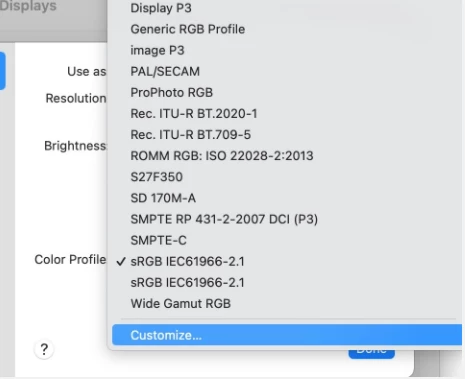
1. Select current profile, then click "customize"
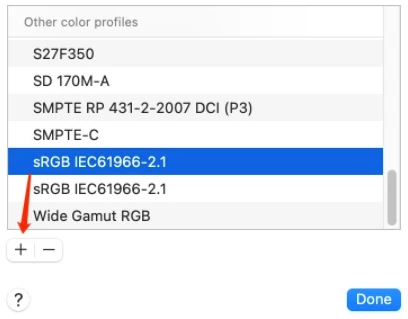
2. In the new window, select the profile again, then click Option + "+"
3. Calibrate followed by the steps: select the wanted white point
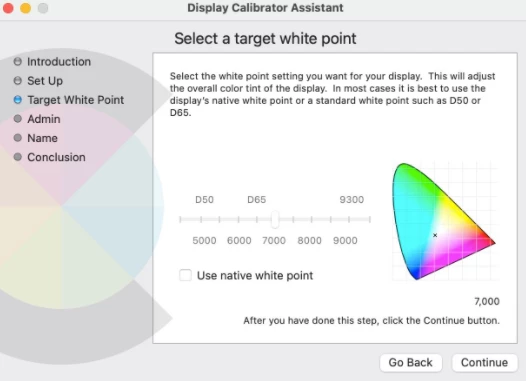
untile this step, the image showing on the screen is perfect: with vivid color (as sRGB IEC61966-2.1 is applying) AND the white point is updated - no yellow tint at all.
Problem:
But then the problem comes in the final step:
4. After clicking "Done", I can clearly notice that, on the screen, the white point is calibrated (with no yellow tint), but, all vivid color saturation, vibrance are gone. It just feels like the new calibrated profile is not on the basis of sRGB IEC61966-2.1.
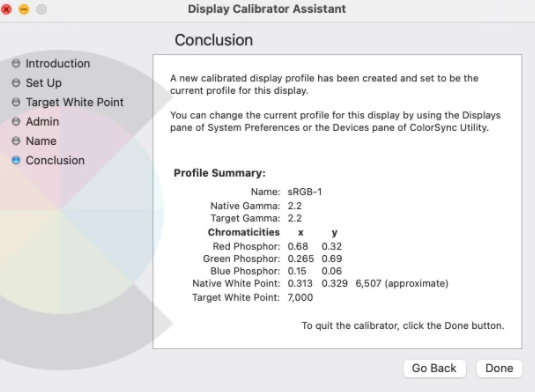
Please Help:
So, I am here to ask you help, could you please advise how to calibrate or create a new profile on the basis of existing one, only change the white point value?
Your inputs are appreciated.
Have a good day!
 AdChoices