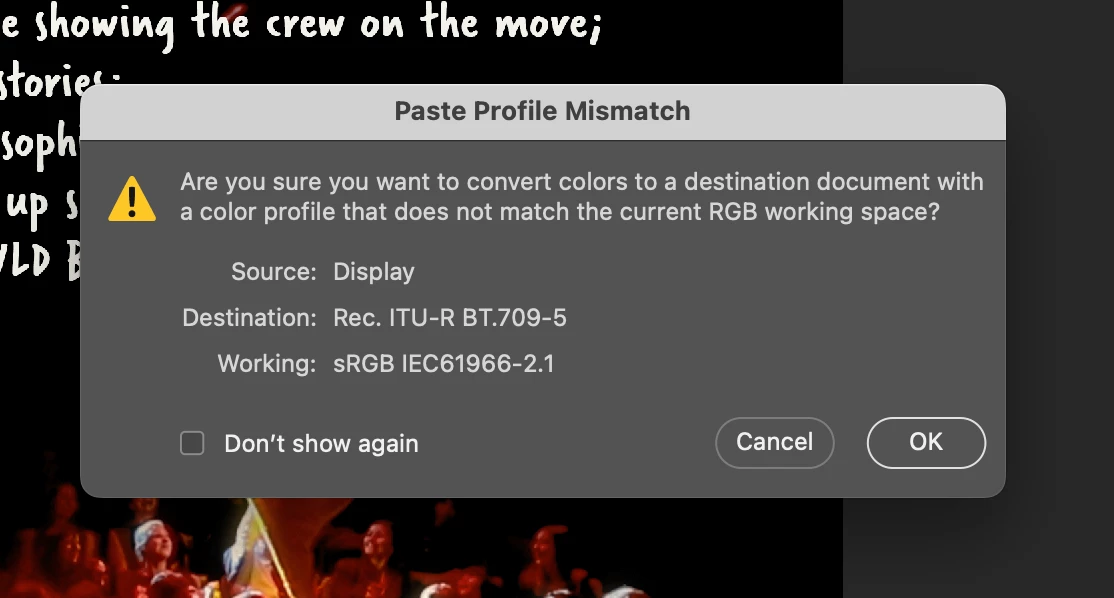
Just turn this warning off in Color Settings. There is absolutely no reason the profile should match the working space, and the warning tells you nothing useful.
That doesn't mean you shouldn't keep a close watch on your color profiles - but there are much better ways to do that. Set the notification area (status bar) like this:
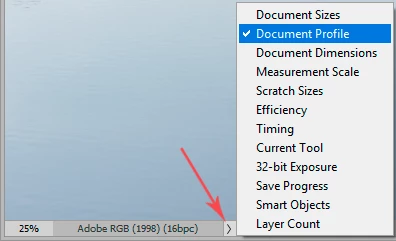
This way, you know at a glance what the profile is. And in cases like this, where the embedded profile is an odd one that you most likely don't want*, you can take action immediately and convert it to a standard color space.
Screenshots will/should have the display profile embedded, but should normally be converted to a standard color space for further use. So that part is fine (a paste will always be converted to the base document color space).
* Rec. 709 is the TV/video standard for narrow-gamut ("traditional") screens. Still in use, but more and more replaced by DCI-P3. In any case, it is not used for still images. Here the equivalent would be sRGB IEC61966-2.1.




 AdChoices