



pentagramwookie
Inspiring
January 24, 2022
Answered

Convert each layer to individual smart object script not working

  • January 24, 2022
  • 4 replies
  • 3360 views

I often find my self with PSD files that have many layers that need to be individually converted to Smart Objects. To save time I used to use this Photoshop .jsx script all the time to convert the multiple layers in to individual Smart Objects. I must have messed it up some how, or not sure if something changed with scripting in the newest version. Not sure how to fix it.


//-------------------------------------------------------------------------
function convertEachLayerToSmartObject(){
var resultLayers=new Array();
try{
var idGrp = stringIDToTypeID( "groupLayersEvent" );
var descGrp = new ActionDescriptor();
var refGrp = new ActionReference();
refGrp.putEnumerated(charIDToTypeID( "Lyr " ),charIDToTypeID( "Ordn" ),charIDToTypeID( "Trgt" ));
descGrp.putReference(charIDToTypeID( "null" ), refGrp );
executeAction( idGrp, descGrp, DialogModes.NO );
for (var ix=0;ix< llen; l++ ) {
app.activeDocument.activeLayer = resultLayers[l]
executeAction(stringIDToTypeID('newPlacedLayer'), undefined, DialogModes.NO);
}
return resultLayers;
}

convertEachLayerToSmartObject();


The dialogue box error I get is:


Error 15: Try without catch or finally. Line: 18 ->
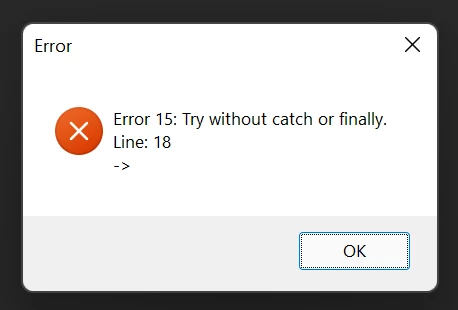


Is there a better script out there for this? Or a better way to do this, without having to individually right click each layer Convert to Smart object? thank you!!

This topic has been closed for replies.

4 replies

Greg von Neulich
Known Participant
May 3, 2023

we made a Photoshop plug-in that can do this. The unlimited version is 12$. 


Full Version (12$):
https://exchange.adobe.com/apps/cc/c36e02fb/swift


Trial Version (Limited to 5 Actions):
https://exchange.adobe.com/apps/cc/412c1dcd/swift-trial-version


Its also a big help with getting the layers selected.

aron_farkas
New Participant
February 29, 2024

Chat GPT wrote this in 5 seconds. Works on my M2 MacBook Pro:


// Check if there is an active document
if (app.documents.length > 0) {
var doc = app.activeDocument;
var selectedLayers = getSelectedLayersIndices(doc);

// Check if there are selected layers
if (selectedLayers && selectedLayers.length > 0) {
for (var i = 0; i < selectedLayers.length; i++) {
// Select the current layer
selectLayerByIndex(selectedLayers[i]);

// Convert the selected layer to a smart object
executeAction(stringIDToTypeID("newPlacedLayer"), undefined, DialogModes.NO);
}
} else {
alert("Please select one or more layers before running this script.");
}
} else {
alert("No active documents found.");
}

// Function to get selected layers indices
function getSelectedLayersIndices(doc) {
var selectedLayers = [];
try {
var ref = new ActionReference();
ref.putEnumerated(charIDToTypeID("Dcmn"), charIDToTypeID("Ordn"), charIDToTypeID("Trgt"));
var desc = executeActionGet(ref);
if (desc.hasKey(stringIDToTypeID("targetLayers"))) {
desc = desc.getList(stringIDToTypeID("targetLayers"));
for (var i = 0; i < desc.count; i++) {
var index = desc.getReference(i).getIndex();
selectedLayers.push(index);
}
}
} catch (e) {
return null;
}
return selectedLayers;
}

// Function to select a layer by its index
function selectLayerByIndex(index) {
var desc = new ActionDescriptor();
var ref = new ActionReference();
ref.putIndex(charIDToTypeID("Lyr "), index);
desc.putReference(charIDToTypeID("null"), ref);
executeAction(charIDToTypeID("slct"), desc, DialogModes.NO);
}

aron_farkas
New Participant
February 29, 2024


Kukurykus
Brainiac
January 25, 2022

Remove try{ chunk, then select chosen top level layers in your document and change::


for (var ix=0;ix< llen; l++ ) {
app.activeDocument.activeLayer = resultLayers[l]


to:


llen=(resultLayers=(aD=activeDocument).activeLayer.layers).length;for(l=0;l<llen;){
	aD.activeLayer = resultLayers[l++]


Stephen Marsh
Stephen MarshCorrect answer
Adobe Expert
January 24, 2022
pentagramwookie
Inspiring
January 24, 2022

Thanks! This one works perfect:


// convert all top level layers and layer sets to smart objects.jsx

function main() {

    if (!documents.length) {
        alert('There are no documents open!');
    } else {
        processAllLayersAndSets(app.activeDocument);
    }

    function processAllLayersAndSets(obj) {

        // Process all layers and layer sets
        // Change the following 2 entries of "obj.layers" to "obj.artLayers" to exclude layer sets
        for (var al = obj.layers.length - 1; 0 <= al; al--) {
            app.activeDocument.activeLayer = obj.layers[al];

            newPlacedLayer();

        }

        // Process Layer Set Layers 
        for (var ls = obj.layerSets.length - 1; 0 <= ls; ls--) {
            processAllLayersAndSets(obj.layerSets[ls]);

            newPlacedLayer();

        }
    }

    // Convert to smart object (Cleaned AM code)
    function newPlacedLayer() {
        var s2t = function (s) {
            return app.stringIDToTypeID(s);
        };
        executeAction(s2t("newPlacedLayer"), undefined, DialogModes.NO);
    }
}

activeDocument.suspendHistory('Smart Objects from Layers & Sets', 'main()');
Stephen Marsh
Adobe Expert
January 24, 2022

Haha, that codes looks familiar!


If you are dealing with many layers, you may wish to compare one of the other scripts that use Action Manager code as they may offer significant speed improvements over the standard for loop code.

c.pfaffenbichler
Adobe Expert
January 24, 2022

A try-clause needs to be have a catch. 

try {} catch () {}