Participating Frequently
October 12, 2018
Answered

convert rectangle shape to triangle

  • October 12, 2018
  • 3 replies
  • 4077 views

i need a trangle  shape...i try this process>>
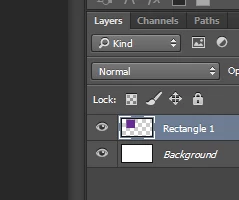
rectangle shape> restrize layer> polygonal lasso tool to cut the rectangle but now i cannot change the color of this triangle..... is there a way to change this color or to make this triangle another way in photoshop? i use this in a business card
This topic has been closed for replies.
Correct answer Bojan Živković11378569

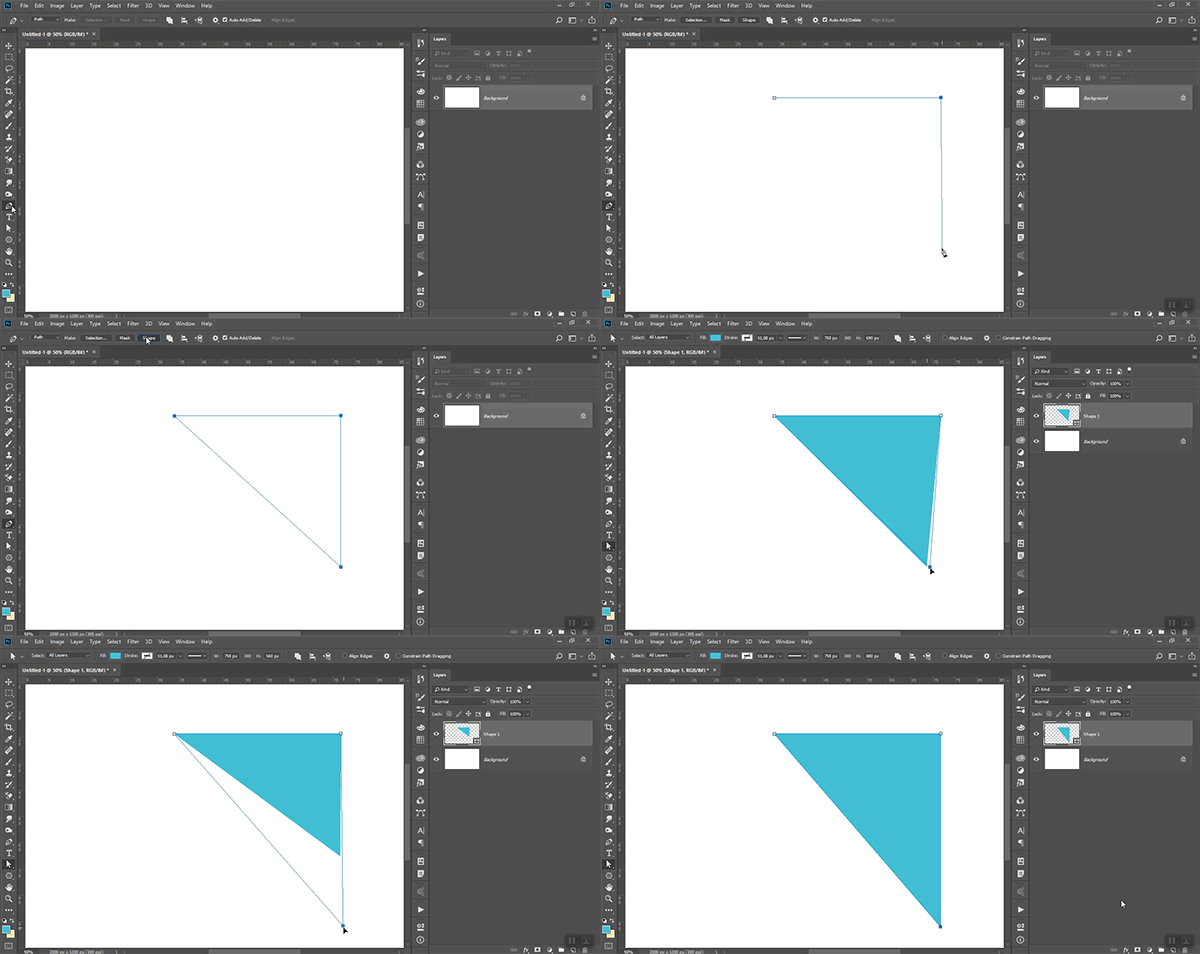
Use Pen tool to draw triangle shape. Watch the animation below. Turn Rubber Band on (click on gear icon in the Options bar to see this option in a pop-up) to watch and ensure that you are drawing perfectly straight line. Note: my drawing mode (first drop-down in the Options bar) was set to Path.

3 replies

lambiloon
Inspiring
October 12, 2018

Hi in shapes use polygon tool and click on artboard you got the option for how many sides you want you can make triangle with choosing 3 sides...thanks

Ali Sajjad / Graphic Design Trainer / Freelancer / Adobe Certified Professional
Bojan Živković11378569
Braniac
October 12, 2018

Use Pen tool to draw triangle shape. Watch the animation below. Turn Rubber Band on (click on gear icon in the Options bar to see this option in a pop-up) to watch and ensure that you are drawing perfectly straight line. Note: my drawing mode (first drop-down in the Options bar) was set to Path.

Participating Frequently
October 12, 2018

first you select pen tool-path mode>draw a triangle>click shape to convert it to "shape"  >then select direct selection tool........................ thanks a lot...

October 12, 2018

Hi

You could also create the triangle from the custom shape tool

Semaphoric
Braniac
October 12, 2018

With the Direct Selection tool (the white arrow), click on the lower left corner, to select that point, and press Delete. You will get a message about converting a Live Shape to a regular path. Click Yes to proceed.

Switch to the Pen tool, and click on one of the two acute angles, and then the other, to connect the two points. You will see "Pick-up Path" and "Close Path" added in the History panel. Now your Shape is a triangle.

Participating Frequently
October 12, 2018

first part understand,,,second part not