


New Participant
March 14, 2023
Answered

Converting color profile: preview does not match result

  • March 14, 2023
  • 2 replies
  • 3248 views

I'm preparing a file to be printed via risograph and ran into an issue converting to a custom multichannel profile from working RGB.

(You can download the custom profile for free here if you want to try it yourself.)

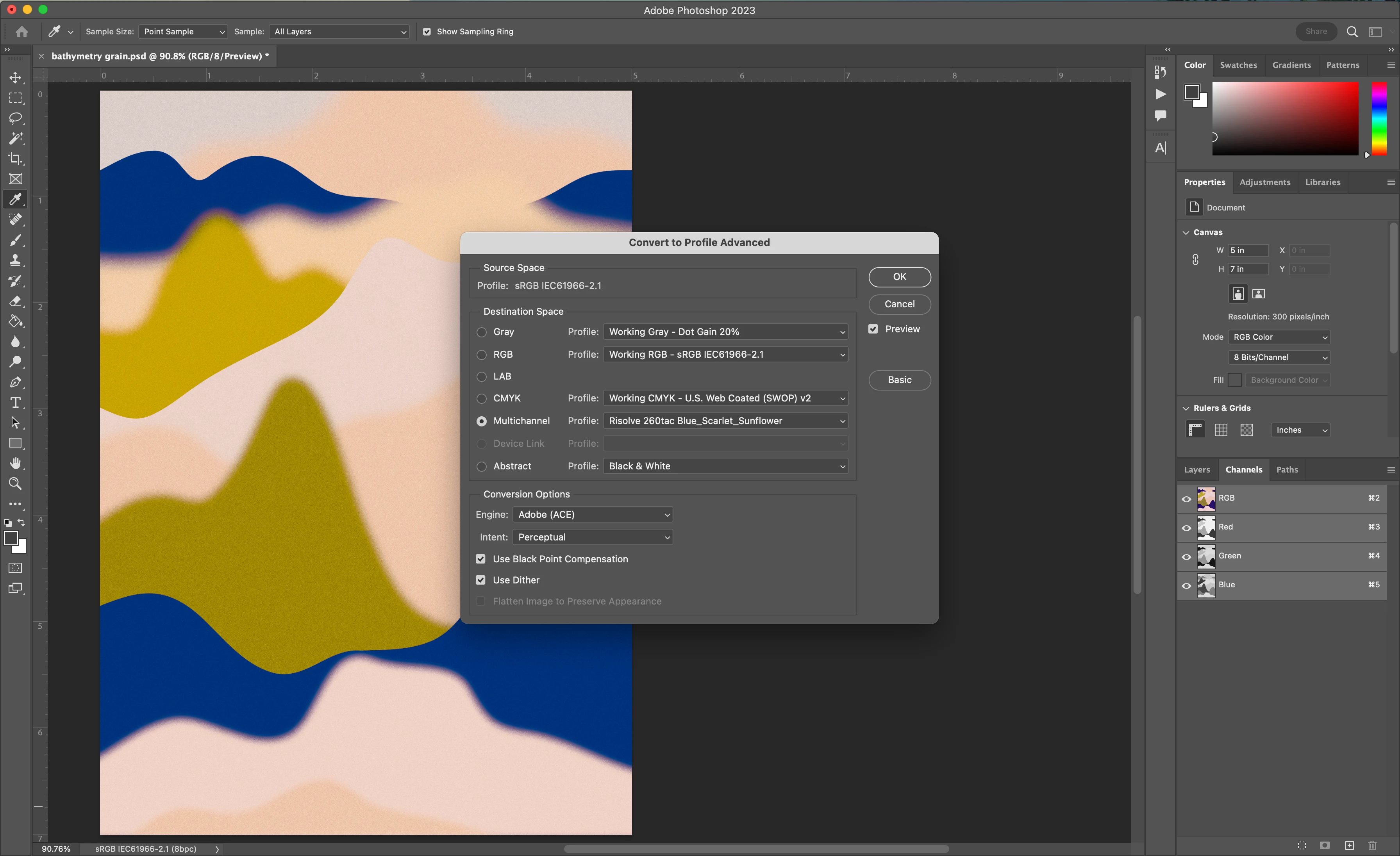
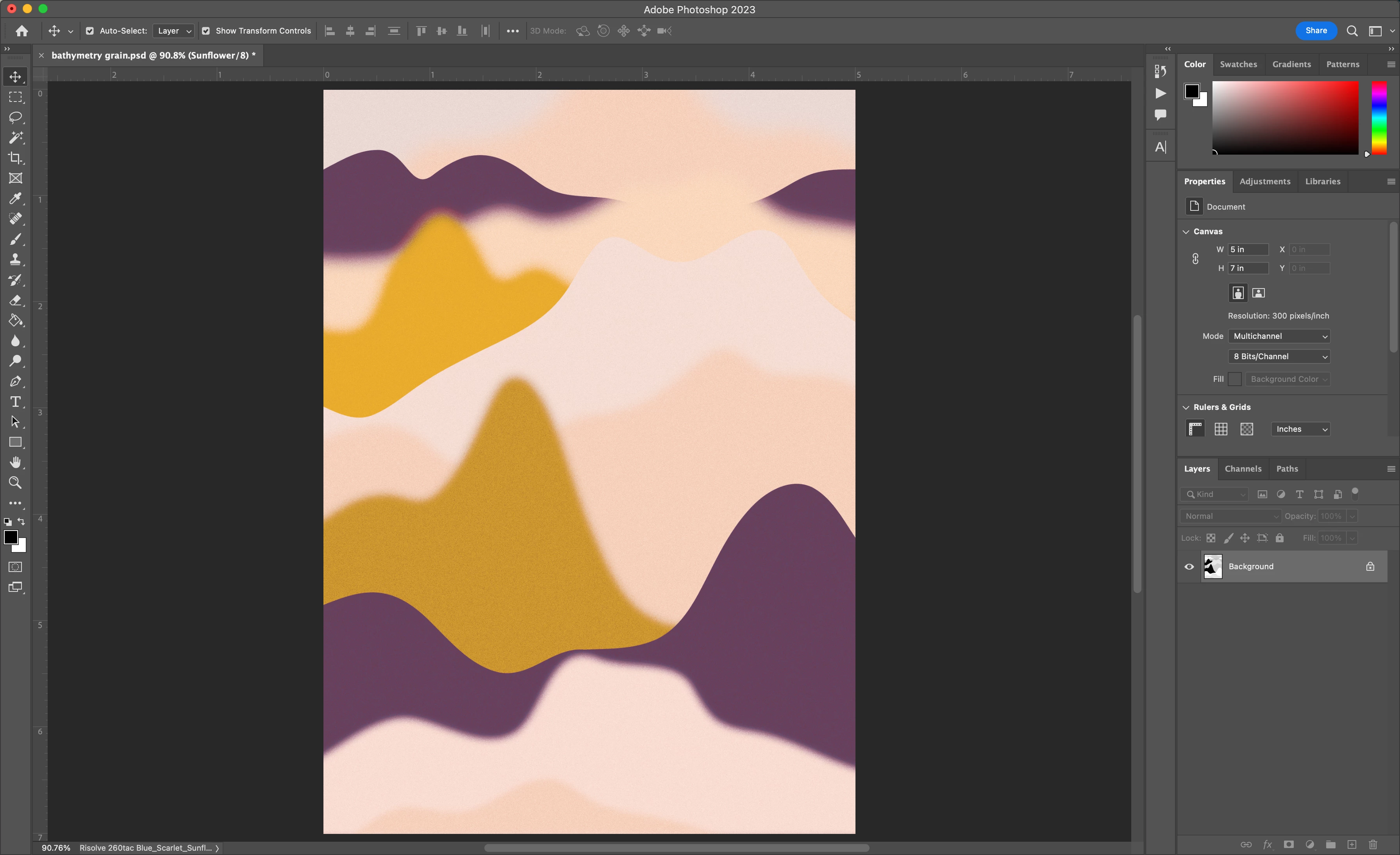
I'm new to the specifics of color profiles and can't figure out why Photoshop's preview of this profile, below, does not match up at all with the result (2nd image).

Can anyone explain why this might be, or if my settings are off? Let me know if I can provide further specs. Thanks in advance!

settings in Convert to profile menu:
result after converting to custom multichannel profile from sRGB:
This topic has been closed for replies.
Correct answer NB, colourmanagement

Hi, I found this online from the experts at Chromix, it's about an older Photoshop version, BUT maybe it still applies. 

http://www.colorwiki.com/wiki/Color_Management_in_PS_CS4#MULTICHANNEL_PROFILES

"While the conversion to multichannel profiles works very well - the preview or visual display of that profile conversion does not. According to Adobe, the calculation required to do an accurate soft proof of these profiles would take so long as to be unusable at this point in time. However, they did want to make available this conversion to multichannel separations, and didn't want to remove the feature just because the soft proofing was not there yet."


I hope this helps
neil barstow, colourmanagement net - adobe forum volunteer - co-author: 'getting colour right'
google me "neil barstow colourmanagement" for lots of free articles on colour management

2 replies

Stephen Marsh
Community Expert
Community Expert
March 16, 2023

I downloaded the profile and tested with a CMYK full colour/tone test image that uses memory and known colours. 


The left-hand image is before the conversion, the input CMYK (Fogra39). The right-hand image indicates the conversion preview. It is highly doubtful how accurate the preview is, and the post-conversion view of the combined spot channels is known to be lacking.


Although I am using Relative Colorimetric intent below, the lighter result obtained from Perceptual would likely be better for the RISO's soy-based inks, and uncoated paper and total ink limitations.


Stephen Marsh
Community Expert
Community Expert
March 16, 2023

Here is a CGS ORIS RIP preview of the three separations from the multi-channel conversion.


Photoshop Fogra39 CMYK original on left, CGS ORIS RIP preview of the three Blue/Scarlet/Sunflower spots on the right:


Notice how this preview is very different from the preview in Photoshop shown in my previous post! Although not 100%, I would expect this RIP preview to be closer than Photoshop's preview. This RIP preview wouldn't take into account the nature of soy-based inks and the RISO print process, so it may still be wrong as it is based around proofing higher quality lithographic/flexographic/gravure processes, not risographic.


Combined Blue/Scarlet/Sunflower spot channels:


Progressive proof view of Scarlet and Sunflower only:


Proof view of Sunflower only:


NB, colourmanagement
Community Expert
NB, colourmanagementCommunity ExpertCorrect answer
Community Expert
March 14, 2023

Hi, I found this online from the experts at Chromix, it's about an older Photoshop version, BUT maybe it still applies. 

http://www.colorwiki.com/wiki/Color_Management_in_PS_CS4#MULTICHANNEL_PROFILES

"While the conversion to multichannel profiles works very well - the preview or visual display of that profile conversion does not. According to Adobe, the calculation required to do an accurate soft proof of these profiles would take so long as to be unusable at this point in time. However, they did want to make available this conversion to multichannel separations, and didn't want to remove the feature just because the soft proofing was not there yet."


I hope this helps
neil barstow, colourmanagement net - adobe forum volunteer - co-author: 'getting colour right'
google me "neil barstow colourmanagement" for lots of free articles on colour management

icefieldsAuthor
New Participant
March 14, 2023

Thank you so much for taking the time to respond!

It is frustrating that the actual result seems so different as to be unusable, though. But maybe not ¯\ (ツ) /¯

(I wonder how anyone else who has used these profiles has managed to work around this?)

Stephen Marsh
Community Expert
Community Expert
March 14, 2023

@icefields – When you convert to an RGB or CMYK mode profile, all is good as these colour modes are handled correctly by colour management.


Spot colours are a different beast!


The Riso multi-channel profile results in 3 spot colours. Spot colours are not colour managed to any great extent in Photoshop.


The 100% only value of a solid of the spot colour can be correctly visualised as long as it doesn't have any other colour channel mixing with it (overprinting, ink trapping). This of course depends on the Lab values of the spot colour being correct and within gamut for your monitor.


Photoshop colour settings use a Spot dot gain value (TVI, tonal value increase) profile that may not accurately represent the tonal range for values which are not solid for the image converted with this profile.


Finally, back to ink trapping/overprints of spot colours, either solid or tints... This is to do with the transparency/opacity of various inks and how they interact with other inks to create combined colour. Until Photoshop offers colour management of spot colours using their spectral reflectance properties, the view will always be off.