zakariyah
Participant
March 28, 2018
Answered

Copy and Paste Selection in Animation Timeline of Photoshop CC

  • March 28, 2018
  • 2 replies
  • 13663 views

Hi everyone!
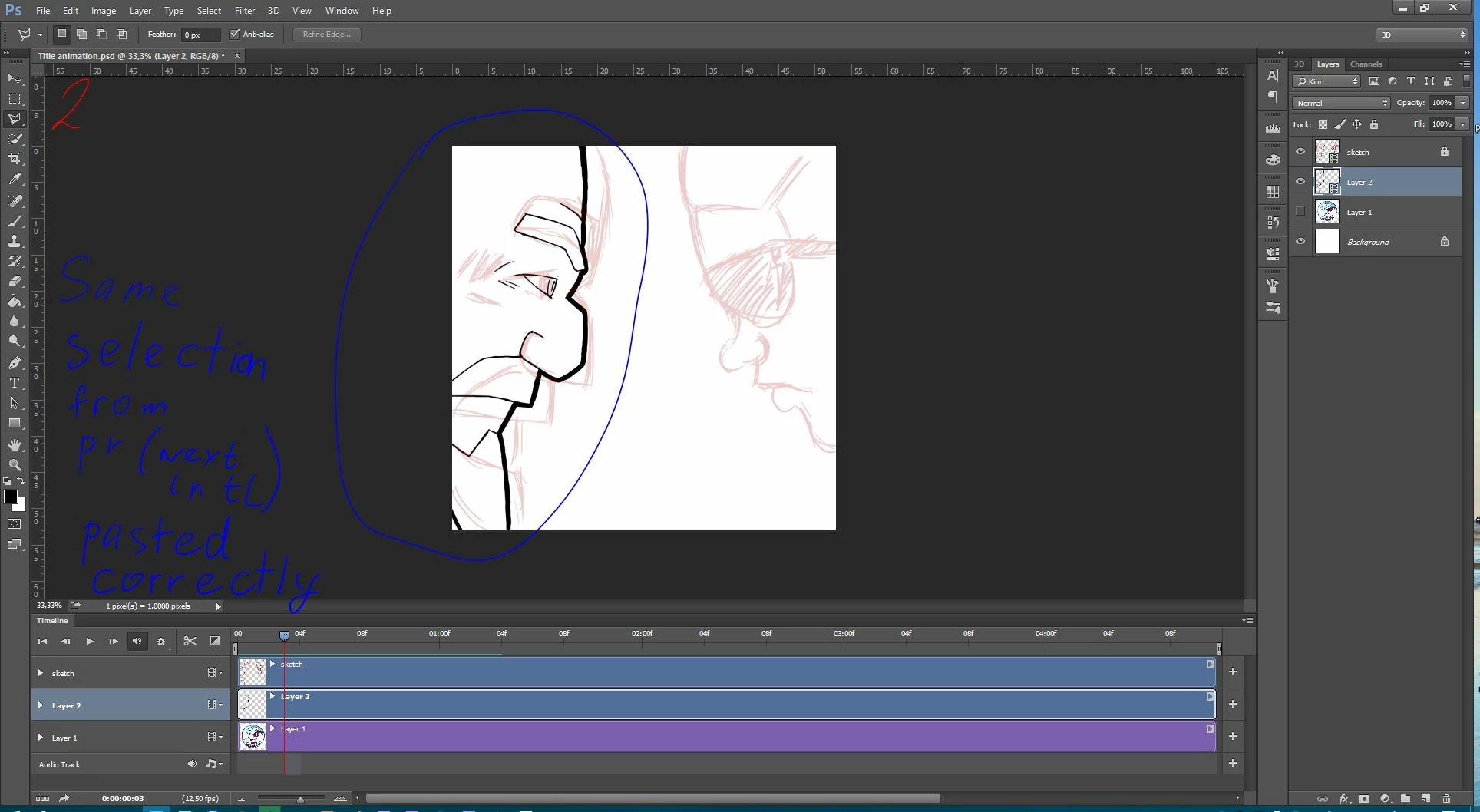
I have some trouble with the animation. I make a hand-drawing animation in Photoshop and would like to copy one frame and paste it to next or previous frame without creating new layer. my Photoshop made it first time (I select with Lasso part of frame and just copy it and paste to previous frame) 
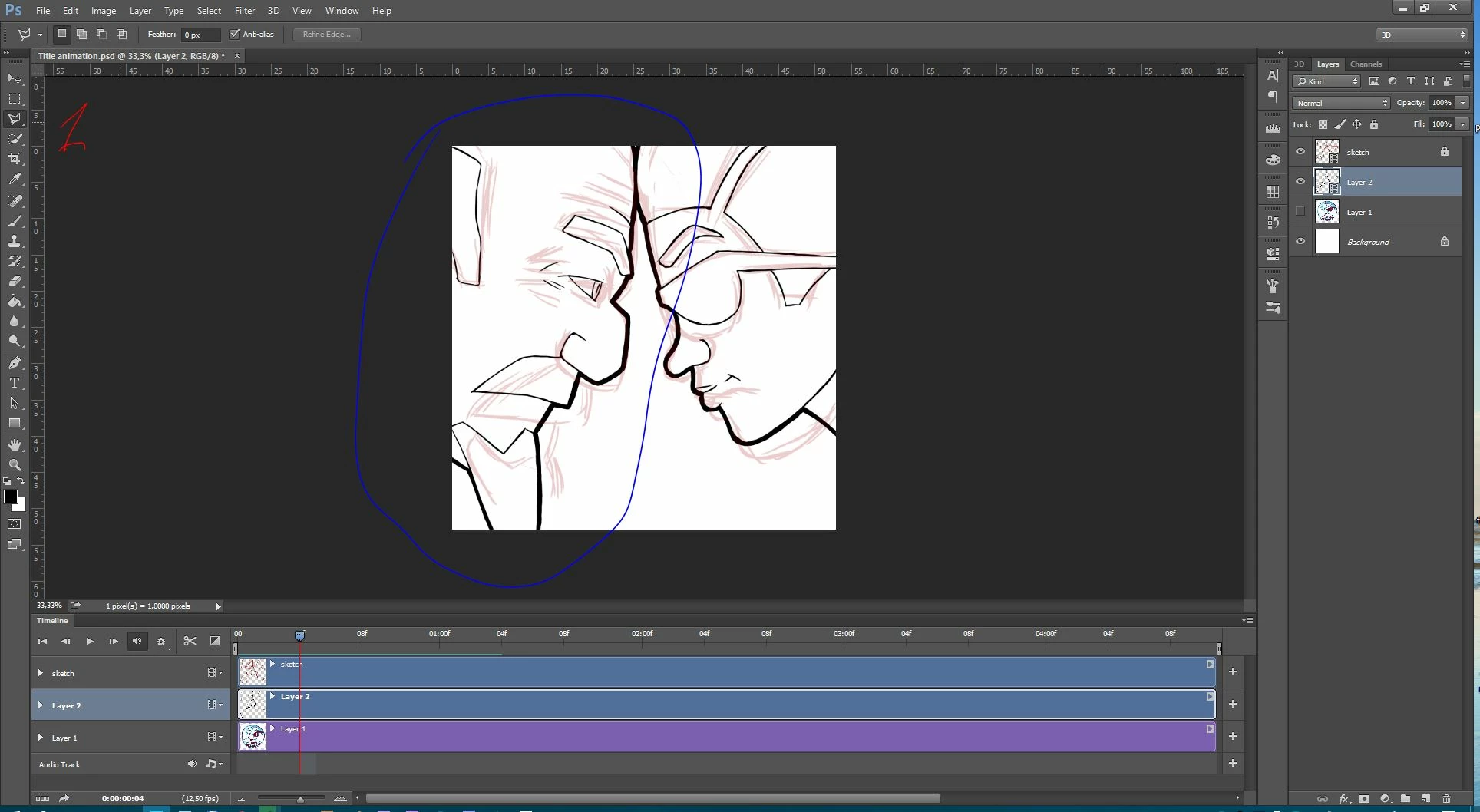
then app paste only with new layer only.
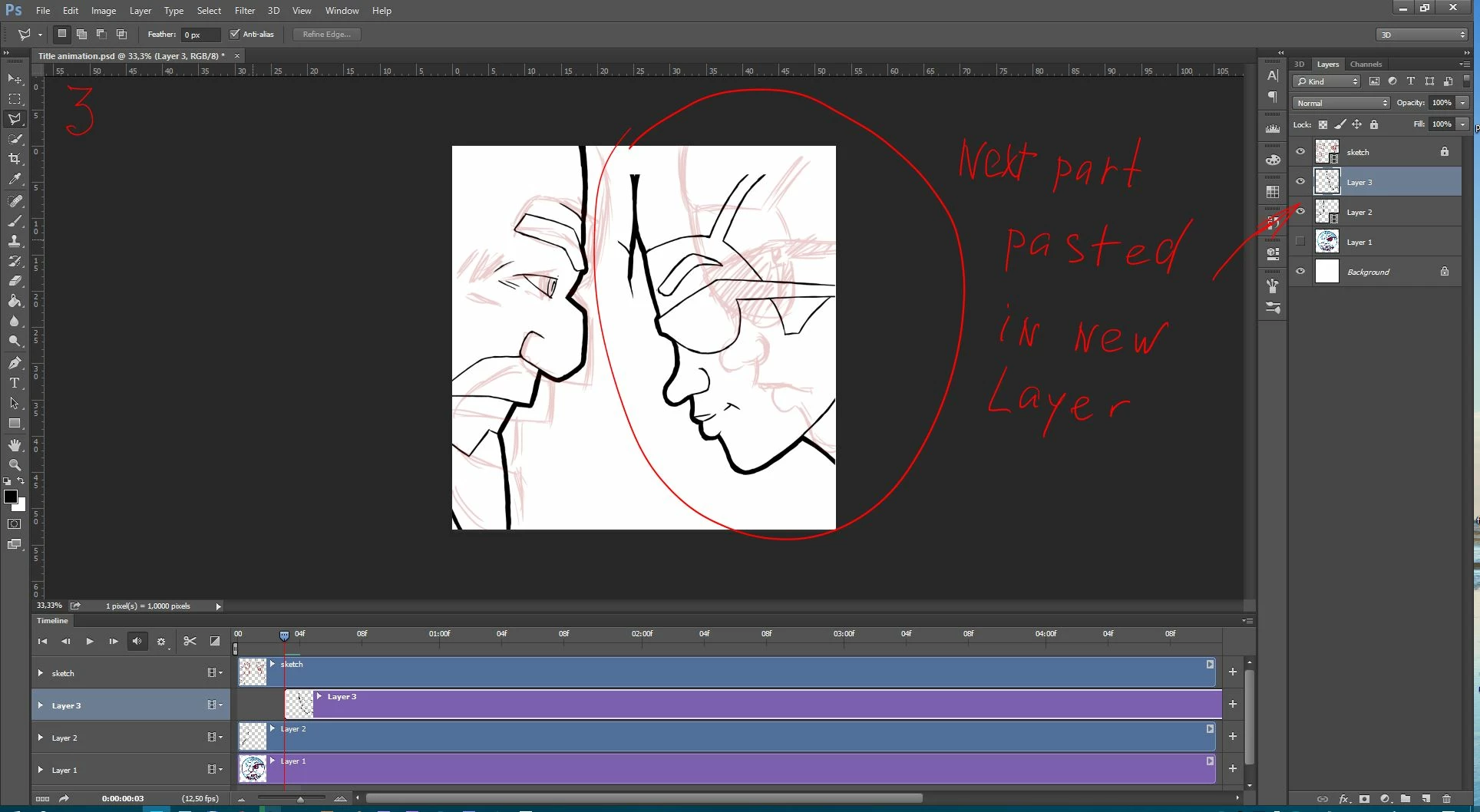
So how to copy selection and past it to another frame without creating new layer?
Photoshop CC 2015.0.0
Windows 10 x64
Thanks in advice!

This topic has been closed for replies.
Correct answer davescm

It seems to work OK here (with CC19.1.2 on Windows 10)

Exactly how are you copying and pasting? I did the following:

1. Move the timeline to the frame to be copied.

2. Select the area and press Ctrl+C

3. Move the timeline to the new frame and ensure the correct layer is targeted in the layers panel

4. Press Ctrl+V

Dave

2 replies

dean_k
Participant
November 13, 2020

When I do this, it pastes the entire frame into the timeline.  

Patrick Deen NL
Participant
December 26, 2020

The answer marked as correct is limited to empty frames on a video layer. I had to create a "paste special" feature for the Animator's Toolbar extension to be able to do this: http://www.animatorstoolbar.com/toolbar-manual/content/

Patrick Deen NL
Participant
December 26, 2020
davescm
Community Expert
davescmCommunity ExpertCorrect answer
Community Expert
March 28, 2018

It seems to work OK here (with CC19.1.2 on Windows 10)

Exactly how are you copying and pasting? I did the following:

1. Move the timeline to the frame to be copied.

2. Select the area and press Ctrl+C

3. Move the timeline to the new frame and ensure the correct layer is targeted in the layers panel

4. Press Ctrl+V

Dave