


Participant
August 3, 2018
Answered

Could not complete your request because a SOFn, DQT ...
  • August 3, 2018
  • 34 replies
  • 309923 views

This is a weird message from Photoshop, could not open an image !!?

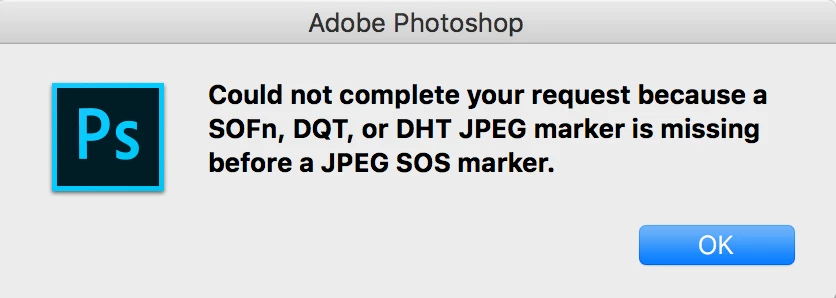
Could not complete your request because a SOFn, DQT or DHT JPEG marker is missing before a JPEG SOS marker.

what is that mean at first place !!! ... Im using MacBook and its up to date, photoshop version is 19, and it was working perfectly, I use it everyday to edit photos and so on.

Now I have one way to avoid this message by take a screenshot of the image and open it, but this is not a solution at all !

I don't know why this message is thrown by Photoshop.

is there anyone have a solution of this error !!!!!!

THANKS

Correct answer Rafael Osipov

I have created a free and open-source tool to fix these issues with images. It is easy to use and fast.

Application works for Windows and MacOS as well.

Source code and binaries are available here: https://github.com/cdefgah/whatsapp-jpeg-repair

Instructions are displayed on the page link I provided above (check README.md file).

34 replies

Participant
November 26, 2018

Same problem here. Before last upgrade, this happened rarely. Now, lots of JPG files fail to open in both 2018 and 2019 Photoshops. Yet, it is possible open those files in Photoshop Elements and Camera RAW (which I use as workaround to get them into Photoshop). As it was told here, many softwares are able to open those images, including Microsoft Paint! (I'm PC user).

roguebee
Participant
November 28, 2018

Thank you, Camera RAW works nice when you have lots of pictures

Participant
December 1, 2018

I have only just seen this discussion(new to forum) and just started a discussion on Nov 30th and replied to a suggestion earlier. It was suggested I open my file in editor and then open with camera raw but I couldn't do it. Same message about a missing marker before a JPG SOS marker. What I have done is convert the JPG file to a BMP file and it has worked but as someone pointed out having to do this with every file is time consuming. Also is it the correct thing to do? I downloaded the images via What's App originally taken with a Galaxy S8 mobile. My son wondered if What's App have encrypted the pics.

Regards Glenys

-wae-
Participant
September 29, 2018

When I tried to open a file (some low-res jpg from WhatsApp) I had the same warning from Ps.

The "solution" was open the "corrupted file" in another image program then save as a new jpg, try again in Ps and it worked.

Software like Irfanview, the old ACDSee32 and ms Paint opened the file, but Ps doesn't.

Why?

getgreenlink
Participant
September 14, 2018

This is unacceptable! I've used more than 6 different softwares to open those images and they open JUST FINE!. And you're telling me that one of the most expensive softwares (and the most professional) is unable to bypass a small error on the Image? What are you, Apple?!??!!?!?

JJMack
Community Expert
Community Expert
September 14, 2018

No we here are users of Adobe Software like your are.  If you want expensive software you can try to get the software that fly by wire software in the US F-22 Raptor  you will need top clearence to get anywhere near it.

JJMack
getgreenlink
Participant
September 17, 2018

When i said " What are you, Apple?!??!!?!?", i meant Adobe. English is not my born language. Still, is very disappointing that Adobe can't figure out what other companies already have.

JJMack
Community Expert
Community Expert
August 3, 2018

The message seems to indicate  that the jpeg file format is messed up that your file is corrupt. Can you open the file in any Paint application you may have on your Mac?

JJMack
Participant
August 3, 2018

Hello JJMack

Thank you for your reply, Yes I can open the photos on "Previewer", and that what I do, I have to open it and save it in another place with different name, then I can use it.

I notice this problem comes with photos come from google images "not all of them" and WhatsApp downloaded images.

JJMack
Community Expert
Community Expert
August 3, 2018

Your reply seems to confirm that the problem is with files you have downloaded that Photoshop has problems with their format not conforming to some jpeg standard.  Other Application you have seem to be able to open then and save files in standard jpeg format and Photoshop can process the files you save with these applications.  

I have no knowledge about "WhatsApp".  I have always used Chrome to download Image from google and never have has a problem using Photoshop and the downloaded image files.

JJMack