

New Participant
August 12, 2024
Question

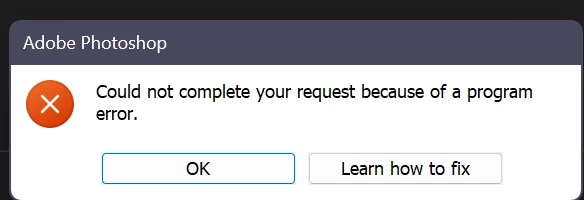
could not complete your request because of a program error (25.11)
  • August 12, 2024
  • 1 reply
  • 180 views

It gives this problem in some visuals.I tried everything on the "Learn How to Fix" tab

This topic has been closed for replies.

1 reply

Sameer K
Community Manager
Community Manager
August 14, 2024

Hey, @rcpKRCY. Welcome to the Photoshop Community. We've moved the post to discussions; I'll need more info to help you figure this out.


Does the error appear when you open any document, use any too, or during a specific workflow?

If you're able to launch Photoshop, please share the system info from Photoshop Help > System info > Copy and paste into a text document > Upload and attach here.


If the error shows up when you use a tool, try resetting the tool itself in this case. Right-click on the Tool icon in the Toolbar menu & select Reset Tool.


If this does not help, ensure there are no stale preferences in your Photoshop. Go to the location of the preference folder below and rename it to backup.

  • Windows 10/11: Users/[user name]/AppData/Roaming/Adobe/Adobe Photoshop [version]/Adobe Photoshop [version] Settings
  • You can press Press the Windows key > Enter 'Run' > Enter %APPDATA%\Adobe
  • Rename the Adobe Photoshop folder by adding a .old at the end. (Adobe Photoshop 2024 > Rename > Adobe Photoshop 2024. old), you can later restore these preferences if needed.(https://adobe.ly/4860qM9)
  • Restart the computer.

These changes will give a fresh start to Photoshop as a fresh install. Let me know how it goes.

Thanks!

Sameer K

(Use '@mention' to tag me when you reply)