


Inspiring
August 30, 2021
Answered

Could not open or parse a DCS (1.0) plate file because of a problem parsing the EPS file

  • August 30, 2021
  • 2 replies
  • 1715 views

I've searched through these forums and elsewhere online and I can't find anything that comes close.


I'm trying to open a bunch of DCS 1.0 files, and I keep getting parsing errors.


"Could not open or parse a DCS plate file because of a problem parsing the EPS file."


Opening DCS 1 files is something I've done quite often. I was trying to figure out if the archive files were corrupted (a possibility) or I was doing something else wrong. 


Photoshop 22.4.1

Mac OS Catalina 10.15.7


Photoshop 22.5.0 & 21.2.11

Windows 10 Enterprise version 19.9


As a test, I saved out DCS 1.0 files from other TIFFs I had. Those opened without an issue — after a restart. My first attempt as saving DCS files generated the error: "Could not save as “Untitled-1.eps” because of a problem using the Adobe Color Engine." I thought the issue was related. I restarted the Macintosh and saving is working again — just opening the archive files is not.
This topic has been closed for replies.
Correct answer David Cardillo, PRH

OK, found a solution.


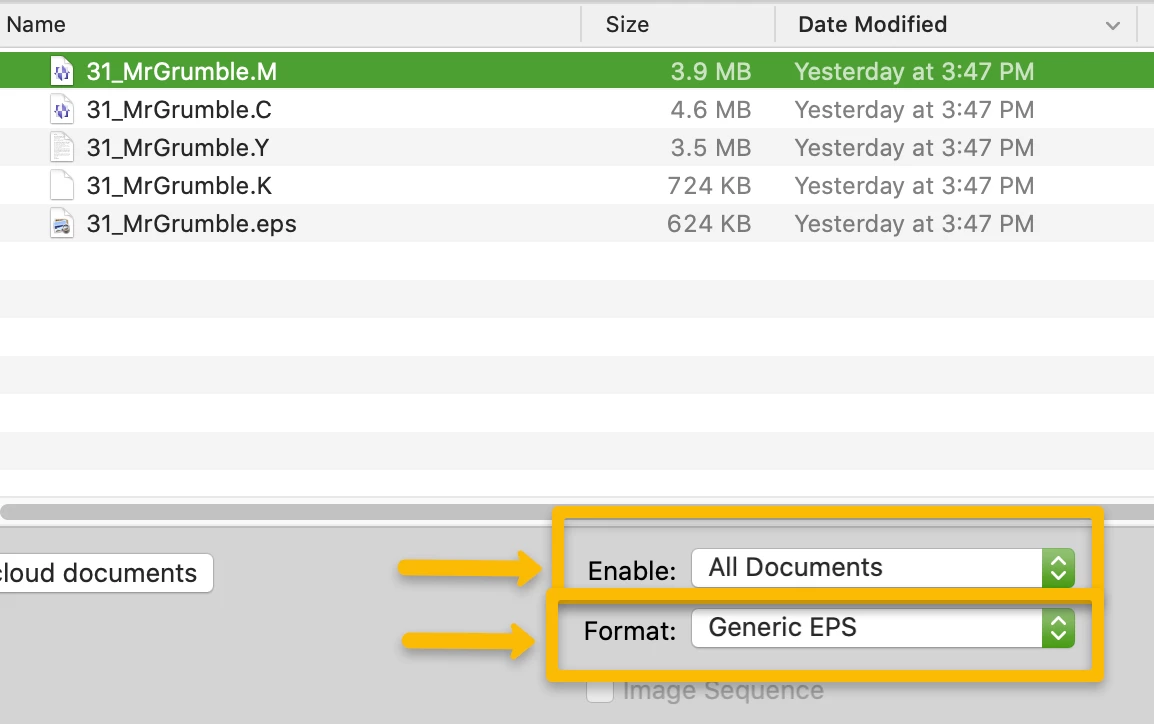
Keying off what @Test Screen Name said, I tried opening each of the separations by forcing PS to recognize them as EPS files.


I had to experiment with the rasterize EPS settings to get it just right. (In my case these are copydot halftone separations. I opted for 1200 dpi with no anti-aliasing, grayscale.)


then it's just copying and pasting each image into a new file, in the appropriate channel.


Now I can work on the mechanics of automating it, with an action if I can, or a script (which will take much longer).

2 replies

David Cardillo, PRHAuthorCorrect answer
Inspiring
August 31, 2021

OK, found a solution.


Keying off what @Test Screen Name said, I tried opening each of the separations by forcing PS to recognize them as EPS files.


I had to experiment with the rasterize EPS settings to get it just right. (In my case these are copydot halftone separations. I opted for 1200 dpi with no anti-aliasing, grayscale.)


then it's just copying and pasting each image into a new file, in the appropriate channel.


Now I can work on the mechanics of automating it, with an action if I can, or a script (which will take much longer).

Legend
August 30, 2021

Could you post one of the DCS files in question? (link via CC files or Dropbox)


Inspiring
August 30, 2021

We're really not permitted to share assets outside, unfortunately.


I believe the issue may be with the .k file.


In my test export, my testfile.k file shows "Encapsulated Postscript" as the file type. Finder preview renders it as the K channel, and it opens in the Preview app.


In my archive file, it's just "Document," with no preview. The Preview app won't open it, but GraphicConverter will. (But will not save it as an appropriate file type.)


(The .c & .m files show as BBEdit files, while the .y file is a generic "Text Document," in both files.)


I can share the opening text of the .y file:


%!PS-Adobe-3.0 EPSF-3.0
%%Creator: Creo Renaissance Console Version 2.5x
%%Title: 31_MrGrumble.Y
%%CreationDate: 2005:09:12 15:00:43
%%BoundingBox: 0 0 405 378
%%EndComments

Legend
August 31, 2021

DCS 1.0 collections are simply four greyscale EPS files. The files look normal.

Perhaps you can generate a new test file for sharing.