


Participant
August 6, 2019
Question

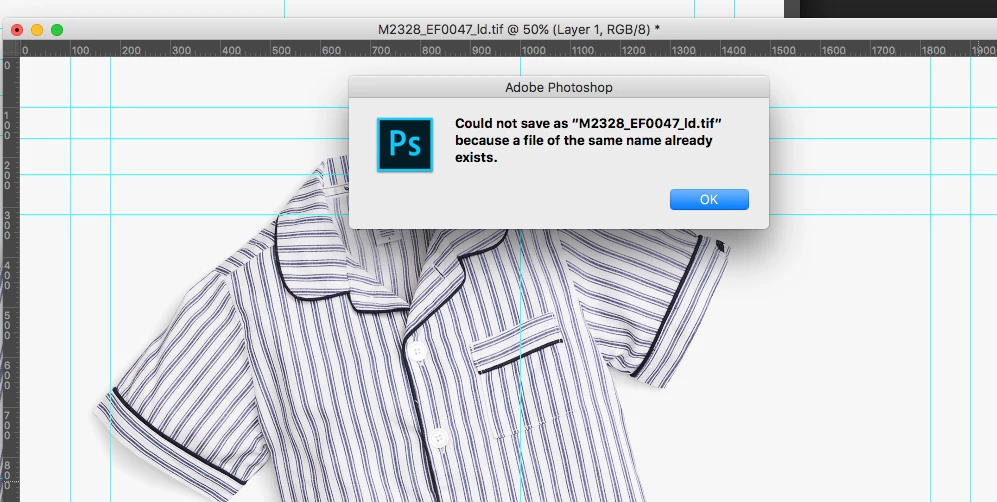
Could not save because file of same name already exists

  • August 6, 2019
  • 4 replies
  • 2035 views

Hi Everyone,

New to the forum. Has anyone ever ran into this issue with saving to a network folder?  We have a user that has been experiencing this issue for quite some time. The users workaround is to add an extra character to the file, then move it to another location. Remove the extra character and finally move the file to the desired location to overwrite the existing file. 

OS - Mac OSX 10.12.6

Version - Adobe PhotoShop CC 2015
This topic has been closed for replies.

4 replies

Known Participant
March 23, 2022

I thought I'd comment on this old post with how I solved this, if it's driving anyone else nuts in 2022. In my case, it was the font auto activation in Suitcase Fusion. Going into the Fusion plug-in prefs, and de-selecting Photoshop solves this. (Restart Photoshop) The tell-tale sign is there is no icon to the left of the title in your Photoshop window. 

Mike_Gondek10189183
Community Expert
Community Expert
August 6, 2019

What type of server is this, and how are you connected.

Yes Adobe officially does not recommend saving directly for a server, but you should have no problem saving to a mac server using afp Apple File Protocol. Even nowadays the settings on a Mac server are difficult to configure incorrectly.

Even most windows servers you should be able to save directly to, if the back end is configured correctly.

Bob_Hallam
Legend
August 6, 2019

This is a software issure on the network drive to make it Mac compatible,  What usually works for me is restarting and re-mounting the drive.   We have also haad to upgrade the software on our Network drives from time to time to resolve these issues. 

ICC programmer and developer, Photographer, artist and color management expert, Print standards and process expert.
August 6, 2019

Hi

Adobe do not recommend or support working of network drives or removable media, more info

​Adobe Technical Support only supports using Photoshop and Adobe Bridge on a local hard disk. It's difficult to re-create or accurately identify network- and peripheral-configuration problems.

Troubleshoot issues with networks, removable media in Photoshop

eskomobroAuthor
Participant
August 6, 2019

Thanks Ged. I'll share this information with the rest of the team.