Known Participant
August 29, 2023
Answered

Crop and straighten script photoshop 2023

  • August 29, 2023
  • 4 replies
  • 5873 views

Hi All

I have nearly 100 scanned pages like a I attached  here , I want a script to crop each and straighten each image

when I used : Automate > crop and straighten photos already in photoshop but images are fragmented to small pieces not whole image

Help Please 

This topic has been closed for replies.
Correct answer jazz-y

this is original page

But i want to learn this techinque to be able to make it myself

Image resoultion is 300

Please , I want script that modified to produce a jpg image not psd


I have updated the code in the post above, try it.

MAXIMUM_RADIUS specifies the radius with which the Filters -> Other -> Maximum filter is applied. The goal I'm aiming for is to clear the image of garbage and frames.
Source frame:
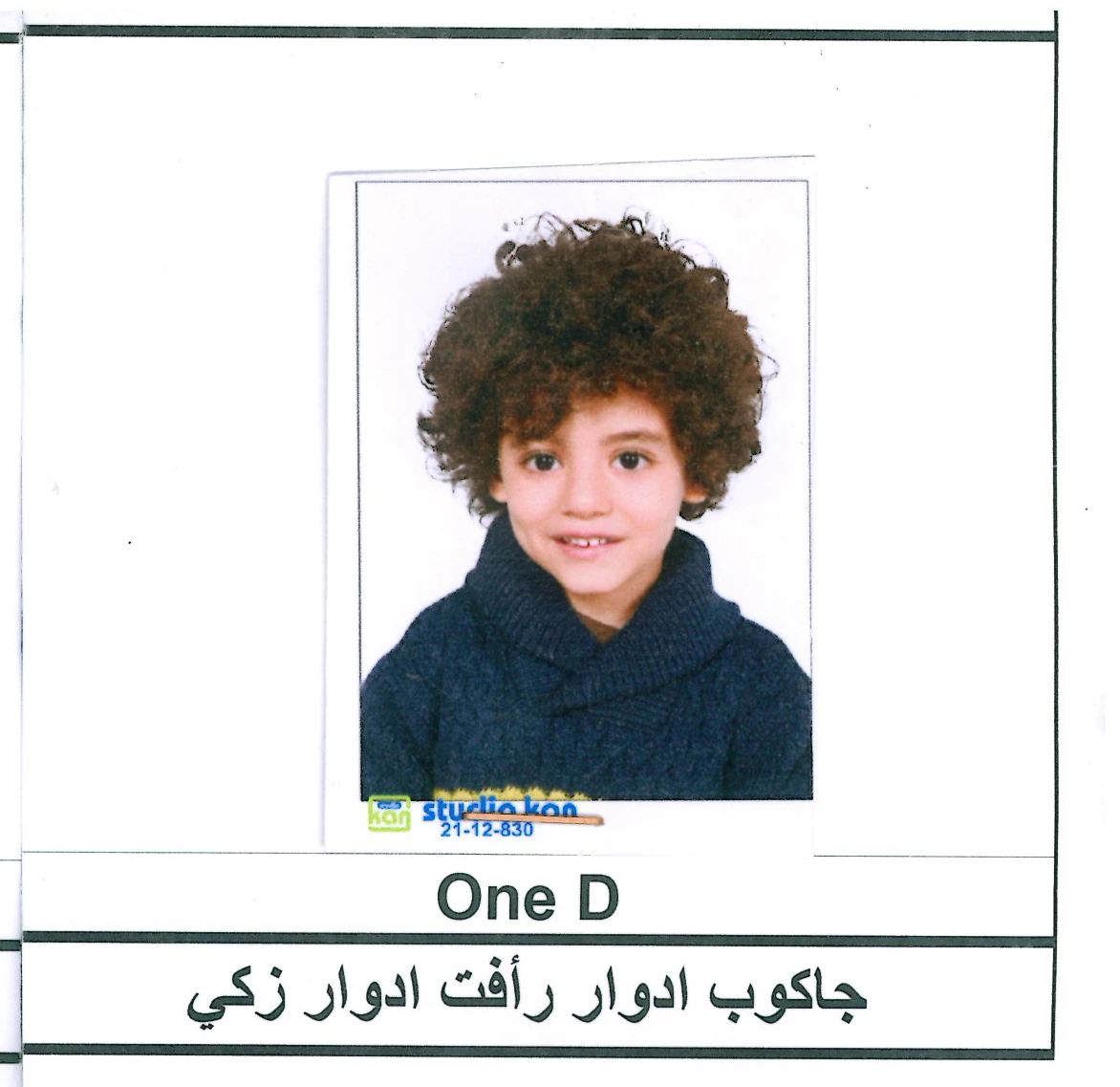
frame after Maximum filter with radius 22
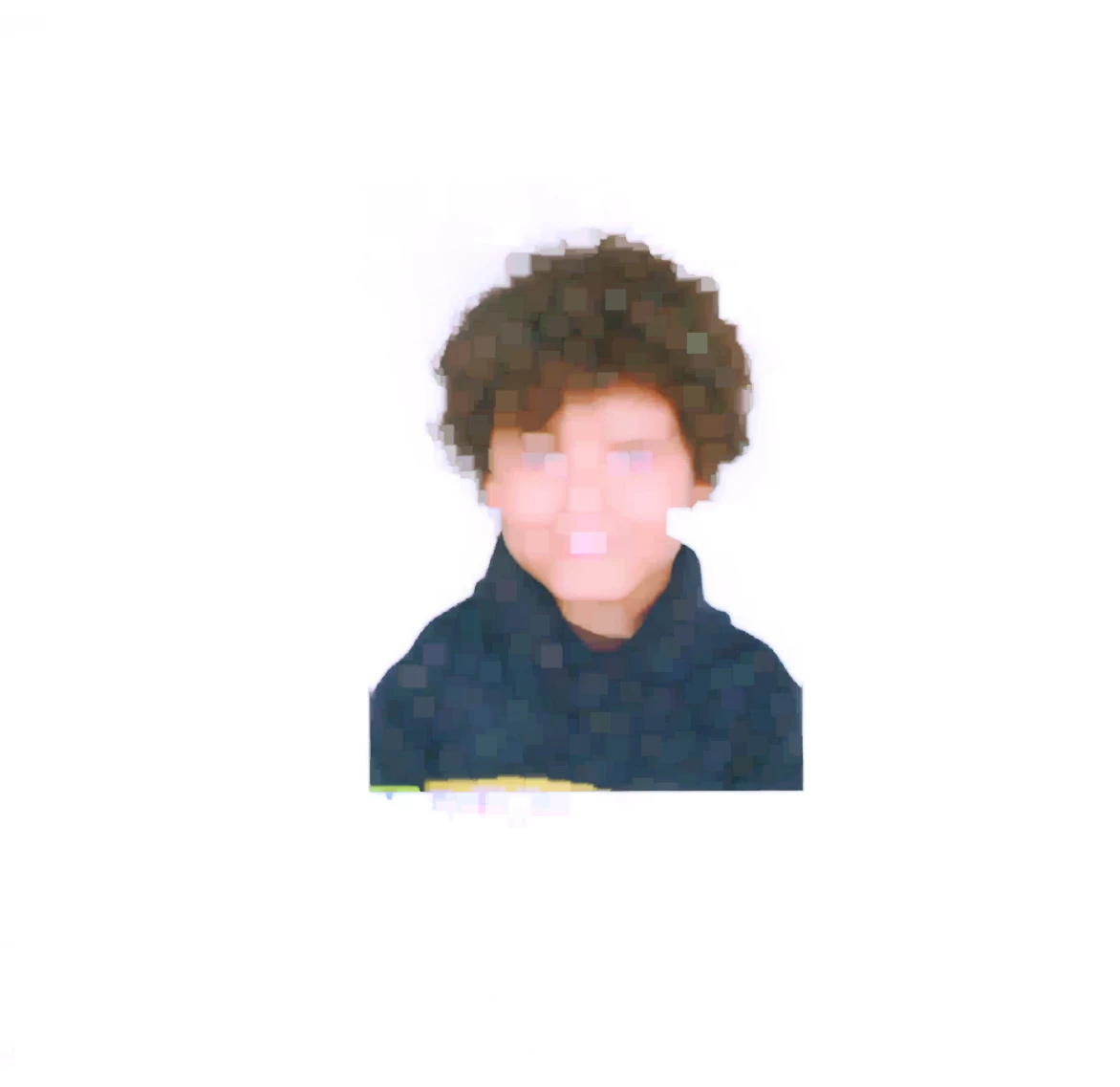
Next, on this cleaned image, the script executes the command Select -> Select Subject:
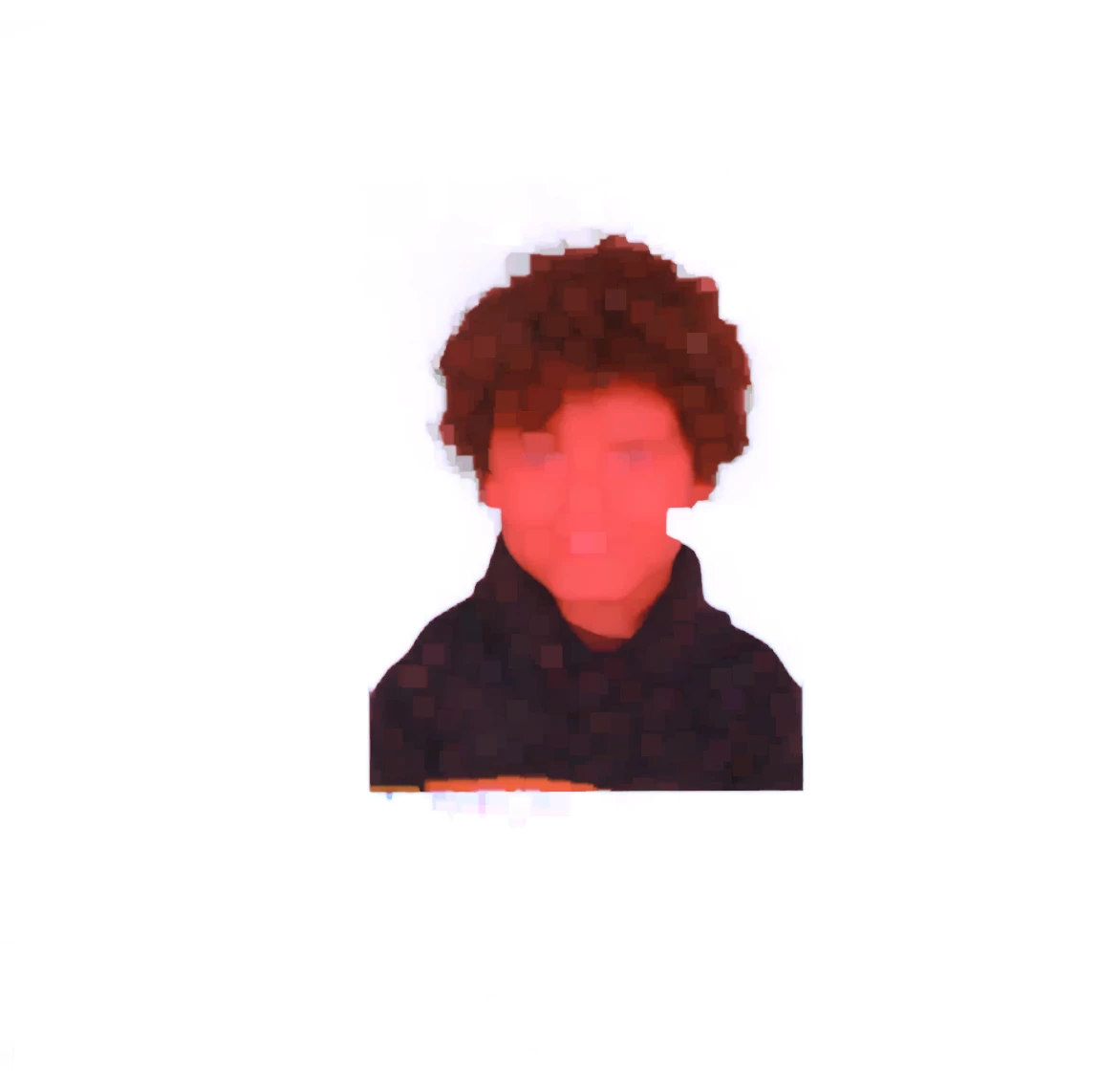
Then the script tries to align the image, for this it increases the selection box by the number of GLOBAL_OFFSET pixels in each direction. After that, the image is  transformed by the Crop and Straighten filter:
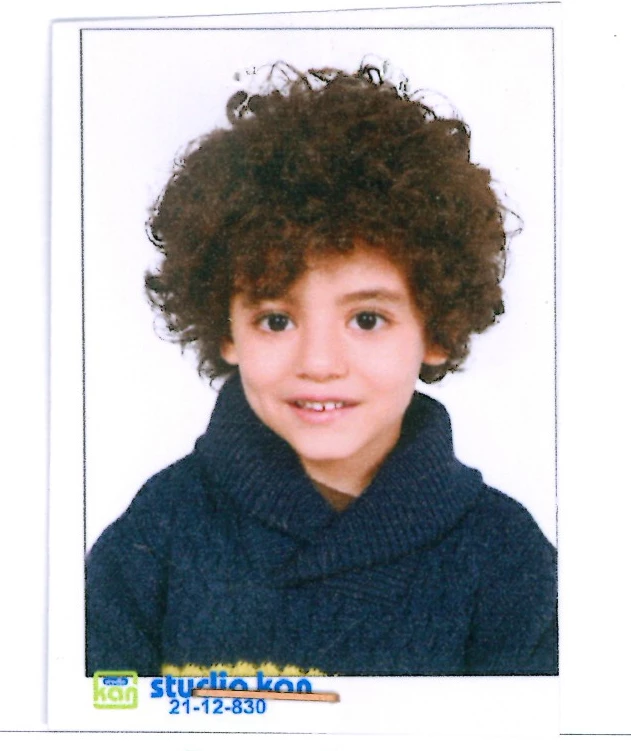
Then I re-execute the Select -> Select Subject command and increase the selection by HEAD_OFFSET pixels up to provide free space above the head and finally crop the image within these boundaries:
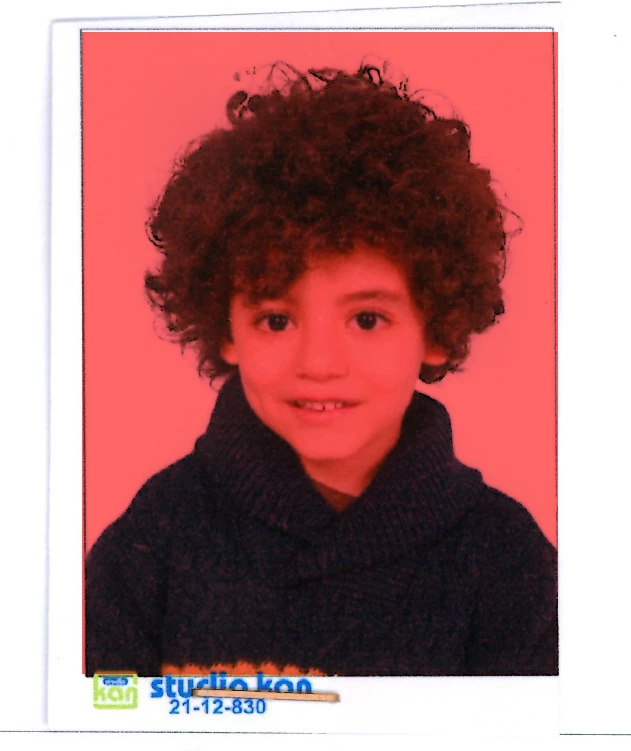
That is, you can change these three constants yourself to achieve optimal results (however, it is difficult to guarantee that in 100% of cases the script will perform its task correctly).

4 replies

Inspiring
August 4, 2024

Hi Jazz-y

Do you remeber me and this script ?

I worked with it for a long time but now it isn't working with photoshop 2024 

Can you fix it please ?

Thanks

Legend
August 29, 2023

@r28071715i111, are you ready to manually mark up all your photos using guides?

In this case, we can write a script that will retrieve each image based on this markup. After that, you scipt run the crop and straighten filter, which will try to align each image separately (this is unlikely to guarantee 100% success, but I think 80% of the work will be done automatically)


Known Participant
August 29, 2023

Thanks for your help

I want only images marked by red recatangle , I don't want any text 

Important note : Images places in other scanned pages aren't in the exact same place of this image but same technique

This image is set as an example of what i want 

Legend
August 29, 2023

Unfortunately, fully automatic image segmentation using scripts is not possible. I implemented the method about which I wrote above. It doesn't work perfectly, but it's better than nothing. Perhaps this will serve as a starting point for you.

Parameters that depend on the resolution of the image are displayed in the constants block, you can change them if necessary.

* for better results you need to enable the cloud processing option (for the automatic selection of objects function) in Photoshop settings.


var apl = new AM('application'),
    doc = new AM('document'),
    lr = new AM('layer'),
    tiles = [];
const MAXIMUM_RADIUS = 22, //adjust filters -> other -> maximum filter to remove fine black lines
    GLOBAL_OFFSET = 80, //offset initial object selection to clarify the position of an object
    HEAD_OFFSET = 30;  //offset selection from the top line of the head 
try {
    if (apl.getProperty('numberOfDocuments')) {
        activeDocument.suspendHistory('Tile Splitting', 'function () {}');
        var docRes = doc.getProperty('resolution'),
            docW = doc.getProperty('width') * docRes / 72,
            docH = doc.getProperty('height') * docRes / 72;
        activeDocument.suspendHistory('Find tiles', 'findTiles()');
        activeDocument.suspendHistory('Save tile', 'saveTile()');
    }
} catch (e) { alert('Many things can be wrong in this script. :(\n\n' + e) }
function findTiles() {
    var guides = activeDocument.guides;
    if (guides && guides.length) {
        var startRulerUnits = preferences.rulerUnits,
            startTypeUnits = preferences.typeUnits,
            v = [],
            h = [];
        preferences.rulerUnits = Units.PIXELS;
        preferences.typeUnits = TypeUnits.PIXELS;
        for (var i = 0; i < guides.length; i++) {
            var cur = guides[i];
            if (cur.direction == Direction.VERTICAL)
                v.push(Math.round(guides[i].coordinate.value)) else
                h.push(Math.round(guides[i].coordinate.value))
        }
        h.sort();
        v.sort();
        var top = 0;
        do {
            var len = h.length,
                cur = h.length ? h.shift() : docH,
                left = 0;
            for (var i = 0; i < v.length; i++) {
                tiles.push([top, left, cur, v[i]]);
                left += v[0];
            }
            tiles.push([top, v[i - 1], cur, docW]);
            top = cur;
        } while (len)
        app.preferences.rulerUnits = startRulerUnits;
        app.preferences.typeUnits = startTypeUnits;
    }
}
function saveTile() {
    var title = doc.getProperty('title').replace(/\.[0-9a-z]+$/i, '') + '-',
        pth = doc.getProperty('fileReference').parent;
    for (var i = 0; i < tiles.length; i++) {
        doc.duplicate(i + 1);
        doc.makeSelection(tiles[i][0], tiles[i][1], tiles[i][2], tiles[i][3])
        doc.crop();
        lr.copyToLayer();
        lr.filterMaximum(MAXIMUM_RADIUS, 'squareness')
        lr.selectSubject();
        lr.deleteLayer();
        var sel = doc.getProperty('selection').value;
        doc.makeSelection(
            sel.getDouble(stringIDToTypeID('top')) - GLOBAL_OFFSET,
            sel.getDouble(stringIDToTypeID('left')) - GLOBAL_OFFSET,
            sel.getDouble(stringIDToTypeID('bottom')) + GLOBAL_OFFSET,
            sel.getDouble(stringIDToTypeID('right')) + GLOBAL_OFFSET
        )
        doc.crop();
        lr.straightenLayer();
        doc.flatten();
        lr.selectSubject();
        var sel = doc.getProperty('selection').value;
        doc.makeSelection(
            sel.getDouble(stringIDToTypeID('top')) - HEAD_OFFSET,
            sel.getDouble(stringIDToTypeID('left')),
            sel.getDouble(stringIDToTypeID('bottom')),
            sel.getDouble(stringIDToTypeID('right'))
        )
        doc.crop();
        doc.saveToJPG(title + (i + 1), pth);
        doc.close('no')
    }
}
function AM(target) {
    var s2t = stringIDToTypeID,
        t2s = typeIDToStringID,
        c2t = charIDToTypeID;
    target = target ? s2t(target) : null;
    this.getProperty = function (property, id, idxMode) {
        property = s2t(property);
        (r = new ActionReference()).putProperty(s2t('property'), property);
        id != undefined ? (idxMode ? r.putIndex(target, id) : r.putIdentifier(target, id)) :
            r.putEnumerated(target, s2t('ordinal'), s2t('targetEnum'));
        return getDescValue(executeActionGet(r), property)
    }
    this.hasProperty = function (property, id, idxMode) {
        property = s2t(property);
        (r = new ActionReference()).putProperty(s2t('property'), property);
        id ? (idxMode ? r.putIndex(target, id) : r.putIdentifier(target, id))
            : r.putEnumerated(target, s2t('ordinal'), s2t('targetEnum'));
        return executeActionGet(r).hasKey(property)
    }
    this.copyToLayer = function () {
        executeAction(s2t("copyToLayer"), undefined, DialogModes.NO);
    }
    this.filterMaximum = function (radius, mode) {
        (d = new ActionDescriptor()).putUnitDouble(c2t("Rds "), s2t("pixelsUnit"), radius);
        d.putEnumerated(s2t("preserveShape"), s2t("preserveShape"), s2t(mode));
        executeAction(s2t("maximum"), d, DialogModes.NO);
    }
    this.makeSelection = function (top, left, bottom, right) {
        (r = new ActionReference()).putProperty(s2t("channel"), s2t("selection"));
        (d = new ActionDescriptor()).putReference(s2t("null"), r);
        (d1 = new ActionDescriptor()).putUnitDouble(s2t("top"), s2t("pixelsUnit"), top);
        d1.putUnitDouble(s2t("left"), s2t("pixelsUnit"), left);
        d1.putUnitDouble(s2t("bottom"), s2t("pixelsUnit"), bottom);
        d1.putUnitDouble(s2t("right"), s2t("pixelsUnit"), right);
        d.putObject(s2t("to"), s2t("rectangle"), d1);
        executeAction(s2t("set"), d, DialogModes.NO);
    }
    this.crop = function () {
        (d = new ActionDescriptor()).putBoolean(s2t("delete"), true);
        executeAction(s2t("crop"), d, DialogModes.NO);
    }
    this.saveToJPG = function (title, pth) {
        (d = new ActionDescriptor()).putObject(s2t("as"), s2t("JPEG"), new ActionDescriptor());
        d.putPath(s2t("in"), new File(pth + '/' + title));
        d.putBoolean(s2t("copy"), true);
        executeAction(s2t("save"), d, DialogModes.NO);
    }
    this.duplicate = function (title) {
        (r = new ActionReference()).putEnumerated(target, s2t("ordinal"), s2t("targetEnum"));
        (d = new ActionDescriptor()).putReference(s2t("null"), r);
        d.putString(s2t("name"), title);
        executeAction(s2t("duplicate"), d, DialogModes.NO);
    }
    this.selectionFromChannel = function (channel) {
        (r = new ActionReference()).putProperty(s2t("channel"), s2t("selection"));
        (d = new ActionDescriptor()).putReference(s2t("null"), r);
        (r1 = new ActionReference()).putEnumerated(s2t("channel"), s2t("channel"), s2t(channel));
        d.putReference(s2t("to"), r1);
        executeAction(s2t("set"), d, DialogModes.NO);
    }
    this.inverseSelection = function () {
        executeAction(s2t("inverse"), undefined, DialogModes.NO);
    }
    this.close = function (yesNo) {
        (d = new ActionDescriptor()).putEnumerated(s2t("saving"), s2t("yesNo"), s2t(yesNo));
        executeAction(s2t("close"), d, DialogModes.NO);
    }
    this.deleteLayer = function () {
        (r = new ActionReference()).putEnumerated(target, s2t('ordinal'), s2t('targetEnum'));
        (d = new ActionDescriptor()).putReference(s2t("null"), r);
        executeAction(s2t("delete"), d, DialogModes.NO);
    }
    this.selectSubject = function () {
        (d = new ActionDescriptor()).putBoolean(s2t("sampleAllLayers"), false);
        executeAction(s2t("autoCutout"), d, DialogModes.NO);
    }
    this.straightenLayer = function () {
        /** by r-bin
         * https://community.adobe.com/t5/photoshop-ecosystem/use-the-crop-amp-straighten-but-don-t-crop/m-p/12225478
         */
        var d = executeAction(stringIDToTypeID('CropPhotos0001'), undefined, DialogModes.NO);
        var l = d.getList(stringIDToTypeID('value'));
        var p = new Array();
        for (var i = 0; i < 8; i += 2) p.push([l.getDouble(i), l.getDouble(i + 1)]);
        var angle = - Math.atan2(p[1][1] - p[0][1], p[1][0] - p[0][0]) * 180 / Math.PI
        if (angle != 0) {
            if (activeDocument.activeLayer.isBackgroundLayer) executeAction(s2t('copyToLayer'), undefined, DialogModes.NO);
            (r = new ActionReference()).putEnumerated(s2t('layer'), s2t('ordinal'), s2t('targetEnum'));
            (d = new ActionDescriptor()).putReference(s2t('null'), r);
            d.putUnitDouble(s2t('angle'), s2t('angleUnit'), angle);
            executeAction(s2t('transform'), d, DialogModes.NO);
        }
    }
    this.flatten = function () {
        executeAction(s2t("flattenImage"), new ActionDescriptor(), DialogModes.NO);
    }
    function getDescValue(d, p) {
        switch (d.getType(p)) {
            case DescValueType.OBJECTTYPE: return { type: t2s(d.getObjectType(p)), value: d.getObjectValue(p) };
            case DescValueType.LISTTYPE: return d.getList(p);
            case DescValueType.REFERENCETYPE: return d.getReference(p);
            case DescValueType.BOOLEANTYPE: return d.getBoolean(p);
            case DescValueType.STRINGTYPE: return d.getString(p);
            case DescValueType.INTEGERTYPE: return d.getInteger(p);
            case DescValueType.LARGEINTEGERTYPE: return d.getLargeInteger(p);
            case DescValueType.DOUBLETYPE: return d.getDouble(p);
            case DescValueType.ALIASTYPE: return d.getPath(p);
            case DescValueType.CLASSTYPE: return d.getClass(p);
            case DescValueType.UNITDOUBLE: return (d.getUnitDoubleValue(p));
            case DescValueType.ENUMERATEDTYPE: return { type: t2s(d.getEnumerationType(p)), value: t2s(d.getEnumerationValue(p)) };
            default: break;
        };
    }
}


* code updated.


PedroMacro
Participating Frequently
August 29, 2023

Use this script to generate a new file with the same document heigh, width and resolution.

if (app && app.documents.length > 0) {

    var currentDocument = app.activeDocument;
    currentDocument.activeLayer.copy();
    

    var newDocument = app.documents.add(
        currentDocument.width,
        currentDocument.height,
        currentDocument.resolution,
        currentDocument.name + "Copy" ,
        NewDocumentMode.RGB,
        DocumentFill.TRANSPARENT
    );


    newDocument.paste();
}

Then record the following steps:
1 - Run this script
2 - A crop, but remember to mark the second box.


you still have to cropt automatically the photos, but it will have the actual document properties in all copies

if you dont know how to record actions:
https://lenscraft.co.uk/photo-editing-tutorials/tutorial-how-to-use-photoshop-actions/

Known Participant
August 29, 2023

Thanks for your help

But in this case i have to crop images manually isn't it ?

I want boy images only not text

boy images aren't in the exact same place of the image i posted as an example 

I need technique itself to save images only

PedroMacro
Participating Frequently
August 29, 2023

Yes, you have to manually crop the images in this case.
I dont know if there is any option to do that task automatically, even using script, it is hard to detect the "lines" around the images. Unless you have a pattern to be detected, you will have to do some manual tasks.

Known Participant
August 29, 2023

Any Help !!

c.pfaffenbichler
Community Expert
Community Expert
August 29, 2023

Quite frankly I see little hope for automating this task successfully in Photoshop. 

If you really want to isolate just the photographs then the lines and texts in the background naturally mess the thing up … 


It might be possible to use the relatively stronger saturation of the sujects to determine rough positions (and expand from there, possibly by utilizing Work Paths to determine »empty« spaces) but unless you have some experience with Photoshop Scripting it would seem like a challenging project to start with. 

Known Participant
August 29, 2023

Thanks for your reply

I want to save images only , i don't want text or lines
