



johnt53984649
Inspiring
October 16, 2016
Question

Custom Prompt Box

  • October 16, 2016
  • 3 replies
  • 3653 views

Is it possible to create a custom prompt that contains multiple text fields and checkboxes, each of which correspond to setting values of certain variables in a script that should then be continued once an "Okay" button is pressed?  Here's an example drawing of what I'm looking for.

After activating the script, the following prompt should pop up:
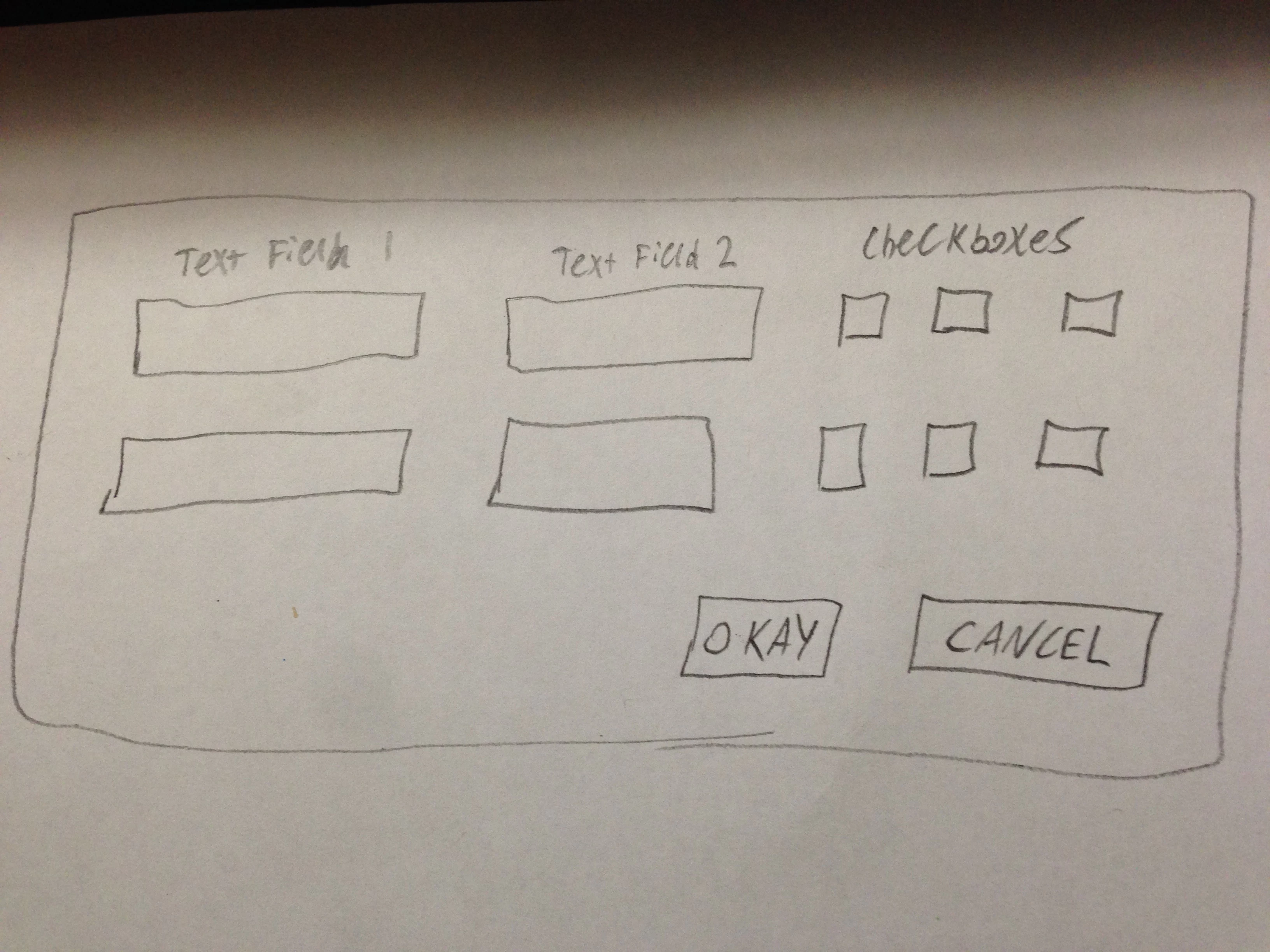
After making selections and entering values and pressing okay, the values of variables in my script should change based upon what was entered into the prompt.  Then the rest of the script should then be executed.

How could I create such a prompt?

This topic has been closed for replies.

3 replies

johnt53984649
Inspiring
October 18, 2016

Thanks for the advice everybody.

I've been looking around for some sample code and I'm getting somewhat confused.  Some code appears as all red in extendscript while other types still color code certain aspects of the script.  For example, compare:

http://prntscr.com/cvoc93

to

http://prntscr.com/cvocbm

So the syntax is noticeably different between these two and I'm not sure I understand the advantages of either.  I'm leaning toward the first example because it's much easier to read but, for example, I cannot figure out how to create a dropdown box in the first example while it's clear how to in the second one.

Chuck Uebele
Community Expert
October 18, 2016

There are two types of code for creating UIs, I prefer the first example you posted. Just never really had much luck creating the second, which is called "Resource Specifications." Because the second is completely wrapped in quotes, it make the entire code red, and in my opinion, harder to see errors you might make. As JJ said, it's good to look at other code, like the stuff that come with PS, and on the web, to get an idea how things are done. A drop down like is pretty easy:

var dlg = new Window('dialog','dropdownlist test');

var myDropListItems = new Array('one', 'two', 'three');//make an array with the items you want in your dropdownlist

dlg.dropList = dlg.add('dropdownlist',undefined,myDropListItems);//creates the dropdownlist

dlg.dropList.selection = 0;//selects the first item in the list as the default.

dlg.show();

johnt53984649
Inspiring
October 18, 2016

Thank you very much.  However, is it possible to make a search function for these drop down boxes?  For example, if my drop down box contains:

"Heat Test"

"Heat Wave"

"Heatable"

"Waffle"

I can start typing, but it will only match the value to the first letter of whatever I type in.  I can't type in "Heat Wave" and have it match heat wave because by the time I've pressed "W" it just selects "Waffle."

Do you you know of any way to make these dropdown boxes more searchable?  This is important because my dropdown boxes will contain many items.

Chuck Uebele
Community Expert
October 18, 2016

Yes, as JJ mentioned, read up on it in the JavaScript Tools Guide. But here's an example: