


Participant
August 9, 2021
Answered

DEFINE Pattern Greyed Out after update

  • August 9, 2021
  • 1 reply
  • 3928 views

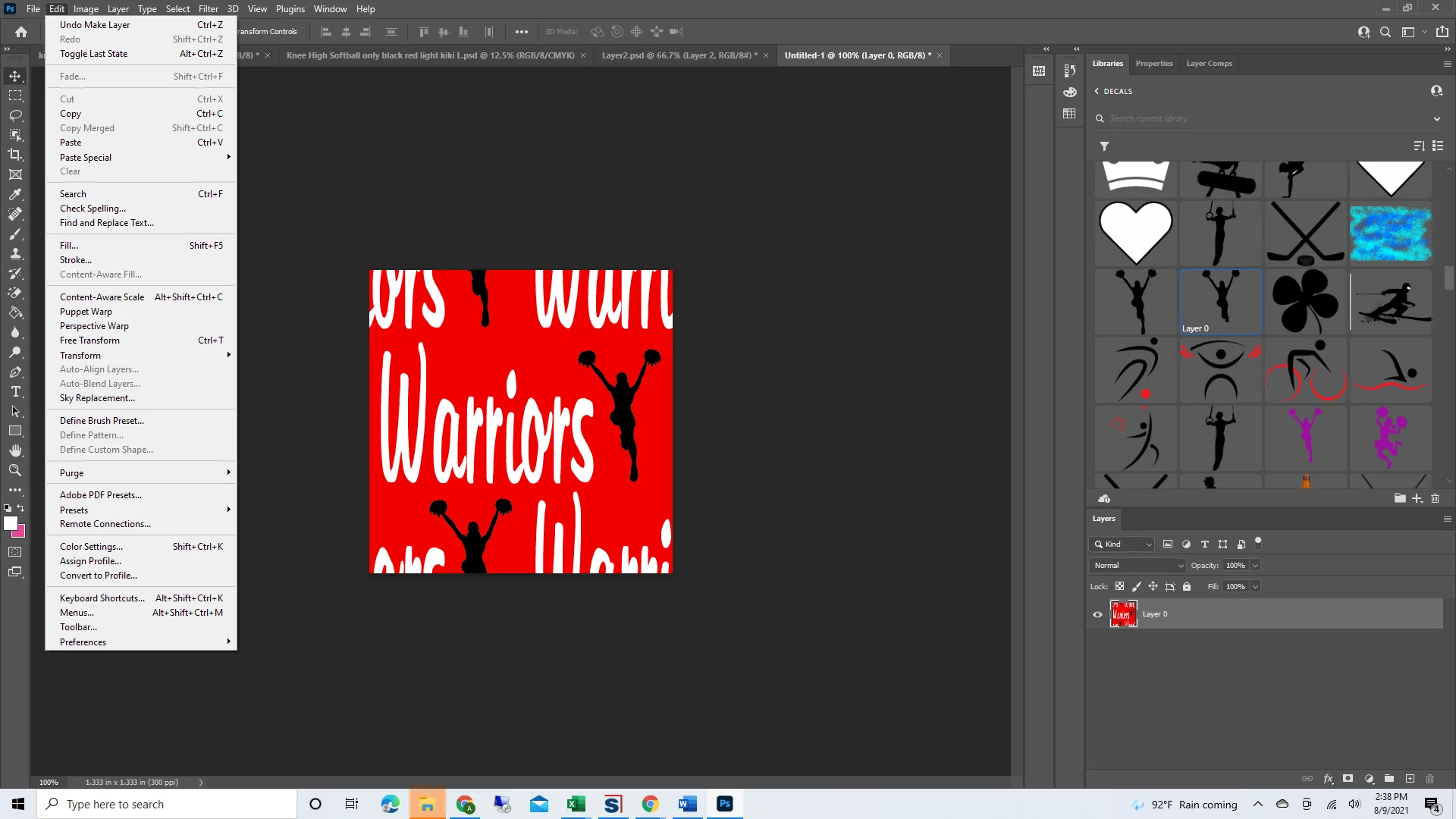
Both of my computers that I updated photoshop on are both having this issue.  When I create a new pattern using 400x400 pixels, 8 Bit there is no option to define a pattern any longer.  It still works on my old computer but I utilize this everyday so not having it available on my new computers is not an option.  I've googled everything but the responses are all super old.  Please help!
This topic has been closed for replies.
Correct answer melissapiccone

Try selecting it. If that doesn't work, try resetting your preferences. 

1 reply

melissapiccone
Community Expert
melissapicconeCommunity ExpertCorrect answer
Community Expert
August 10, 2021

Try selecting it. If that doesn't work, try resetting your preferences. 

Melissa Piccone | Adobe Trainer | Online Courses Author | Fine Artist
Participant
October 14, 2021

I am having this same issue. My image IS selected. This has been a recurring problem. I've looked all through preferences and can find nothing that has to do with patterns or anything that would be related to this.

melissapiccone
Community Expert
Community Expert
January 26, 2022

I'm having the same problem too. How do I reset the preferences?


https://helpx.adobe.com/photoshop/using/preferences.html

Melissa Piccone | Adobe Trainer | Online Courses Author | Fine Artist