


Inspiring
May 11, 2019
Answered

Did I actually install CC 18.1.7?

  • May 11, 2019
  • 2 replies
  • 2122 views

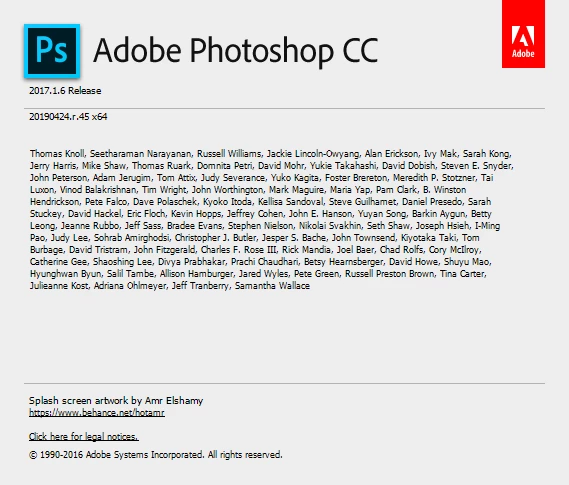
I downloaded the installer for CC 18.1.7 from Download legacy versions of Creative Cloud apps and ran it, then fired up CC 2017. The About CC Photoshop window remains unchanged:
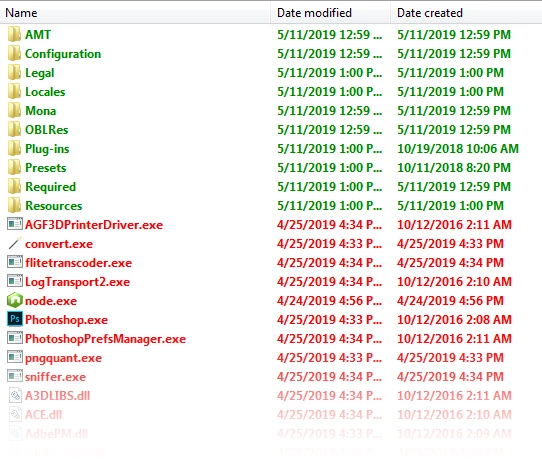
However, if I go into the CC 2017 program folder, the folders for the most part have today's date for the creation and modification dates, but the executables, DLLs, et al. remain unchanged.
So the question is, did I successfully update CC 18.1.6 to 18.1.7?

This topic has been closed for replies.
Correct answer Jeff Arola

Does the top line under Help>System Info show anything different as far as the version?

2 replies

Jeff Arola
Community Expert
Jeff ArolaCommunity ExpertCorrect answer
Community Expert
May 11, 2019

Does the top line under Help>System Info show anything different as far as the version?

Inspiring
May 11, 2019

@Jeff Arola — You snuck in while I was responding to Gener7. Yes, it does say 2017.1.7. So that answers my question, it did install properly. Thank you.

gener7
Community Expert
Community Expert
May 12, 2019

Well that's news to me. I was informed only 20 and 19 were authorized, but I guess Adobe let this one slide.

gener7
Community Expert
Community Expert
May 11, 2019

There has been a change in Adobe policy. Only the two most current versions of Photoshop are available for install: CC 2018 and 2019 or v19 and v20 through the CC app.

Inspiring
May 11, 2019

I quote from the email from Adobe I received this morning:

"Unfortunately, we have recently discontinued Photoshop 18.1.6 and earlier versions, which our records show you may be using. While we recommend you update to the latest version of Photoshop, we recognize that some customers may prefer to use Photoshop 18. Therefore, we have released a new version, 18.1.7, which is available to you if you are interested."

There's more discussion here: https://forums.adobe.com/thread/2620388

Which brings me back to my original question. I suspect the answer is Yes, but it would have been nice if that Yes were reflected in the About screen.