


Participating Frequently
April 1, 2021
Answered

Documents loading as floating but want them tabbed

  • April 1, 2021
  • 3 replies
  • 2304 views

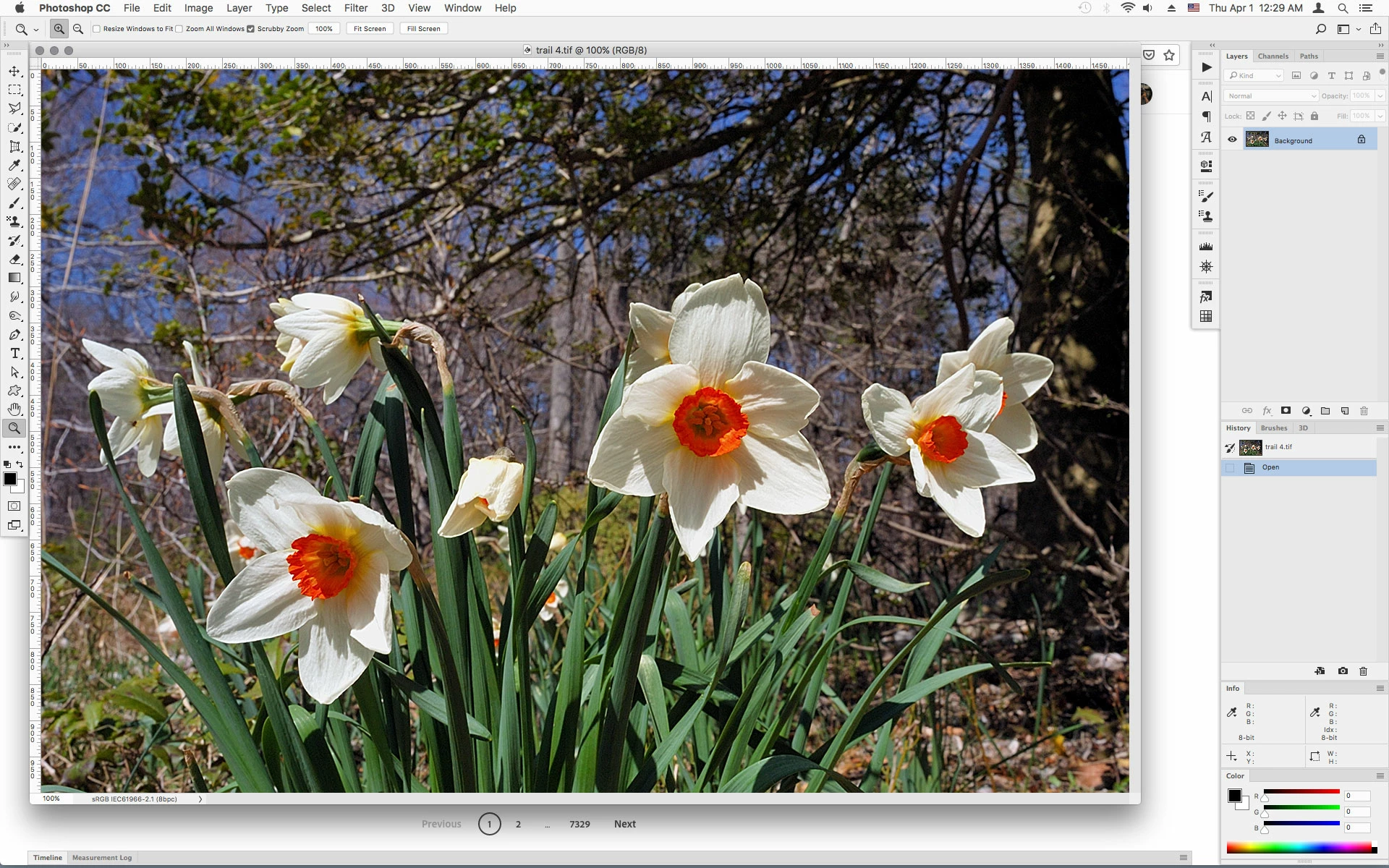
For some reason my images/documents are loading as floating. I don't want them floating. I have unchecked Enable Floating document window document and Open documents as tabs is checked. Also, when I go to the menu Window, Arrange, Consolidate all to tabs, the open document stays floating and when I open other documents, they do dock in the floating window. I am using a MacBook Pro, running Big Sur, Photoshop is 22.3. Thanks for any suggestions you may have. I have included an image of my workspace.
This topic has been closed for replies.
Correct answer Jeff Arola

Yes if you have the Application Frame turned off, then the first document window will always open Floating.


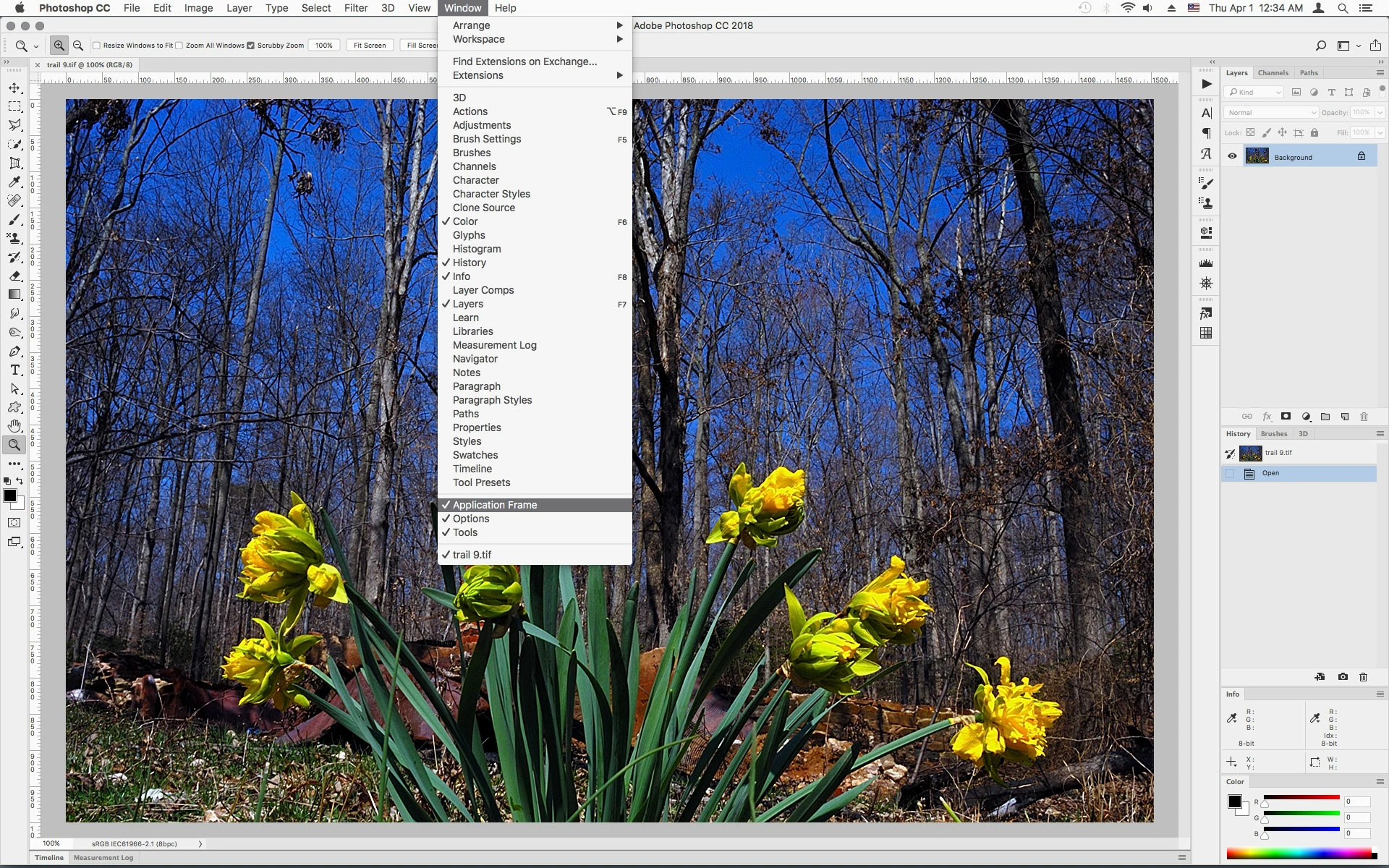
In order for the first open document and subsequent documents to be tabbed you need to go to Window and check Application Frame.


Application Frame off, the first document always opens floating


Application Frame on and Open Documents as Tabs checked, the first document opens as tab


3 replies

Jeff Arola
Community Expert
Jeff ArolaCommunity ExpertCorrect answer
Community Expert
April 1, 2021

Yes if you have the Application Frame turned off, then the first document window will always open Floating.


In order for the first open document and subsequent documents to be tabbed you need to go to Window and check Application Frame.


Application Frame off, the first document always opens floating


Application Frame on and Open Documents as Tabs checked, the first document opens as tab


Participating Frequently
April 1, 2021

The Application Frame was not checked. Checking it did the trick. I appreciate the assistance. I thought I had tried about everything suggested when I googled the problem. Thank you very much. It was driving me crazy.

Participating Frequently
April 1, 2021

Try deleting your Preferences>General>Reset preferences on Quit

Participating Frequently
April 1, 2021
I’ll try it in the morning and let you know. Thanks--
His Peace is abundant
Randy Hufford
Community Expert
Community Expert
April 1, 2021

Wow this is really weird. Have you tried to restart os and PS?

Participating Frequently
April 1, 2021
Restarting, uninstalling with not saving preferences. Nothing works --
His Peace is abundant