


New Participant
July 15, 2023
Question

Draw over ruler?

  • July 15, 2023
  • 2 replies
  • 325 views

I need to draw over the ruler tool but I don't see any way to precisely get a head 6 eyes-wide correctly.

In analog it's easy as using another pencil to measure but it seems rediculously difficult in photoshop (to me).
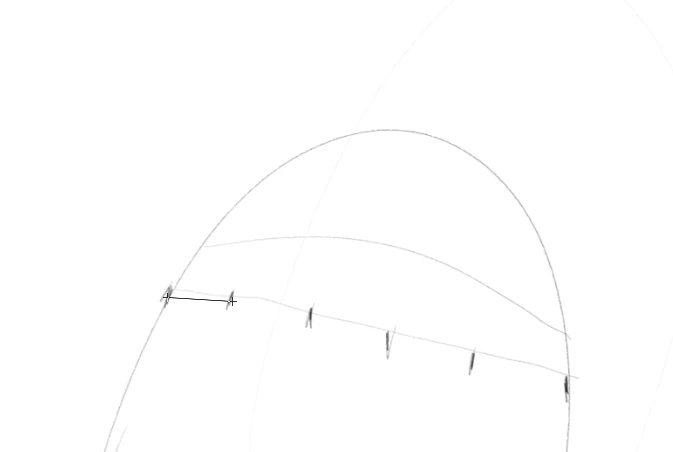
I need major help, please.

This topic has been closed for replies.

2 replies

c.pfaffenbichler
Community Expert
July 15, 2023

Could you please post screenshots with the pertinent Panels (Toolbar, Layers, Options Bar, Info, …) visible? 


What is the point here exactly? 

Have you considered using a custom Shape or a Smart Object? 

Edit: 


New Participant
September 17, 2023

How did you do that?

c.pfaffenbichler
Community Expert
September 17, 2023

Could you please post screenshots with the pertinent Panels (Toolbar, Layers, Options Bar, Info, …) visible? 


• I created a Smart Object with evenly distributed shapes 

• then invoked a Free Transform

• aligned the left point with the left point in the sketch 

• set the reference point to the (rough) center of the left circle by alt-dragging it 

• rotated the Smart Object 

• scaled the Smart Object by alt dragging a corner-point 

• confirmed the transformation 

Trevor.Dennis
Community Expert
July 15, 2023

I am not entirely sure what you are asking, so I'll try a guess and you can explain some when I get it wrong.


This does not work at an angle, so you would need to temporaril make the line you wish to space out your objects along horizontal or vertical

Make one of your objects in a new layer, and copy it six times (Ctrl J

Move the top most copied layer to the other end of the line.

Select the move tool, and in the Options bar use the drop down (three dots) to access Distribute Horezontal Centres.

Is that anything close to what you are after?


New Participant
September 17, 2023

I don't understand how you got to the align with the dots at the top of the interface. There's nothing like that at the top for me.

The goal is that a face is 6-eyes-wide and I don't see a way to measure and draw.

How does anyone get a porportional face?