Known Participant
October 24, 2013
Answered

Drop Down Menus in Photoshop CS 6 Goes Blank In Mavericks

  • October 24, 2013
  • 28 replies
  • 114288 views

Hi

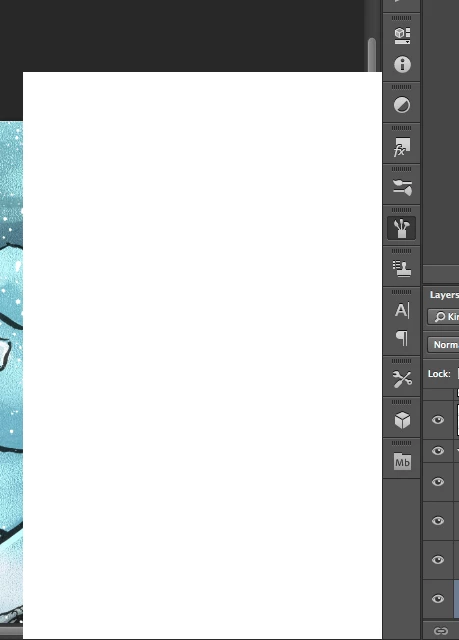
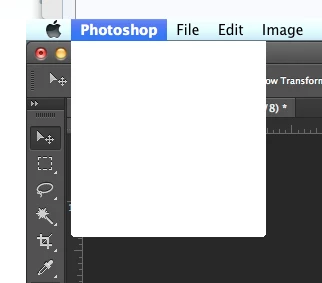
I'm having trouble with Photoshop CS6 in Mavericks. After a working a little while, all pop up/drop down menus goes blank. They still work, but I can't see what's on them. Even the Apple menu bar is afflicted by this, though only when Photoshop is in the front.

Any help is appreciated. Thanks.  PS: I do use a cintiq on a 2012 Macbook Pro 15" with retina display.

This topic has been closed for replies.
Correct answer Jesper Storm Bache

Hi Grenderer,

If the work-around does not work for you, can you perform the following test.

After you install the plug-in and launch Photoshop, then look in:

- the OSX console. You should see a message such as

     WhiteWindowWorkaround Initialized

- From within Photoshop, you can choose "Help > System Info". In the resulting dialog, you should be able to see the WhiteWindowWorkaround plug-in and it should be listed in the "Optional and third party plug-ins" similar to the following:

     "Optional and third party plug-ins:

      WhiteWindowWorkaround 1.0.4, Copyright 2013-2014 - from the file “WhiteWindowWorkaround.plugin”

If both of these tests pass, then something else is going on.

In general, be aware that in the end the right fix will not come from Adobe, as we don't own the code that seems to be inducing the failure. We can therefore not speculate on when the official fix will be available. When I become aware that the right fix is available, then I will update this thread


It looks like the plug-in fails to initialize on certain Photoshop installations. This should be fixed in:

    http://www.bache.name/download/osx/WhiteWindowWorkaround.plugin1_0_5.zip

If the plug-in is properly installed, then you should see something  similar to the following in the OSX console after launching Photoshop:

     Adobe Photoshop CC[14728]: WhiteWindowWorkaround Initialized

You can see the OSX console by going to “Utilities” from Finder, and then running the Console application.


28 replies

Participant
October 29, 2013

I've been following this thread (and posted earlier) to see if anyone comes up with a solution, as I'm kinda blank on how to provide all the information you've request (error logs and so on). However, I also thought I solved the problem by upgrading my Wacom Intuos 5 driver, which is 6.3.6-4 now, as I was able to work for a little while without any errors yesterday. Now, it happened again however. It happens every time I use the dodge/burn tools. It might happen after just opening one photo since the last restart, and it might happen after a few photos (but whenever I use dodge/burn it happens almost immediatly).

Participating Frequently
October 30, 2013

Alright, it's been two days of not experiencing the blank menu problems.  This is very positive. 

After contacting Wacom here is the following advice I received from a technician that helped me:

Open your Applications folder and locate any Tablet or Wacom Tablet folders you have
Use the Utility in each of these folders and click ‘Remove’ under ‘Tablet Software’
Once the software is removed, restart the computer
After restarting, download and install the latest driver from:
http://cdn.wacom.com/u/drivers/mac/pro/WacomTablet_6.3.7-3.dmg

Easy enough.

However, I am STILL experiencing several issues related to Mavericks although they may not be related to the

same blank menu issue.  I only list these here in case there is some correlation to the blank menu problems:

1.  Photoshop will stall when using the brush tool.  This occurs constantly and only since updating to Mavericks.  I have to click off the canvas with my stylus to free up the brush again.

2.  When I go home, I use the same laptop with a different additional monitor set up and an Intuos 3 tablet.  For some reason, it will no longer recognize the Tablet driver and I will have to reinstall the driver all over again to get it to work.

3.  This may not be a wacom issue, but the polygonal lasso tool will blank out and not show the selection every time I use it.  This is another issue that's popped up since installing Mavericks.

I know this is a lot of information, but I thought it would be best to be thurough.

Michael

Legend
October 30, 2013

Hi Michael,

I had another customer with issue 3 that worked with over connect. We restored his preferences and that issue went away.

Could you please try that as well and see if it has an affect on 1 as well?

http://blogs.adobe.com/crawlspace/2012/07/photoshop-basic-troubleshooting-steps-to-fix-most-issues.html#Preferences

For #2 I would stay in touch with Wacom. Not sure what would be causing that (other than maybe a bad user account/permissions issue). I would look at installing the driver from a new user account and running PS and the new driver from the user account as well.

http://blogs.adobe.com/crawlspace/2012/07/photoshop-basic-troubleshooting-steps-to-fix-most-issues.html#Permissions

Participating Frequently
October 29, 2013

I upgraded my Wacom drivers and still have the issue.  In this case I was using mostly the spunge, healing & spot healing brush tools.  I may have been editing for 5 minutes max.  Its gonna be a long week.

Participating Frequently
October 29, 2013

I know it may be too soon to report a success, however, yesterday I had no 'blank menu issues' at all. 

I worked in Photoshop for 10 hours.

About a week ago I had installed the 6.3.7-3 (10.6x - 10.9x) driver on my computer.  This was in response to the blank menu problems I was having, but had no success. 

1.  I still incurred the blank menus

2.  I was unable to access my wacom preferences inside system prefs (?)

3.  My computer would no longer recognize my older Intuos 3 tablet

Yesterday morning, I had resinstalled the exact same driver 6.3.7-3 (10.6x - 10.9x) and the problem did not occur for 10 hours.  I was also able to access my wacom preferences and my computer recognized my Intuos 3 tablet. 

I will update as I go on my progress, since I know how much of a major hinderance this problem can be.

-Michael

Participant
October 28, 2013

I'm running Mavericks and Photoshop CS5, downloading the latest Wacom drivers for my Intous 4 seems to be working so far, I'll report back here if the menus go blank again.

Participant
October 29, 2013

Never mind, the issue is back already. I will keep watching this thread for other solutions : /

Legend
October 28, 2013

Another customer reports that updating his Wacom driver has solved this issue for him:

https://twitter.com/tiutenko/status/394886515966230528

can you guys try updating your wacom drivers and let us know if that solves it for you as well?

Participating Frequently
October 28, 2013

I have reinstalled the wacom driver as suggested.  I can now access my wacom preferences under system prefs.  Also, my intuos 3 is finally showing up and working correctly, as well.

I will keep you posted on whether or not this fixes the blank menu bug.

Thanks for the help thus far Jeffrey,

Michael

Legend
October 28, 2013

Sweet. Keep us informed!

Participant
October 27, 2013

I have the same issue with white menus. Recently upgraded to Mavericks. Happens after I've been working on just one image, so I have to guess where to press, to save it, and then restart PS. This is incredibly annoying and time consuming. Have you found a solution yet? I have Wacom tablet as well as many of you guys. I don't have any third party plugins in Photoshop, but I have third party installations on my macbook pro.

Jesper Storm Bache
Adobe Employee
Adobe Employee
October 27, 2013

So far we do not have a reproducible test case. I see that you are using a Wacom tablet. Have to updated your Wacom driver to the latest version? (http://us.wacom.com/en/support/drivers)

Known Participant
October 27, 2013

My computer is running the latest driver (september 3rd 2013 for Cintiq 12WX).

Participating Frequently
October 26, 2013

I am having the same issue. The menus go white and when I went to slide the opacity the spunge icon appeared instead of the percentage.  This has only been happening since upgrading to mavericks.

Using CS6 PS with Wacom tablet.  Restarting PS solves the issue short term.  I am not connected to any other servers.

Model Name:          iMac

  Model Identifier:          iMac13,2

  Processor Name:          Intel Core i7

  Processor Speed:          3.4 GHz

  Number of Processors:          1

  Total Number of Cores:          4

  L2 Cache (per Core):          256 KB

  L3 Cache:          8 MB

  Memory:          32 GB

  Boot ROM Version:          IM131.010A.B05

  SMC Version (system):          2.11f16

Known Participant
October 25, 2013

All right, it happened on our third iMac today, so on a total of three computers. Here's a detailed screen recording (view on 1080p to see everything) showing the menu bug, the cursor bug, and some other glitches. I also show the Applications folder and the System Preferences panel to show you what's installed on the system.

Here's what I was doing before it happened: I opened Photoshop at 9 am and started working on large, multi-layered, 2-3 GB PSB files, editing the contents of smart objects using various tools. I do this every day. The bug happened all of a sudden at 12:15 pm. I quit Photoshop and reopened it, it's all back to normal for now.

I have the latest Wacom driver installed, version 6.3.7-3, just in case someone's wondering.

Here are some Console messages from around that time (many many many of these repeat over pages, especially the first one, so I'm only pasting in everything that seems relevant once):

25/10/2013 12:14:57.005 Adobe Photoshop CC[10910]: CGError CGSGetDisplaySystemState(uint64_t, CGSDisplaySystemState **): MIG error 0x10000003: (ipc/send) invalid destination port

25/10/2013 12:14:59.053 Adobe Photoshop CC[10910]: _CGSLockWindow: Unable to lock window

25/10/2013 12:15:18.458 com.apple.launchd[1]: (com.n-able.agent-macos10_4ppc) Throttling respawn: Will start in 10 seconds

25/10/2013 12:16:08.771 WindowServer[130]: _CGXGetWindowOrderingGroup: Operation on a window 0x2e7f requiring rights 0x5 by caller Photoshop

25/10/2013 13:20:26.350 WindowServer[130]: _CGXSetWindowBackgroundBlurRadius: Invalid window 0xffffffff

Jesper Storm Bache
Adobe Employee
Adobe Employee
October 26, 2013

Thank you for this video.

When the problem occurs can you try the following two things:

- Drag a panel out of a group & see if the dragged panel is a white surface or has the expected look

- Right click on the document tab to get the popup menu that contains "Reveal in Finder". Does this menu show?

Participating Frequently
October 26, 2013

I also have this problem. To answer your questions...

- Right click brings up the menu - but it is also white

- dragging a panel out - it is a white box but the image i'm working on does show ok within it.

I have disabled all plugins etc, reinstalled photoshop cc and it still doesn't work.

Chris Cox
Legend
October 24, 2013

So far we only have 2 reports of this, and we haven't seen it on any of our systems with MacOS 10.9 installed.

Our best guess is a third party system extension or plugin causing interference with menu drawing.

January 13, 2014

I am using CS5 and so is my husband.  We are both experiencing the same issues on our MACs.  It is very arbitrary, but the drop down menus and window content are completely white.  We are both updated to Maveric and we both use WACOM tablets, I have an Intuos 4 and he has an Intous 3.  Our MACs are configured differently.  Some help with this is much needed.  It is a HUGE problem!

Participating Frequently
January 14, 2014

I am reporting the issue is occurring now at about 5 minute intervals.... this is ruining my workflow. This time I am using the tablet to paint on two layers above the background. Randomly during this process of using the regular brush tool the error will occur. When changing brushes and holding in the brush panel, the name of the brushes all remain the same

I exited out of PS and reopened the program. This time i decided not to open anything and go navigate on Facebook for a few minutes with the tablet as the interface, clicking buttons in Google Chrome and Safari. I then returned to PS and the white menus were present after about 5 minutes of navigating. This issue is obviously tied to the Wacom. I cannot downgrade (re: should not have to).


@furiousfotog

Re: Google Chrome - I've experienced some odd behavior with Chrome now on 3 seperate Mavericks installations. Mainly, that it "can" lock up the entire system "sometimes", but mainly when exiting the program. There has been some speculation that the "Google Helper" app that is installed behind the normal system folders is to blame.

I'm personally invested in a lot of developer functionality with Chrome, and can't uninstall it to test out the newest Wacom drivers to see if this could be a behind the scenes problem. I say behind the scenes, because Google Helper is constantly running in the background on your Mac***, regardless of whether you have Chrome open or not. As I mentioned in an above post, our Wacom Intuous 2 using clients are using the old Wacom Driver and it is definitly stable. I don't want to mess with their systems to "prove a point", hope you understand.

Regardless of Chrome, I'm also curious whether some of you might see any benefits to trying the following within Photoshop and/or settings:

1) close the navigation pane;

2) settings -> performance -> Normal instead of expanded;

3) cache -> 6 levels instead of 4 and size of 1028 instead of 1024;

4) also under cache, try on of the settings that best fits your work-flow, other than "Standard";

The problem is surely with Wacom's driver taking focus and resources away from Photoshop to redraw the screen properly. Something is causing this as it relates to memory, cache, and background processes (maybe Chrome Helper for example?). I'm only trying to help to get to some kind of usability before Wacom's engineers finally get off of their butts and updates their driver(!)

*** Apple has reconfigured their Accessability, Security and Privacy system preference panes in Mavericks. There are a number of bugs that people are reporting on the Apple Discussion Forums. Since Wacom installs a preferance pane to access it's settings, it is without a doubt coupled with problems related to the new system preferences. For those that simply updated their systems from Mountain Lion to Mavericks, you may have preferance panes that are no longer compatible with Mavericks (Perian *might* be one for example). If you're experiencing other problems with your system, this should be looked into. As for others such as myself, that experienced the Wacom tablet problems on factory new and clean installations of Adobe CC (no migration).... we'll just have to keep waiting.