


Participant
May 2, 2017
Answered

Duplicate layers into a different file results in blank layers

  • May 2, 2017
  • 1 reply
  • 2294 views

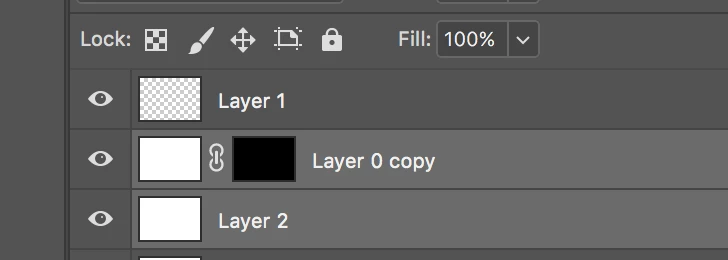
I am trying to duplicate layers from a photoshop file into a smart object and it results in blank layers & a blank mask like this:
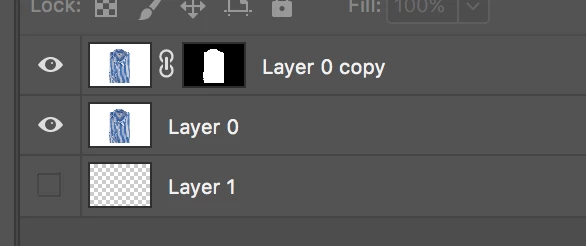
I tried to duplicate into a different regular PSD and also got blank layers. This is what they look like before I duplicate:
Does anyone know why this is happening? I've tried duplicating them individually which didn't help, and I checked that the documents are compatible and everything is the same. There is a path on the image, I'm not sure if that's relevant but I'm trying to give as much info as possible. Thanks!
This topic has been closed for replies.
Correct answer JJMack

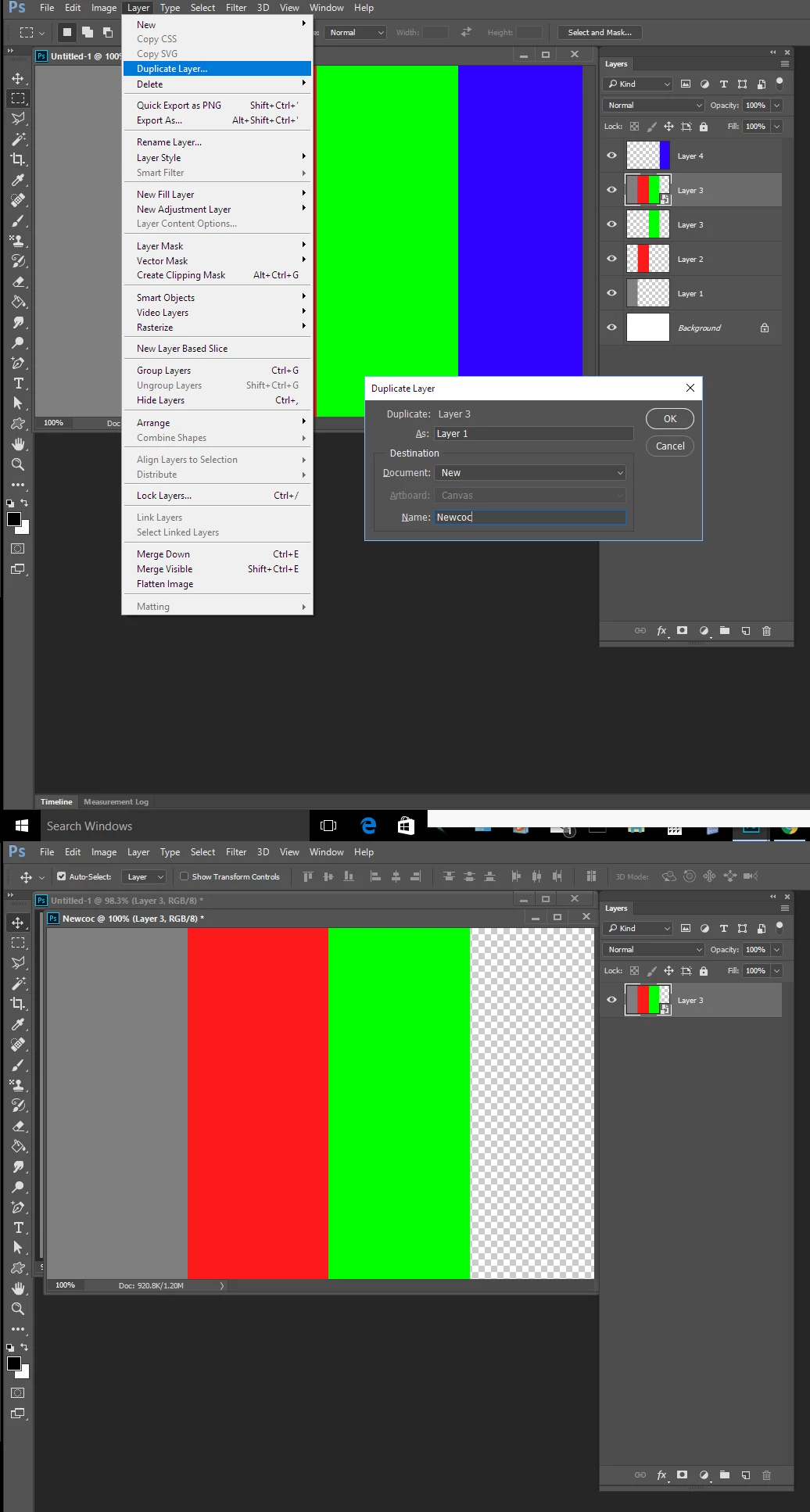
Photoshop is not a file editor Photoshop edits documents and it easy to copy layer between documents. There are more than one way to do it so here is one way.

1 reply

JJMack
Community Expert
Community Expert
May 2, 2017

caitlynd92024350  wrote

I am trying to duplicate layers from a photoshop file into a smart object

Should be easy.  Here I target three layers in the layers palette and dragged them to the add new layer icon in the layer palette. That duplicated the layers and they were targeted I right clicked and selected convert to smart object.

JJMack
Participant
May 2, 2017

Thanks for your response! But it looks like maybe my question got cut off, I'm having an issue where when I duplicate the layers into a different file (in this case it was a smart object but I tried it in a regular PSD also) they show up blank.

JJMack
Community Expert
JJMackCommunity ExpertCorrect answer
Community Expert
May 2, 2017

Photoshop is not a file editor Photoshop edits documents and it easy to copy layer between documents. There are more than one way to do it so here is one way.

JJMack