


Eraser not erasing 100%
Hi,
Since updating to CC2017 many things have not worked as they used to at their defaults so this may be user error.
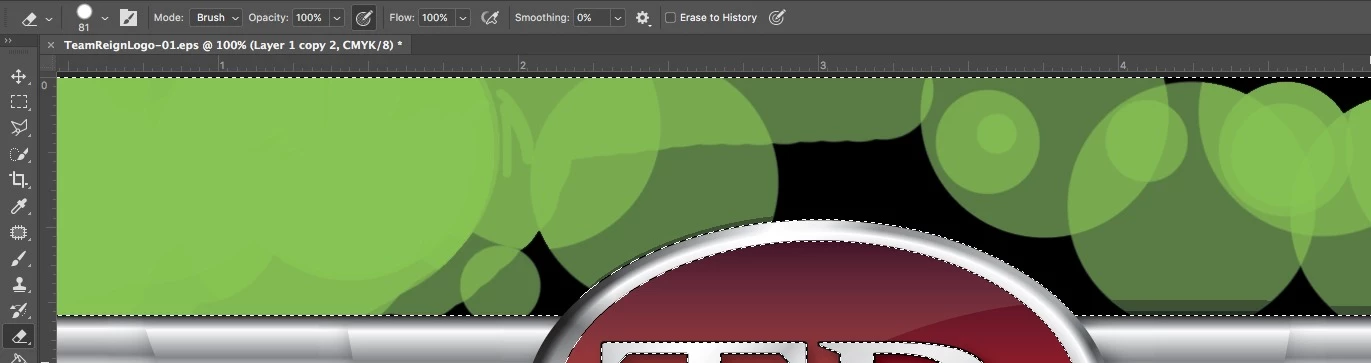
I have the eraser set to opacity 100% and Flow 100%, but the eraser does not erase 100%. In the attached screenshot, you can see that I am attempting to erase the black background. I put the green behind to see my progress/make sure nothing was missed. Here is what I have tried:
Tried using my mouse instead of wacom tablet.
Tried using block and pencil, both do the same thing as brush
Tried resetting the tool
Hardness is at 100%
Tried clicking and unclicking "pressure for opacity" next to opacity
Tried clicking and unclicking airbrush
Tried googling the answer but didn't really find anything applicable.
The background eraser does the exact same thing.
What am I doing wrong?
 AdChoices