


Question
Extract layer of image and make background transparent
Hi all
I have a question of which I don't know if it is even possible, but I'll give it a try. I was wondering if it is possible in one way or another to extract all the white contour lines (isobars, 1028, 1030,...) of this weather map, while having the rest of the map erased and transformed into a transparent background. Is it possible with Photoshop and if yes, how? In the end, I would like an image displaying only the contour lines with transparent background.
Thank you!
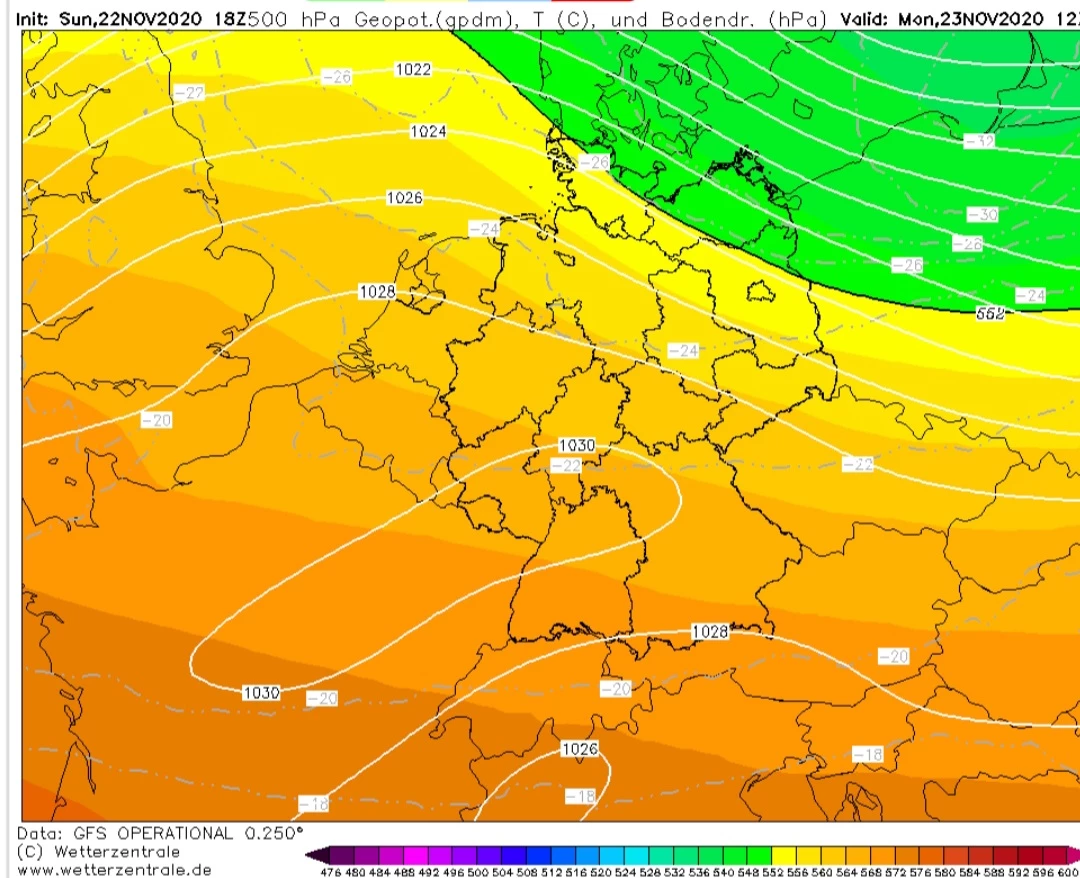
Source of image: https://www.wetterzentrale.de/nl/topkarten.php?map=3&model=gfs&var=1&time=18&run=18&lid=OP&h=0&mv=0&tr=3
 AdChoices