


tayw14366919
New Participant
July 27, 2019
Answered

Fill pattern not working

  • July 27, 2019
  • 3 replies
  • 51296 views

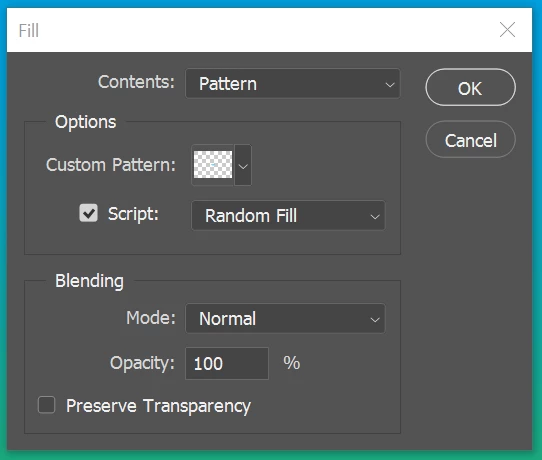
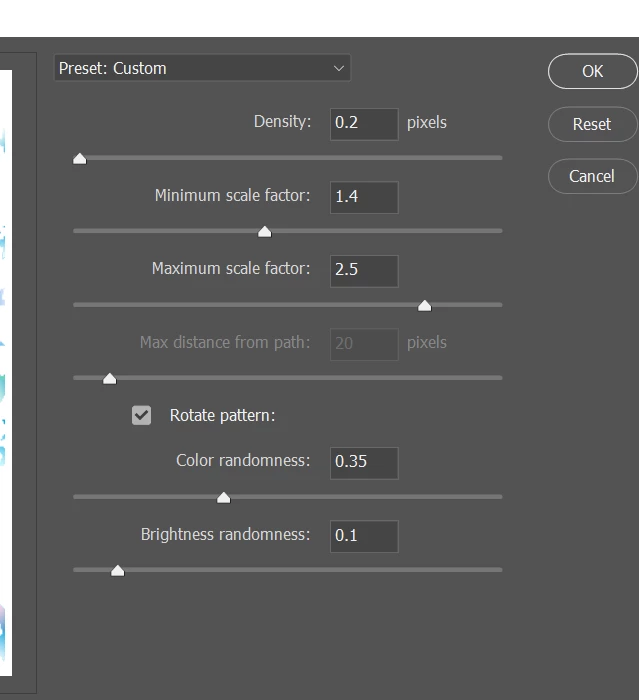
I try to use Fill in adobe photoshop cc. I select Edit>Fill and i picked a custom pattern and enabled the random fill script. After i select 'Ok', a new function panel pop up and i configured the density and scale factor. After i clicked 'Ok', my pattern was not filled at all. Nothing were displayed, not a single pattern. Please help me.
This topic has been closed for replies.
Correct answer Chuck Uebele

You have to increase the density, and you might need to run the fill a couple times, as the pattern is small. Or also increase the pattern size.

3 replies

New Participant
November 12, 2022

I've JUST clocked it! Been stuck on this for months.
You can't create a pattern over a transparent overlay. You need to create a solid pattern layer and only then will the pattern layer style work!

mglush
Community Expert
July 28, 2019

Hi!

Did you have anything selected on your layer when you tried to fill? Or, were you trying to fill a whole layer?

Also could you show us a screen shot of your pattern? I agree with Chuck--your pattern is not visible in the preview window, and I am wondering what you captured.

Also, what version of PS are you using?

Thanks,

Michelle

tayw14366919
New Participant
July 28, 2019

Hi, I am trying to fill a whole layer. The pattern is visible in the preview.

Participating Frequently
May 2, 2022

You have to increase the density, and you might need to run the fill a couple times, as the pattern is small. Or also increase the pattern size.


Can you tell me what this error means?


Chuck Uebele
Community Expert
July 27, 2019

It's hard to tell, but from the thumbnail of your pattern, there doesn't look like much is there, mostly transparency. Have you tried other patterns?