Known Participant
August 15, 2025
Answered

fix/remove blurr

  • August 15, 2025
  • 2 replies
  • 846 views

Before a few years i had seen a teaser so that in the future, there would be a ver of Pshop with a feature that would remove/fix any blur cause by movement when shooting a photo. Is this available by any Pshop version today?

Correct answer Conrad_C
quote

…remove/fix any blur cause by movement when shooting a photo. Is this available by any Pshop version today?

By @genik


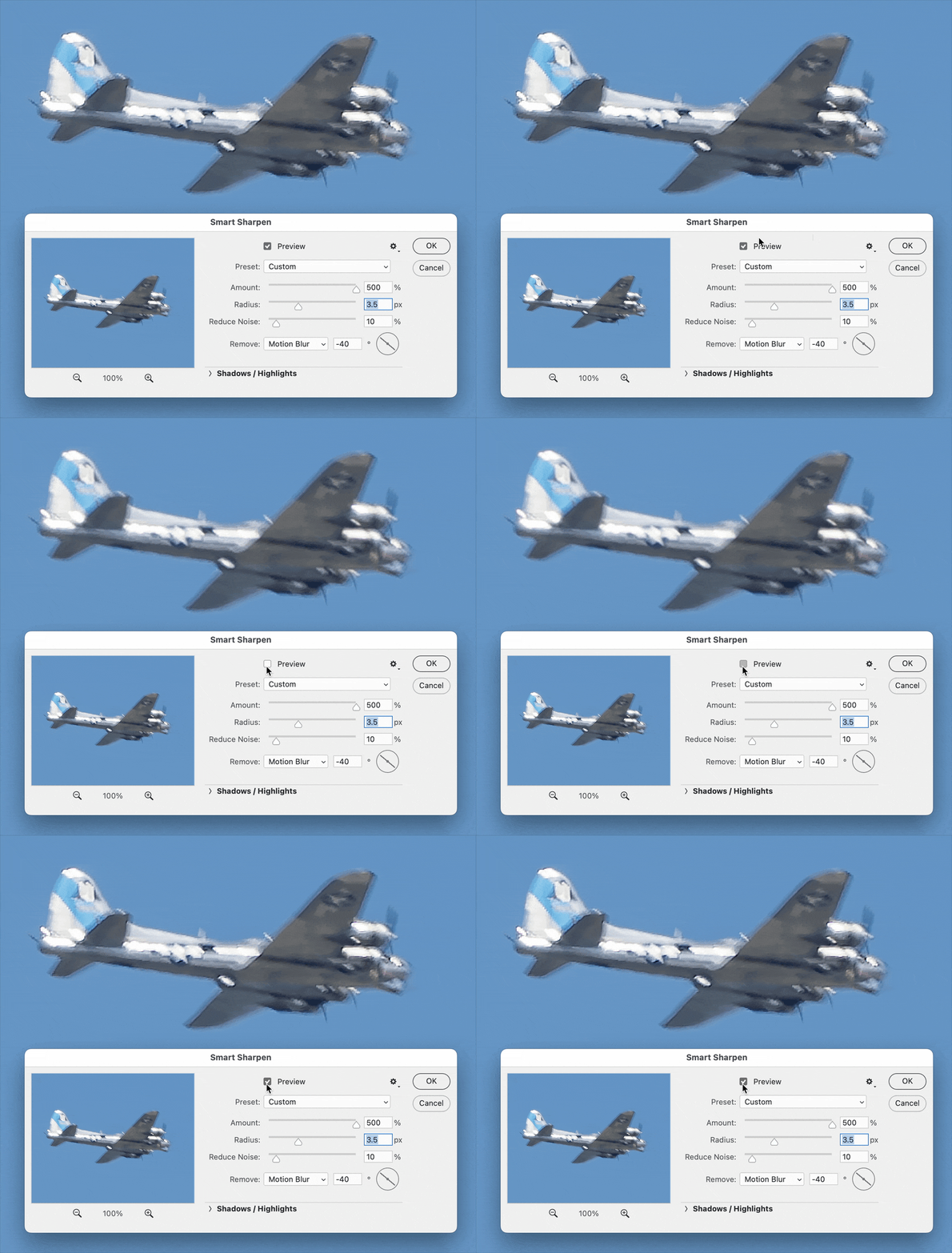
You can try setting the command Filter > Sharpen > Smart Sharpen to remove Motion Blur and adjusting the angle. This is not a new feature and doesn’t use any AI so it is far from perfect, but it’s the only motion blur removal left in Photoshop that I know of since Shake Reduction was removed.


In the photo below, Smart Sharpen wasn’t able to remove the entire length of the motion blur, maybe because the maximum Amount is 500% and I had already maxed it out. Shake Reduction was more customizable.

 

2 replies

Conrad_C
Conrad_CCorrect answer
Community Expert
August 16, 2025
quote

…remove/fix any blur cause by movement when shooting a photo. Is this available by any Pshop version today?

By @genik


You can try setting the command Filter > Sharpen > Smart Sharpen to remove Motion Blur and adjusting the angle. This is not a new feature and doesn’t use any AI so it is far from perfect, but it’s the only motion blur removal left in Photoshop that I know of since Shake Reduction was removed.


In the photo below, Smart Sharpen wasn’t able to remove the entire length of the motion blur, maybe because the maximum Amount is 500% and I had already maxed it out. Shake Reduction was more customizable.

 

Chuck Uebele
Community Expert
August 15, 2025

They briefly had that feature, but for some reason they got rid of it. I'm not sure why. It work so so, but it was better than nothing. Now there are other programs that do an somewhat ok job, like Topaz AI.

D Fosse
Community Expert
August 16, 2025
quote

for some reason they got rid of it. I'm not sure why. 


By @Chuck Uebele


I am: it didn't work 😉


I tried it a few times just out of curiosity, and, not surprisingly, it didn't "fix" anything. It only made it obvious that you had tried to fix it.


You can fix most things, but there is one thing you cannot fix in post: loss of detail by blurring. That's gone permanently. If a shot is out of focus, or has motion blur, it's gone. 

jane-e
Community Expert
August 16, 2025

I know another reason why: macOS and Windows OS moved on and Camera Shake Reduction used the old technologies.


Goodbye, Camera Shake Reduction!

With the April release of Photoshop 23.3, Camera Shake Reduction (Filter > Sharpen > Shake Reduction) will be removed. The technology is not compatible with newer development platforms.


Dag and Chuck, I truly believe that I know both of you well enough to know that you use a tripod when you need to and never, never, or hardly ever shake your cameras?


Canon defines Camera Shake like this (for those who don't know):

What is Camera Shake?

Camera shake is a term used to define the act of accidentally shaking a camera during shooting due to unsteady hands, which results in blurry images. This generally occurs more often if you’re shooting on a low shutter speed or with a heavy lens, and can be avoided by using a tripod and cable release setup.
 
Cheers
Jane
