


Torgeir J
Participant
March 10, 2021
해결됨

Fixed: Unable to export Save for Web in Photoshop 22.3 Windows 10

  • March 10, 2021
  • 23 답변들
  • 63580 조회

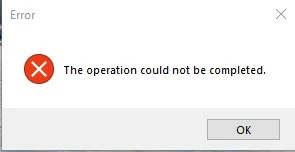
After update to Photoshop 22.3.0 today export to Save for Web (Legacy) stopped working. Opens up a error message: The operation could not be completed.

Quick export is working ok. 
{Moderator note: Edited the thread title, PS-60637}

이 주제는 답변이 닫혔습니다.
최고의 답변: Akash Sharma

Hi there,


This issue should be fixed in the Photoshop 22.3.1 update that went live today. This update includes fixes to some of the top customer reported issues among other bug fixes. See Bug fixes and security updates


To update Photoshop to 22.3.1, click "Update" in the Creative Cloud desktop app next to Photoshop. See: More detailed instructions for updating


Let us know how it goes.

Thanks,

Akash

23 답변

kelseyc49607029
Participant
May 22, 2021

ugh, has anyone found a workaround for this?

_1977
Participant
May 17, 2021

I'm still getting this error even though Photoshop has been updated to the latest version.

Participant
April 28, 2021

I'm trying to export a GIF and I keep receiving this message:
"Could not complete this operation. an unknown error has occurred"

I already have the Photohop 22.3.1 update.

Akash Sharma
Legend
April 13, 2021

Hi there,


This issue should be fixed in the Photoshop 22.3.1 update that went live today. This update includes fixes to some of the top customer reported issues among other bug fixes. See Bug fixes and security updates


To update Photoshop to 22.3.1, click "Update" in the Creative Cloud desktop app next to Photoshop. See: More detailed instructions for updating


Let us know how it goes.

Thanks,

Akash

Torgeir J
Torgeir J작성자
Participant
April 13, 2021

Thank You! It is working fine now.

Participant
April 8, 2021

I'm on Photoshop 22.3.0 and the Save for Web feature is completely broken for me. Clicking the "Save for Web (Legacy)" menu item always causes a generic error message saying "The operation could not be completed" to pop up.


Things I've tried that didn't work:
- reinstalling photoshop via the creative cloud app

- resetting the preferences

- rebooting (and doing the above things again for good measure)

- running photoshop with elevated privileges to rule out permission problems


My system info (as generated by photoshop) is attached as a text file.

A solution or a workaround would be much appreciated.

nikunj.m
Community Manager
Community Manager
April 9, 2021

Hi,


We're sorry about the trouble with Photoshop due to the error while using Save for Web. Our product team has acknowledged the issue as a bug & the team is working on a fix for it. Meanwhile, please roll back to the previous version of Photoshop using the steps suggested here: Install previous versions of your Creative Cloud apps

Please uninstall the latest version of Photoshop first & select the option to Keep Preferences prior to installing the previous version.


Regards,

Nikunj

Participating Frequently
April 7, 2021

Same problem here. 2012 Mac Pro, MacOS 10.14, PS 22.3.0. Started getting the error out of the blue yesterday. Had been exporting fine, and then suddenly it stopped working. Tried all the tricks suggested in other threads to no avail, but was able to get back to work using the Preview workaround. (Hit the "preview" button in the left corner of the Save For Web dialog window and then save the image out of the preview browser.) This added steps, but worked well enough and was worth the hassle to not have to step back a version. Then, today, the problem went away. I was getting the error one minute, and the save was completing as normal the next. Not sure if Adobe did something on their end, or if it just cleared up on its own, but did not even restart PS between not-working and working states. Good luck to everyone else still experiencing the problem!

pixxxelschubser
Community Expert
Community Expert
April 7, 2021


Works for me without problem with PS 22.3.0  Win 10


By @pixxxelschubser

                                                                                             --> jump to quoted post


Mohit Goyal
Community Manager
Community Manager
April 5, 2021

Hi all,


We have acknowledged this issue as a bug and working on it. In the meanwhile, you can roll back to the previous version of Photoshop 22.2 to resolve this specific issue.


We're really sorry for the inconvenience caused.


Thanks,

Mohit

Participant
April 7, 2021

Hi,


I rolled back to the 22.2 and its still giving me the same error.

Túlio M. O
Participant
March 29, 2021

This started happening to me overnight on 22.2, I contacted support and I was recommended to use 21.2.6 untill this bug is fixed. 22.3 is out but the problem remains. I've already reset the configurations and even reinstalled the whole program, it didn't work.

On 21.2.6 it works just fine.

ateague70
Known Participant
March 18, 2021

While trying to export an image for web/legacy, it wont work and I get an error box--the operation could not be completed, no matter what type of file.


{Thread title edited by moderator}

nikunj.m
Community Manager
Community Manager
March 19, 2021

Hi,


We're sorry about the trouble with Photoshop. Would you mind sharing the exact version of Photoshop you're using along with your computers operating system? Did you start experiencing this issue after an update to Photoshop or to Windows?


You can try to reset the preferences of Photoshop using the steps mentioned here: Preferences

Please backup your settings prior to resetting the preferences. You can check: Migrate presets, actions, and settings


Let us know how it goes!

Regards,

Nikunj

ateague70
Known Participant
March 22, 2021

Problem occurred after updating to Photoshop 22.3, using windows 10
resetting preferences did not fix the problem


Andrea Teague
[Moderator deleted private information. Please do not post private information like e-mails and phone numbers]