



Font sizes not displaying correctly
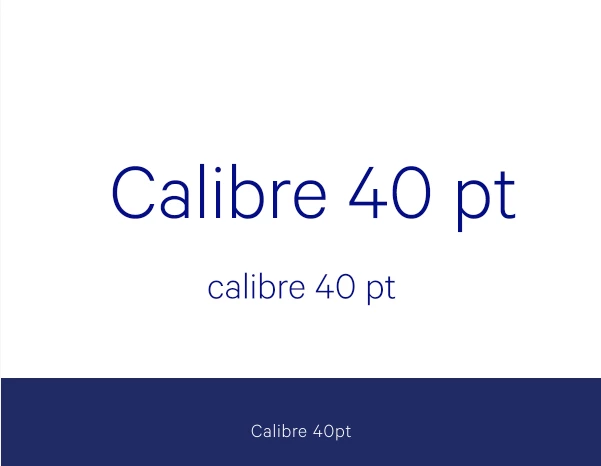
When I create a text box in any new or existing file, text sizes are not showing correctly. For example, I am designing an email at 1200px wide, 300 ppi (resolution shouldn't matter) and if I create a text box and type (in any typeface) 40 pt type looks like it's about 200 pts. If I compare the type to existing files that I know utilize 40 pt type in the same typeface, it's about twice the size. I have not scaled the text box in any way, I've restarted photoshop and my computer twice, and just now I've updated photoshop to Photoshop CC 19.0.1...to my amazement it's made the problem WORSE! Screenshot attached of what actual 40pt calibre type looks like (at the bottom), what photoshop thought was 40pt calibre type a couple of hours ago (center) and what photoshop with the 19.0.1 update thinks is 40pt calibre type. (top)
HELP! Thanks in advance!!!
 AdChoices