



Generative fill stopped working
Adobe PS version 25.7.0
Mac OS Sonoma 14.4.1 - Macbook Pro 13 inch M1 2020
I was using generative fill to extend image backgrounds until recently. Now when I try, I get a vague error message. Here is my process:
I open an image that is 1000 px by 400 px, I want to extend it to 1200 px wide. I increase the canvas, select the area that does not contain an image and type "extend background" in the generative fill dialog (I have done this successfully many times over the last few months). The process runs and gets to about 85% done and this message pops up in a little orange box:
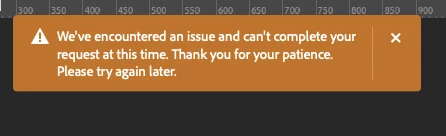
I did find that After Effects was cacheing a ton of old content, like 700 GBs. So my 1TB disk was close to full. I have cleared that out and have plenty of storage available now (822 GB free). Thanks for the consideration, Cheers! Clint
 AdChoices